

Available only for SMS campaigns and requires a configured SMS provider.
Using the Send SMS Block
Using the Send SMS action block, you can send an SMS message proactively to your contact. Most commonly used for use cases like:- Sending promotional message
- Feedback surveys
- Appointment confirmation
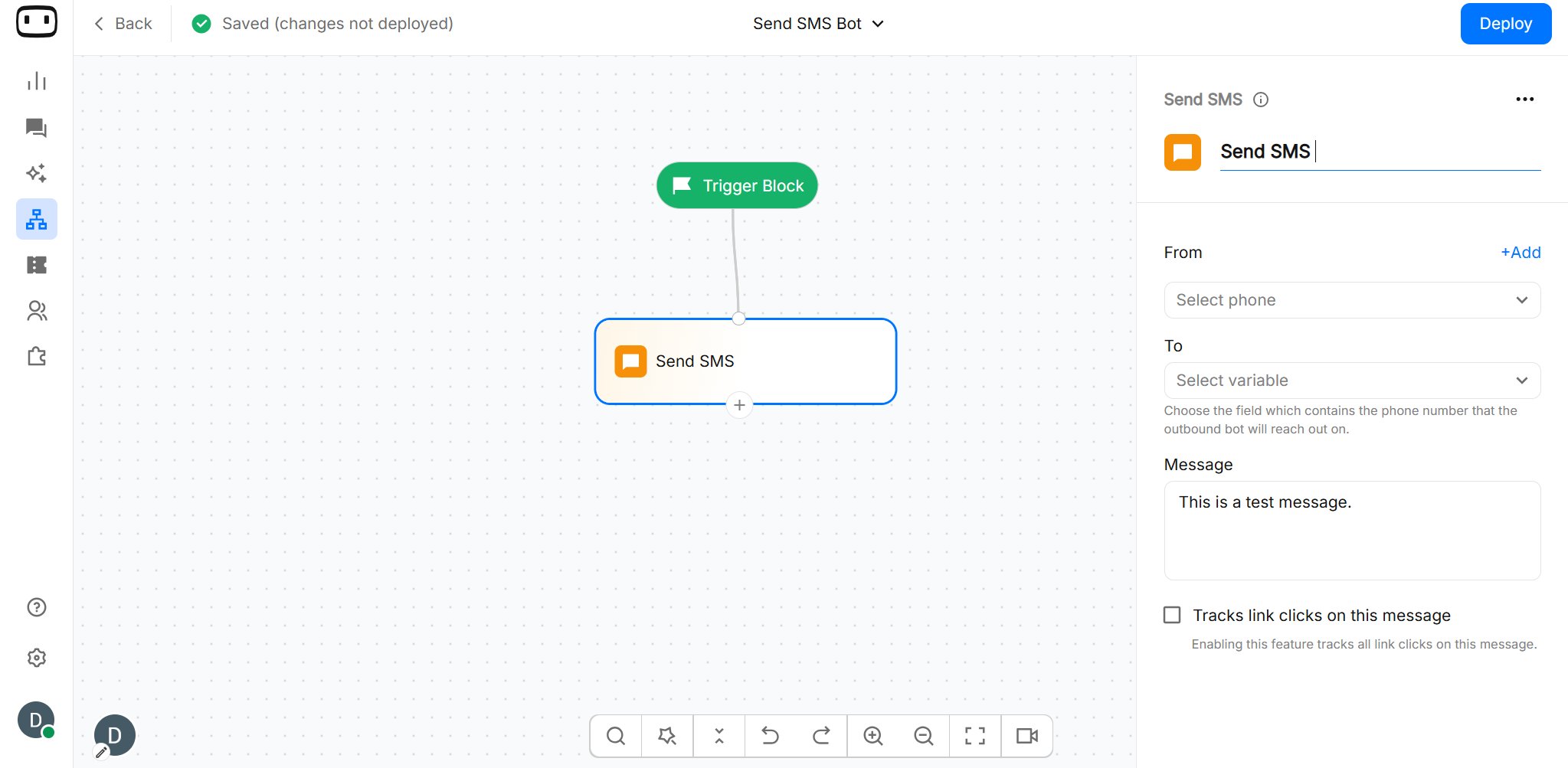
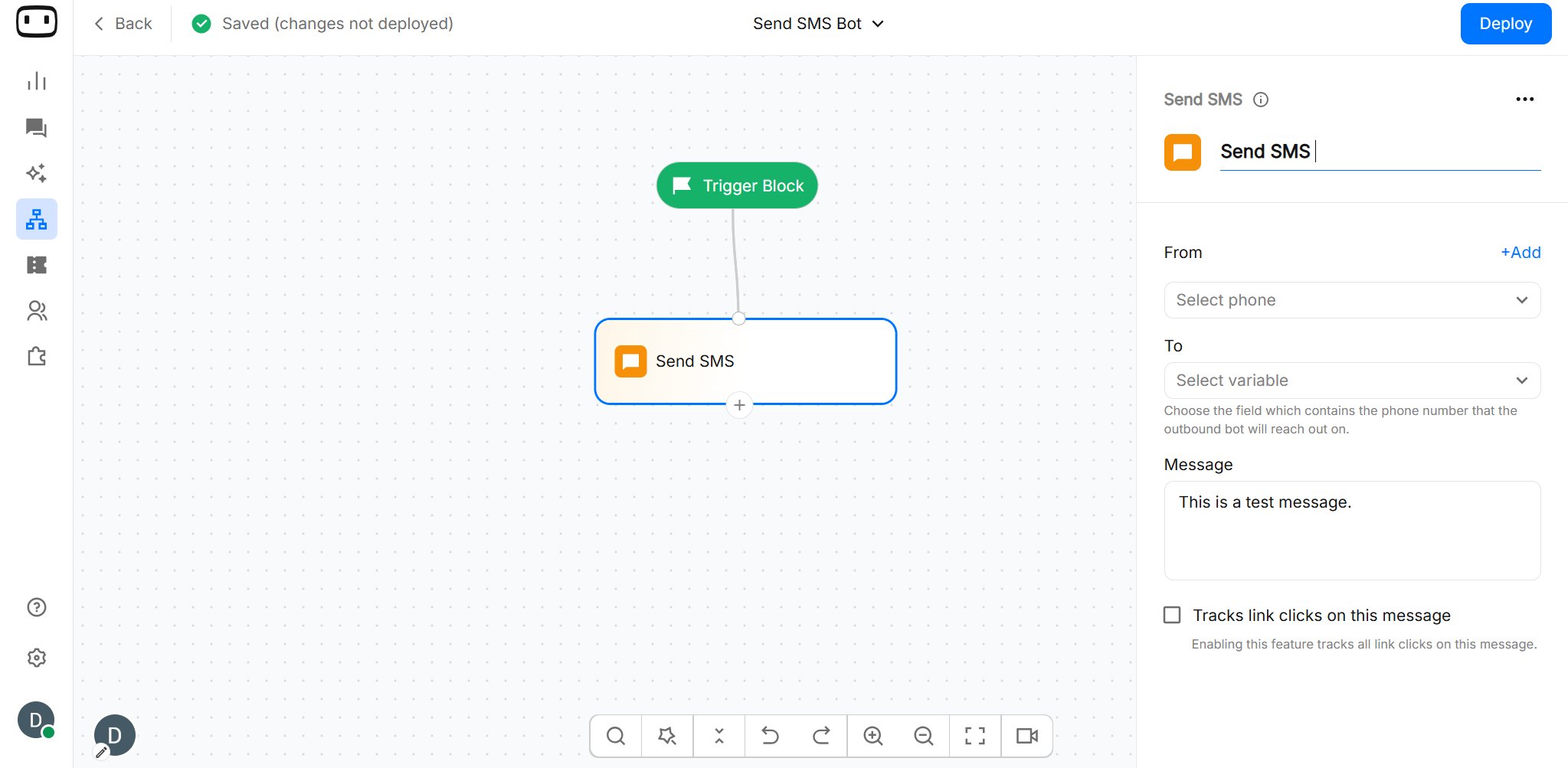
- Add the ‘Send SMS’ action block on the canvas
- Choose the number you want to send the SMS using the ‘From’ field.
- Choose the variable containing the contact’s phone number in the ‘To’ field
- Add the message that you want to send
Configurations
Message Text
Enter the message you want to send to the contact. SMS messages are plain text and can include variables from contact attributes. This lets you personalize the same campaign message for different contacts. For example:Character count and segments
An SMS has a 160-character limit per standard segment. When a message exceeds the limit, SMS providers may split it into multiple segments. The number of segments can affect the cost of sending the message because providers may charge per segment. Keep your messages concise, particularly when they contain variables, because the final character count depends on the actual values inserted at send time.Sender ID
Select the sender you want to use for the SMS. Sender ID availability and restrictions vary by country, carrier, and SMS provider. Some countries require businesses to register sender information or message content before sending application-to-person SMS.
Recipient
Select the variable that contains the recipient’s phone number whom you send to send a message. For an outbound campaign, the block uses the value stored in this variable to determine where the MMS should be delivered.
Links
Enable Links to track clicks on all links included in the SMS message. When enabled, WotNot tracks link clicks on the message so you can measure how recipients interact with the links in your outbound campaign.Enabling this option tracks all links included in the message.

Opt-out Text
Include an appropriate unsubscribe instruction when your SMS requires an opt-out option. For example: Reply STOP to unsubscribe. Opt-out requirements vary by country, message type, and local regulations. Make sure your SMS campaigns follow the requirements applicable to the recipients you are messaging. For more information, see Opt-out management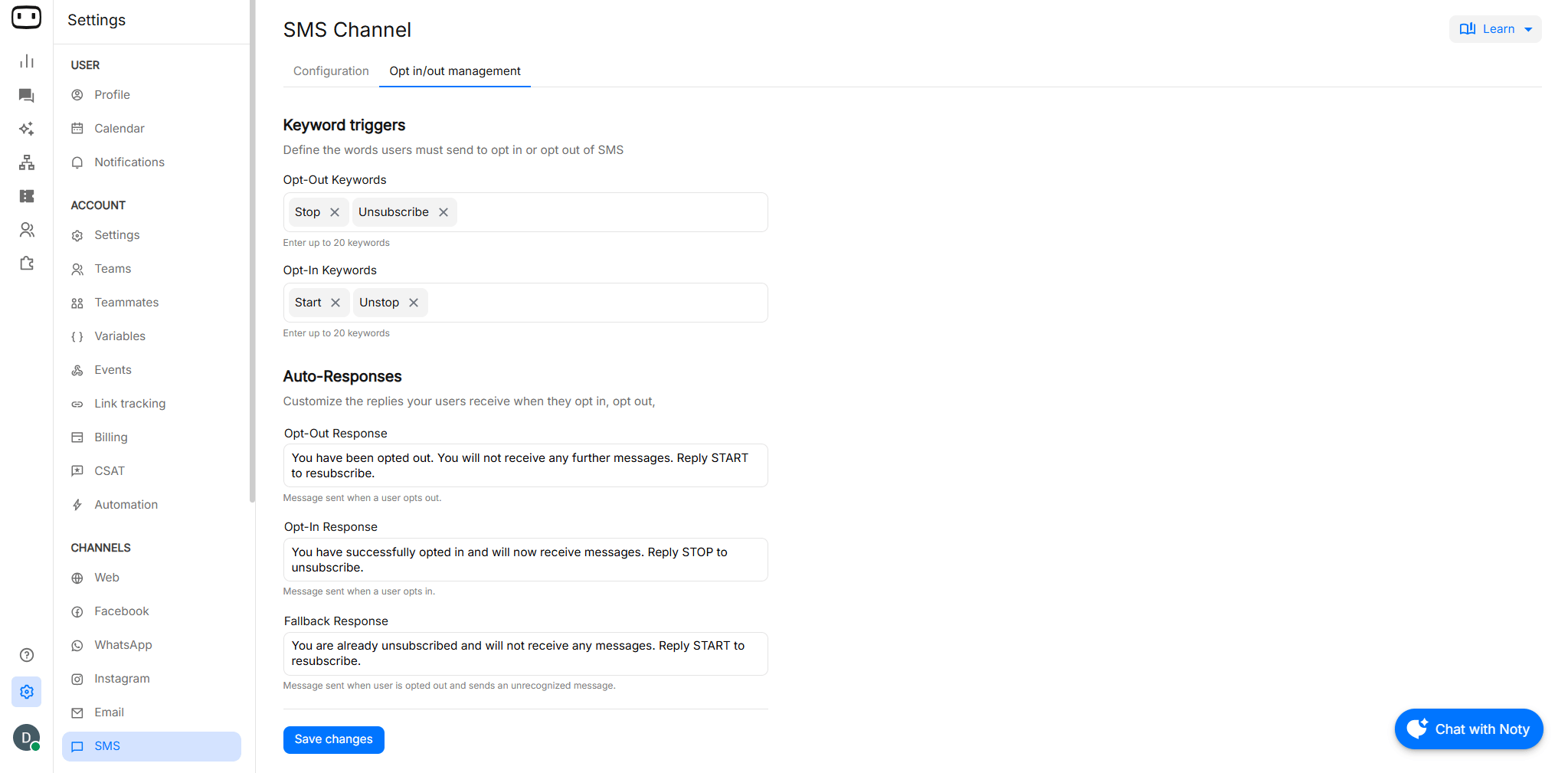
Output Paths
The Send SMS block sends the configured message to the selected recipient. To create different campaign paths based on the delivery result, use the Send Status block after Send SMS. For example: Send SMS → Send Status → Delivery-based path The Send Status block can identify outcomes such as:- Not sent — The message could not be sent, for example because the phone number is invalid.
- Sent but not delivered — The message was sent but has not been delivered.
- Delivered but not seen — The message was delivered but has not been seen.
Regional compliance
SMS requirements may vary depending on the country or region where you send messages. Make sure your business completes any applicable registration or compliance requirements before sending SMS messages.India
To send SMS messages in India, you must complete the mandatory registration on the DLT (Distributed Ledger Technology) platform.Documents required for DLT registration
- Company GST Certificate
- Company PAN Card
- Authorization Letter on company letterhead
- Proof of Business (Incorporation Certificate / Udyam / MSME)
- Authorized Signatory’s ID Proof (Aadhaar / PAN)
- Registered Business Email ID and Contact Number
- Sender ID (6 characters), for example:
HDFCBK
United States
For SMS messages sent to US recipients using a 10-digit long-code number, A2P 10DLC registration is required. The registration process involves registering your business (Brand) and messaging use case (Campaign) before sending A2P messages. You may also need to provide information about your messaging workflow, including how users opt in and opt out.Note: The exact requirements may vary depending on the SMS provider, phone number type, and messaging use case. Check with your SMS provider to confirm the applicable requirements.
Related pages

Outbound Report
Monitor the performance and delivery of your outbound messaging campaigns

Opt-Out management
Configure keywords and messages for SMS opt-in and opt-out management

Setting up link tracking
Track links included in your chatbot messages