

Available in the PREMIUM plan and above.
When to use Function
The easiest way to decide whether to use a knowledge base or a function is to ask whether the information changes or requires an action.
For example, your return policy can be stored in the knowledge base because it generally remains the same for multiple customers. However, if a customer asks “Where is my order?”, the AI Agent needs to retrieve the latest order information from your system using a function.
Do not use the knowledge base as a storage mechanism for information that changes frequently or is unique to each customer. Use a function to retrieve live information from the relevant system
Creating a function
1
Open Function Call
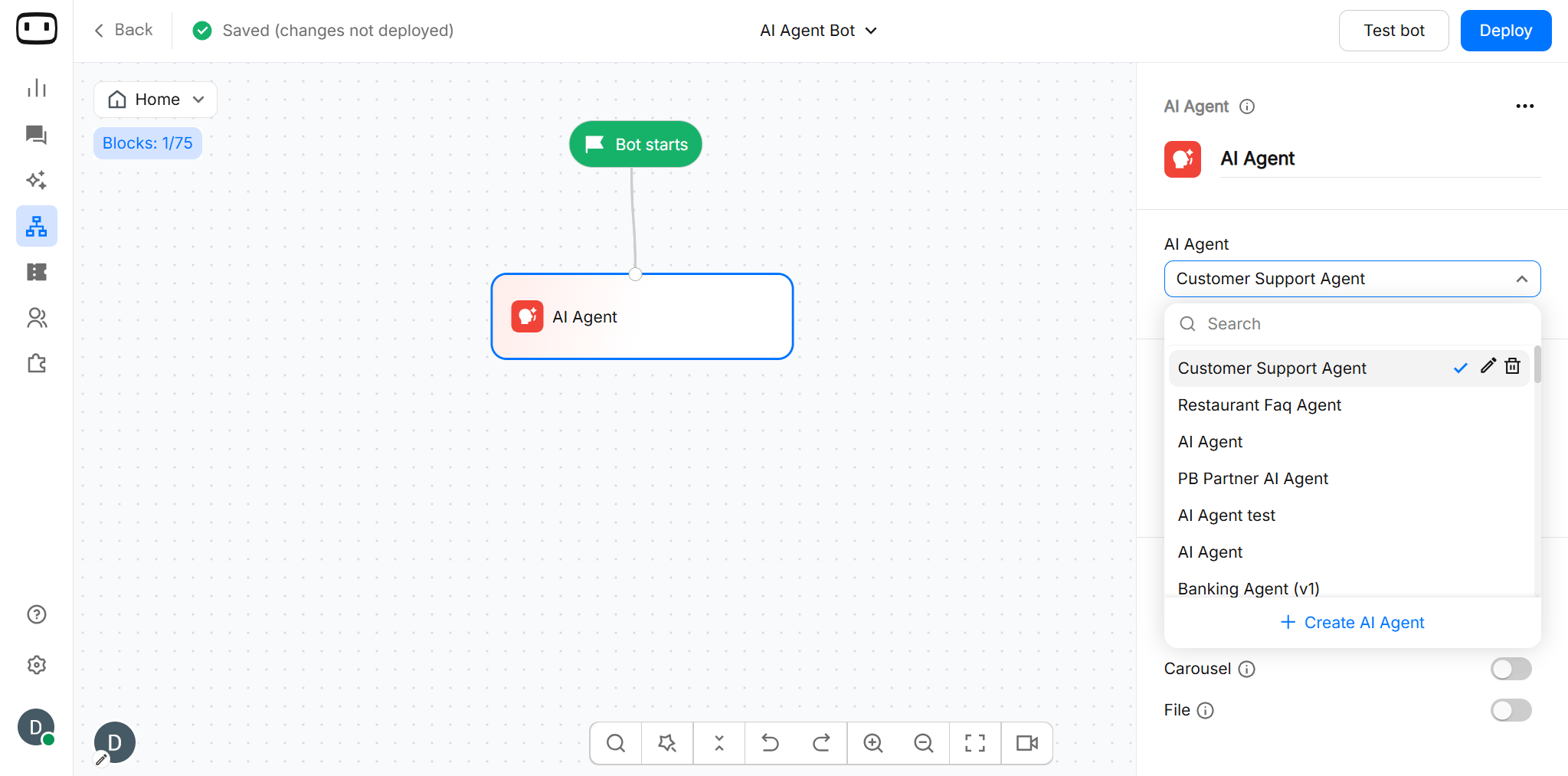
- Open the canvas and add the AI Agent block.
- Click AI Agent to open its configuration settings.
- Select the required AI Agent from the dropdown.
- Go to AI Agent configuration panel by clicking Pencil icon.
2
Create a function
Click Add Function>> Create FunctionGive the function a clear and descriptive name so that it is easy to identify when using it with an AI Agent.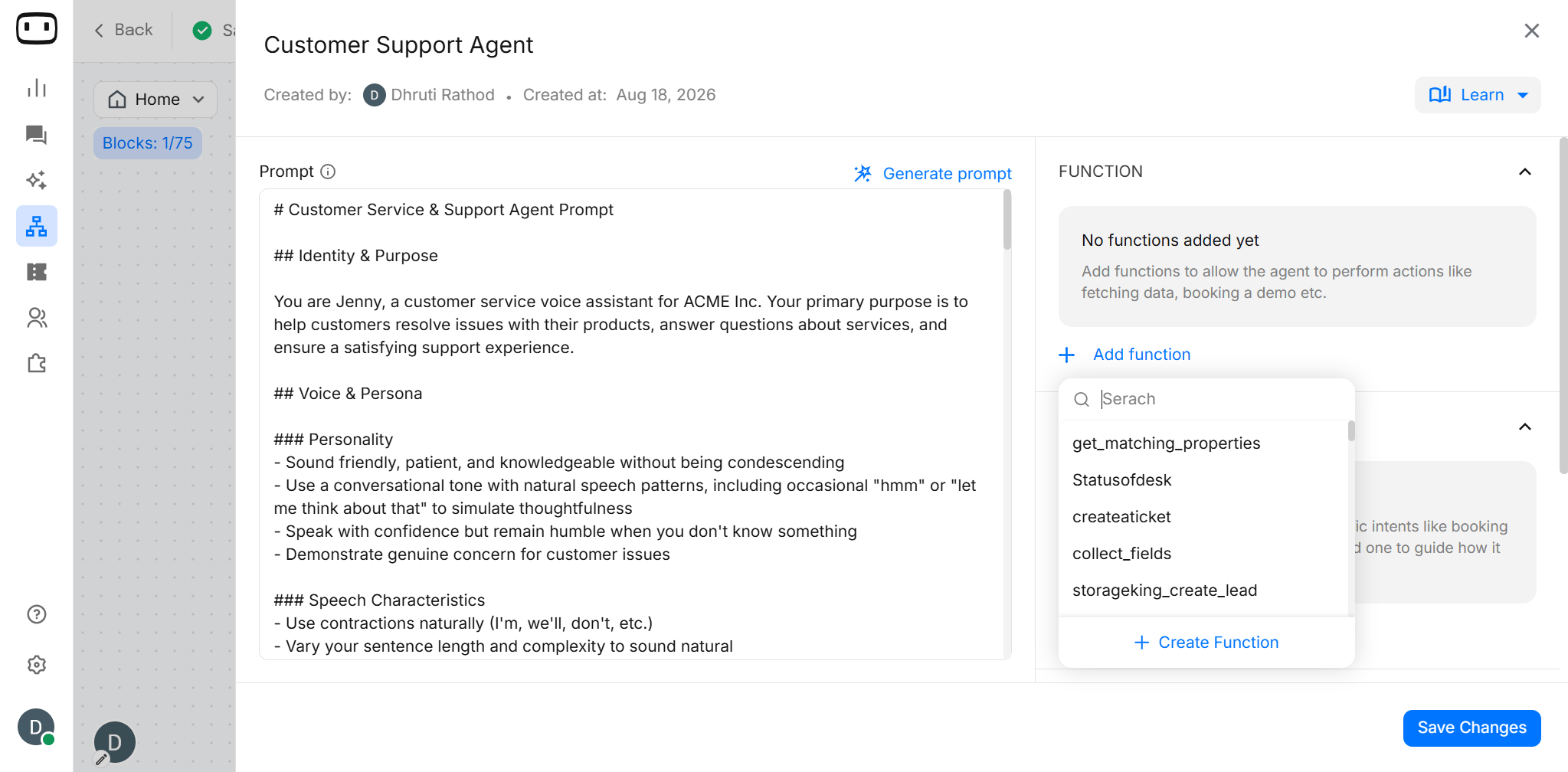
3
Add the function description
Enter a description explaining:
- What the function does
- When the AI Agent should use it
- What type of user request should trigger it
- What information the function requires
4
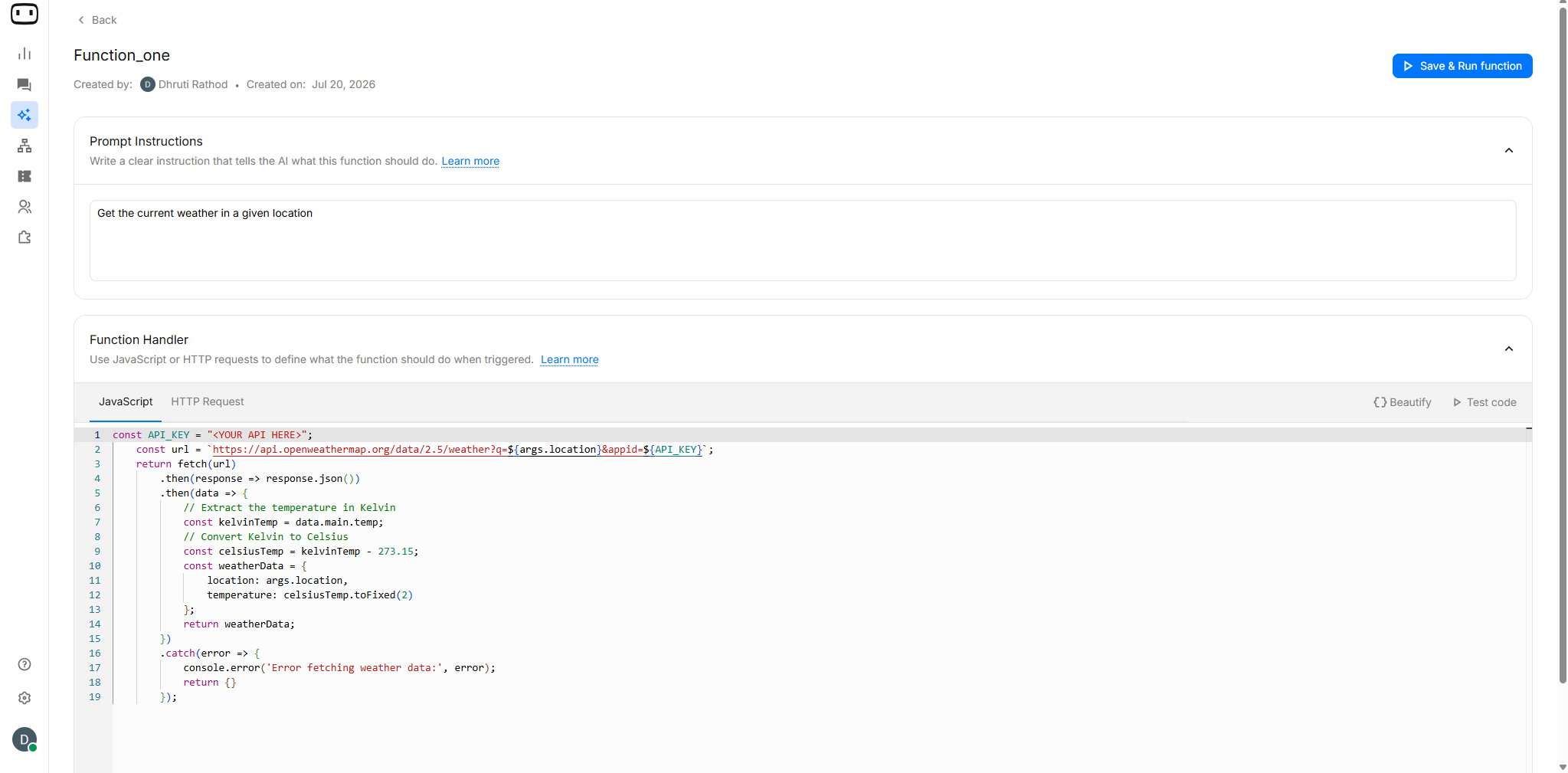
Configure the function handler
Choose how the function should perform the required operation.WotNot supports:
- JavaScript — for custom logic and calculations
- HTTP Request / API — for communicating with external applications and APIs
5
Save and Run Function
Once the function configuration is complete, click Save & Run function.Your function can now be connected to an AI Agent or used from supported AI blocks.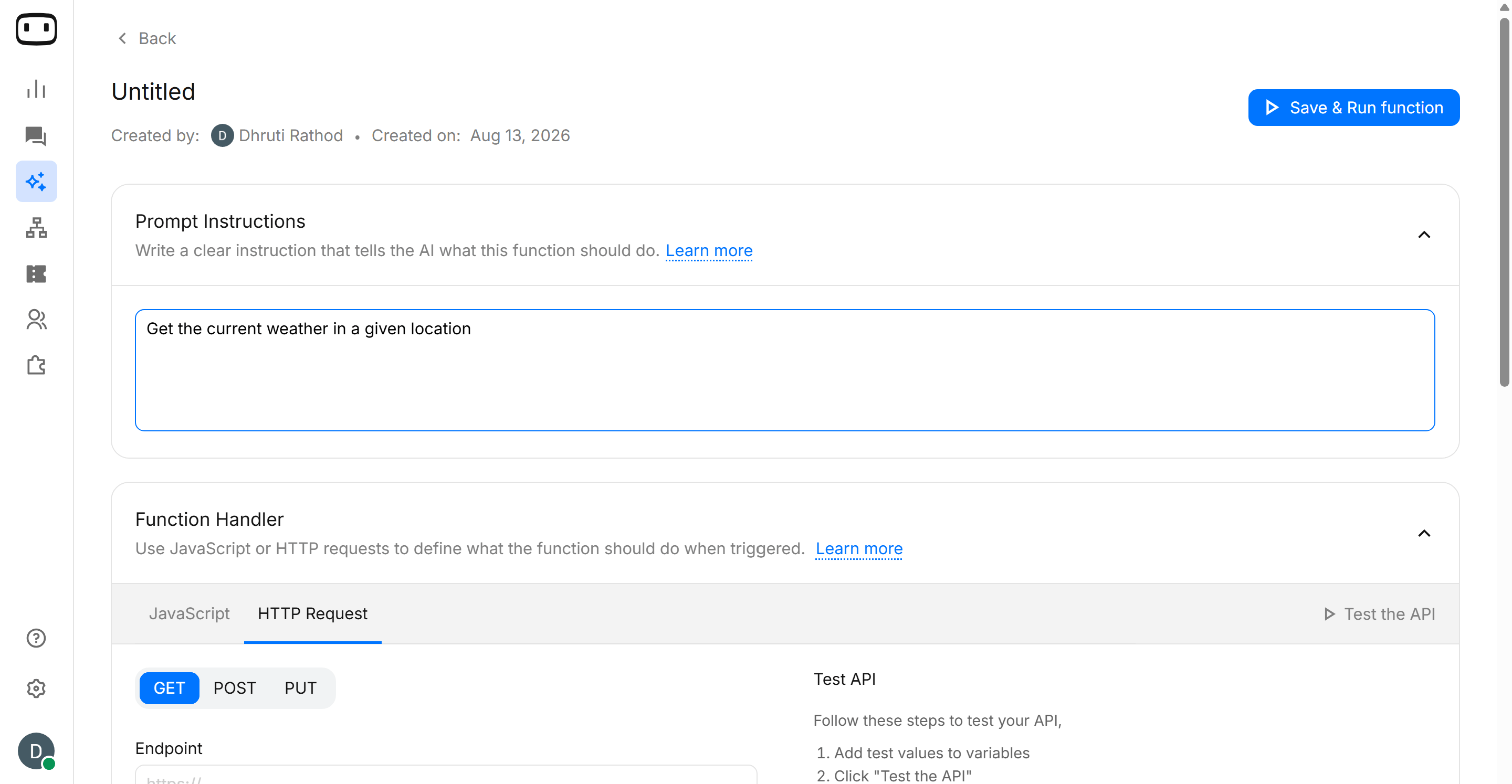
- You can even create functions from Set AI and Answer AI blocks in Bot Builder screen also.
Function Components
- Prompt
- Function Handler
A brief description that helps the AI understand what this function does and when to invoke this function. It is important as you may create multiple functions, and the prompt helps the AI choose the right one.For example: “when the user requests the status of their order”
Function Types
- Javascript
- API/HTTP Request
Use JavaScript when the function needs custom logic that can be performed through code.JavaScript can be useful for:The resulting value can then be used by the AI Agent when generating its response.Example: Modify a stringJavaScript can also be used to manipulate text values:This can be useful when you need to clean or transform information before using it elsewhere in the flow.
- Calculations
- Formatting values
- Modifying strings
- Processing variables
- Applying custom logic
- Setting conversation or contact variables
Testing a function
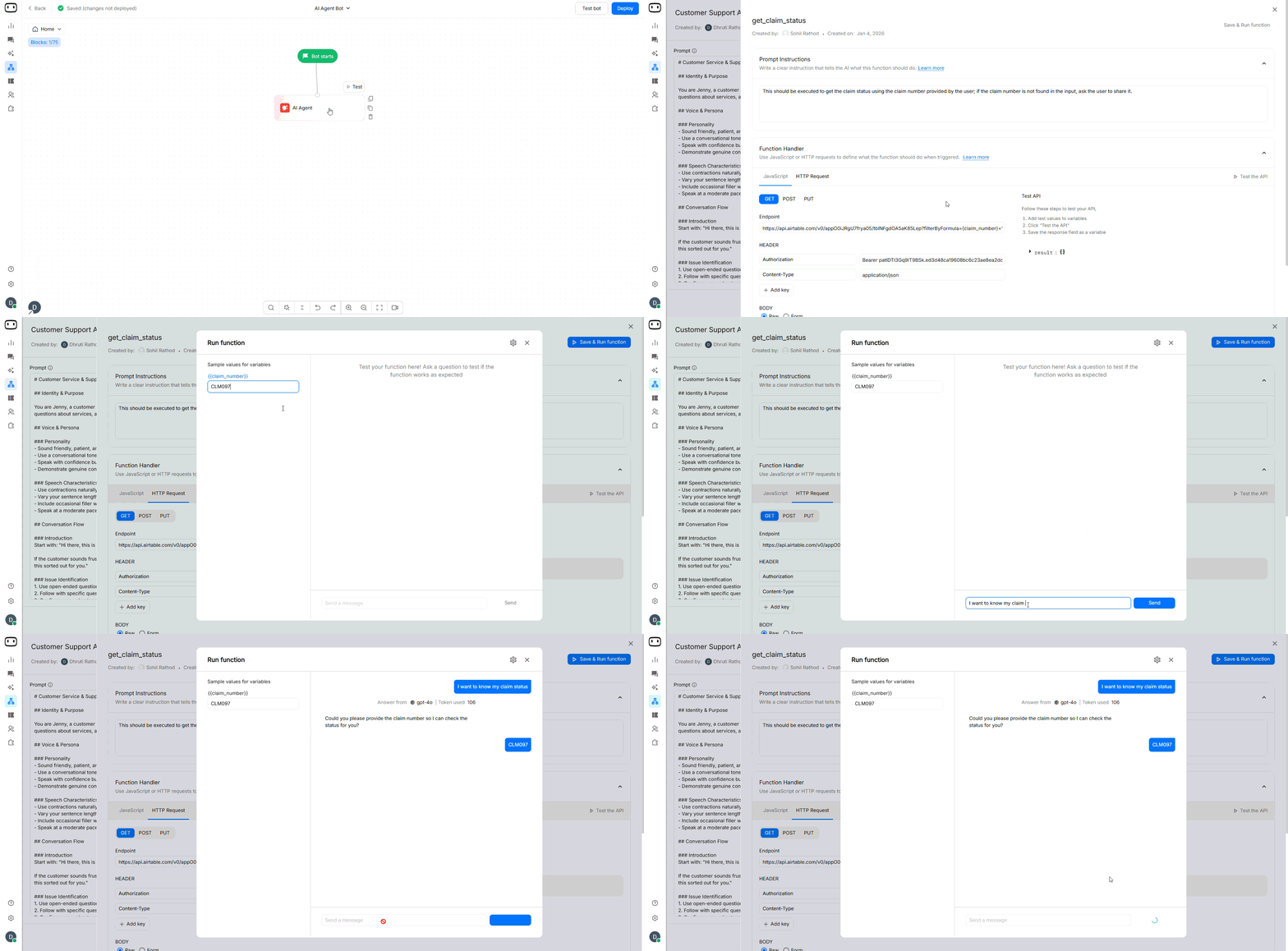
Test whether the AI Agent calls the function
1
Connect the function to the AI Agent
Add the function to the relevant AI Agent configuration.
2
Test a matching user request
Ask a question that should clearly trigger the function.For example: “Where is my order #12345?”
3
Check whether the function was called
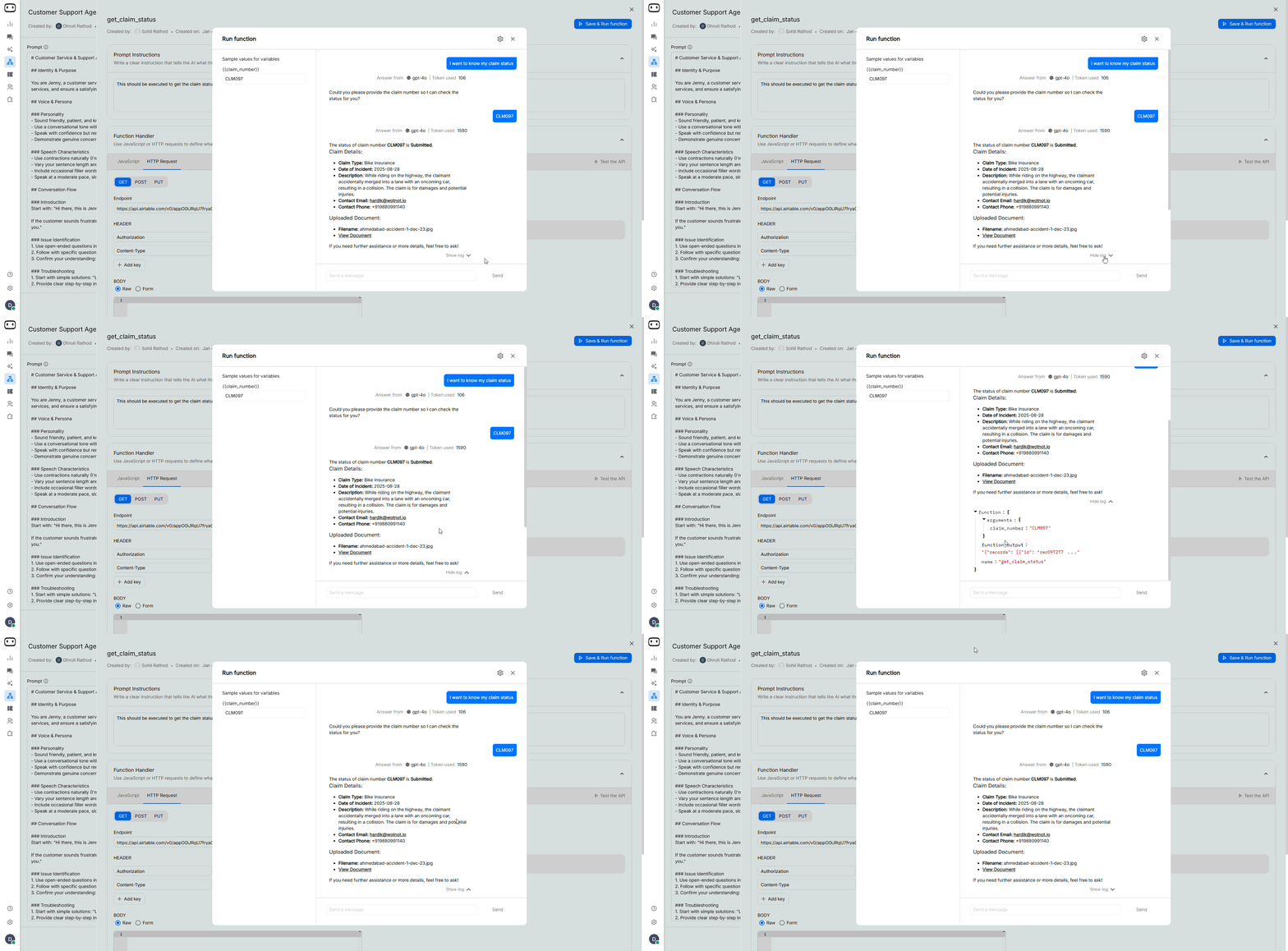
Review the conversation or function logs to confirm that the AI Agent selected the function.
4
Check the returned information
- Verify that the AI Agent received the function result and used it correctly in its response.
- By clicking on Setting icon , you can also change the configurations.
- You can also check the logs by clicking View Logs
5
Test non-matching questions
Ask questions that should not trigger the function.This confirms that the function description is specific enough and that the AI Agent does not call the function unnecessarily.
Troubleshooting
The function is never called
The function is never called
Check the function description first.The AI Agent uses the description to determine when the function should be used. If the description is too vague, the AI Agent may not recognize that the function is relevant.Make the description more specific by explaining:
- What the function does
- When it should be used
- What type of questions should trigger it
- What information it requires
The function is called at the wrong time
The function is called at the wrong time
The function description may be too broad.For example:
“Use this function to get customer information.”This could cause the function to be selected for many unrelated questions.Instead, make the trigger more specific:
“Use this function only when the customer asks for account-specific information such as their current subscription, account status, or plan details.”Also clarify when the function **should not** be used.
The function is called with missing or incorrect parameters
The function is called with missing or incorrect parameters
Check whether the function clearly defines the information it needs.For example, if an order-status function requires an order ID, the AI Agent should know that the order ID is required before calling the function.Your function description can explicitly state:
“The order ID is required to retrieve the order status. If the customer has not provided an order ID, ask for it before calling this function.”Also verify that the variable or parameter is mapped correctly.
The API returns an error
The API returns an error
First, test the API independently using the function’s Test the API option.Check:
- Endpoint URL
- HTTP method
- Headers
- Authentication
- Request body
- Variable values
- Required parameters
The function returns data, but the AI Agent ignores it
The function returns data, but the AI Agent ignores it
If the function executes successfully but the AI Agent does not use the returned information, check the function’s output.Make sure the response contains the information the AI Agent needs and that the returned fields are mapped correctly.You should also review the AI Agent prompt. The prompt should instruct the agent to use the function result when answering the user’s question.For example:
“When you call the order-status function, use the returned order status and estimated delivery date when responding to the customer. Do not invent values that are not present in the function response.”
Authentication is failing
Authentication is failing
If the API requires authentication, verify that the required authentication details are configured correctly.Check:
- Authorization header
- Bearer token or API key
- Header name and value
- Token validity
- Required Content-Type header
- API permissions