

Overview
Follow these four steps to build and launch your bot:- Create the bot — Choose the type of bot you want to build, select a channel, and start from a template or from scratch.
- Design the chat flow — Add and configure Action Blocks to create the conversation flow.
- Test the bot — Test the conversation flow to make sure the bot works as expected.
- Deploy the bot — Customize the chat widget and deploy the bot on your website.
1
Creating the bot
- On the left navigation sidebar, click on ‘Bot Builder’
- Click Build a Bot.
- Choose Build an Inbound Bot.
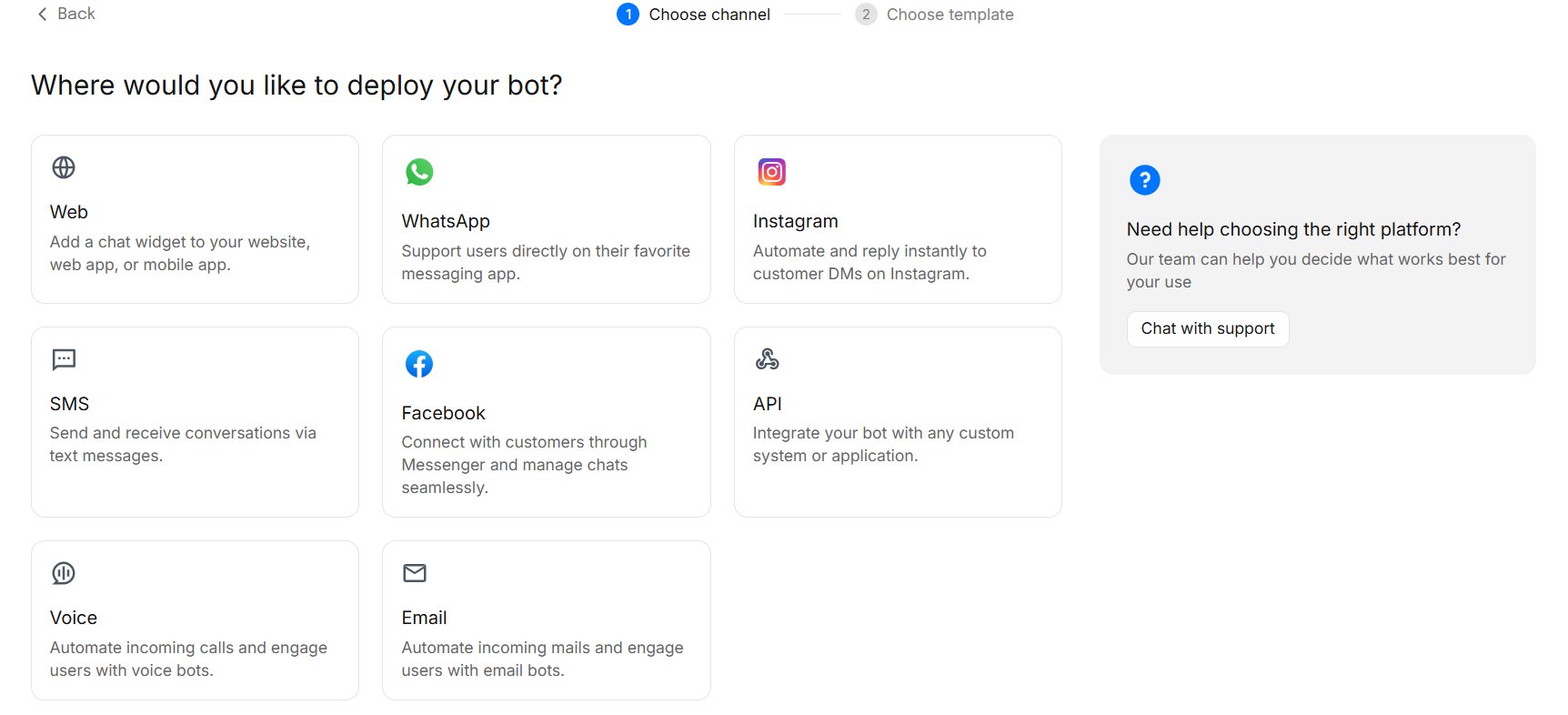
- Select the Channel where you want to use the bot.
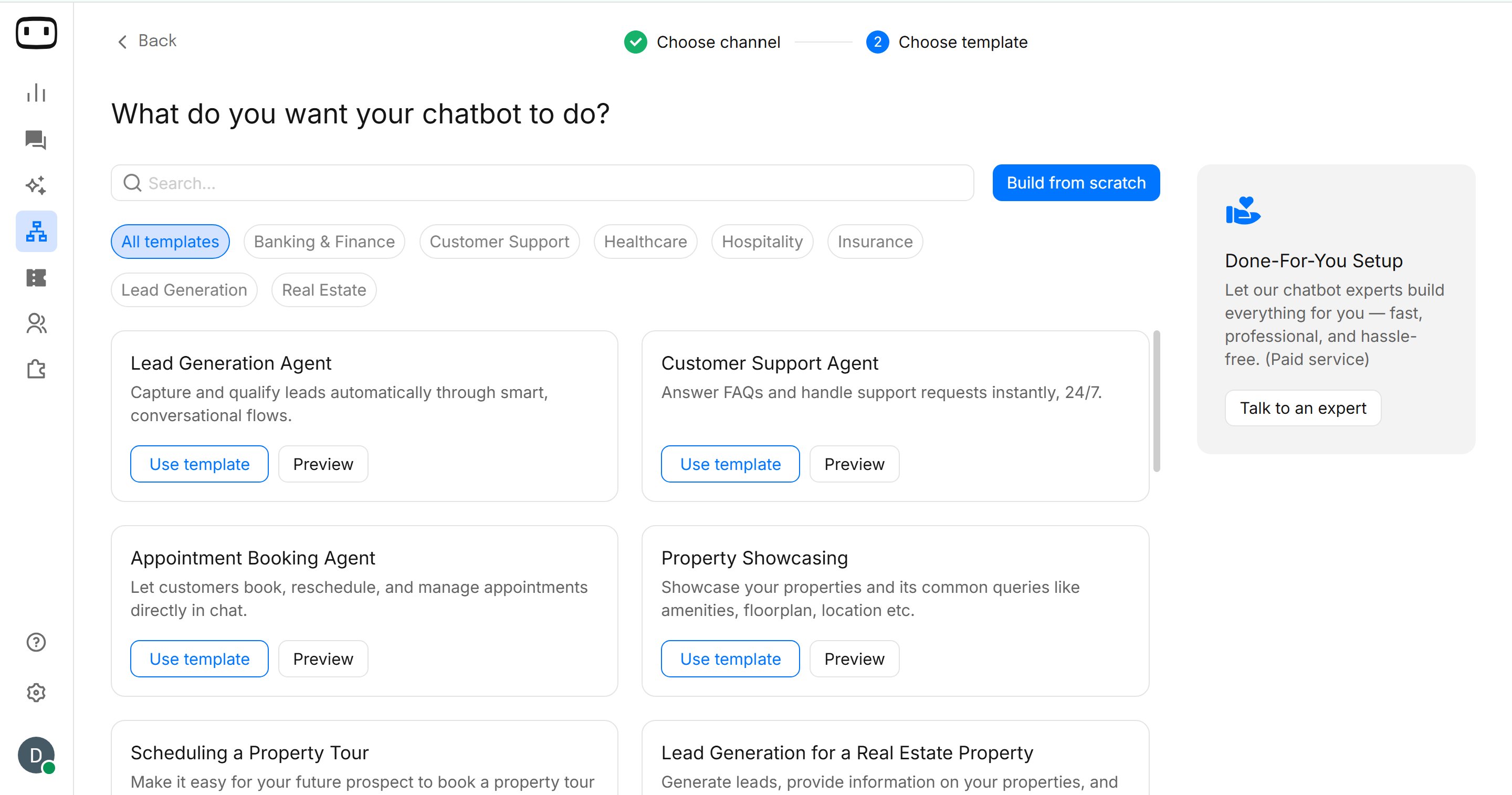
- Choose how you want to build your bot:
2
Designing the Chat Flow
The chat flow defines how your bot interacts with users.Use Action Blocks to build the conversation. You can add the required blocks to the flow and configure each block using the right-side panel.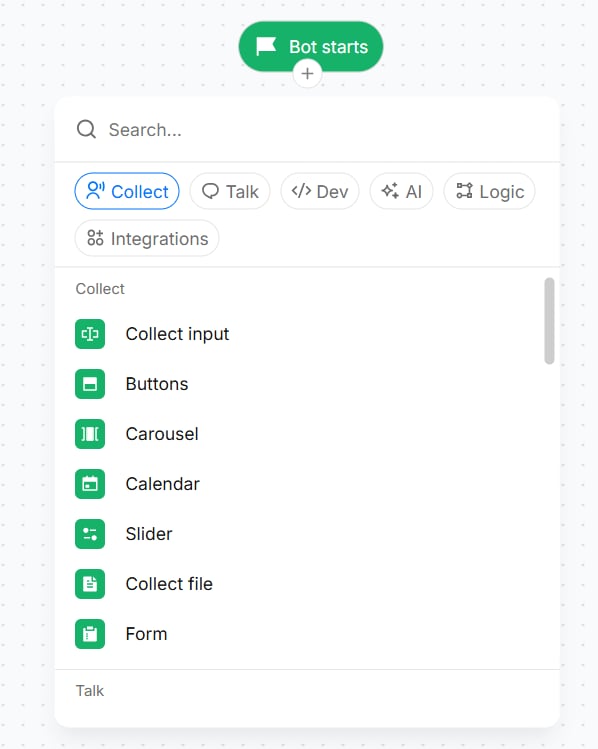
- Click the ’+’ icon below ‘Bot starts’ to add the first block to your bot.
- By clicking on it , you can see the list of all Action Blocks.
- Select an Action Block based on your use case.
- Connect the blocks to define the conversation path.
- Add the required messages, questions, buttons, and other actions based on your use case.
3
Testing the Bot
Next, test the conversation flow to make sure everything works as expected.
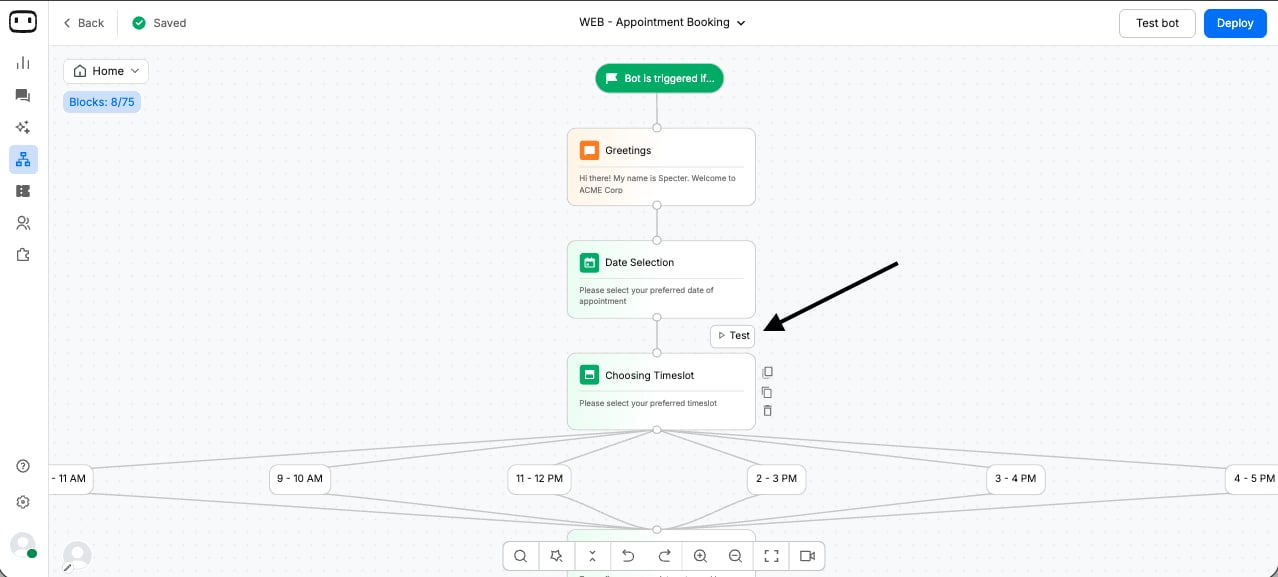
- Click Test Bot to open the bot in test mode.
- Doing this will open a drawer from the right with your chatbot flow, allowing you to test your bot directly within the Canvas.
- You can also test the chatbot from a specific point in the flow. Hover over the Action Block you want to start from and click Test. This allows you to skip the blocks that are already working correctly and focus on testing the changes you’ve made.
- The conversation follows the expected flow.
- Messages and responses are displayed correctly.
- Buttons and other user interactions work as expected.
- Action Blocks perform the configured actions.
- Integrations and other connected actions work correctly.
4
Deploying the Bot
Once you have tested the bot and confirmed that the flow works correctly, you can deploy it.
Deploy your bot
Learn how to deploy your bot to Facebook, WhatsApp, Instagram, Website, Email, SMS & Voice.
Chat Widget
For website deployment, you can customize the chat widget to match your website and configure how the bot appears to your users. Customize the appearance and behavior of the chat widget based on your website requirements.