WhatsApp Username Support
WhatsApp conversations can now work with usernames instead of phone numbers, helping protect visitor privacy.What’s new- Start, continue, and restart WhatsApp conversations using a username when a phone number isn’t available.
- Added Request Contact Info to WhatsApp templates, allowing visitors to share their contact details.
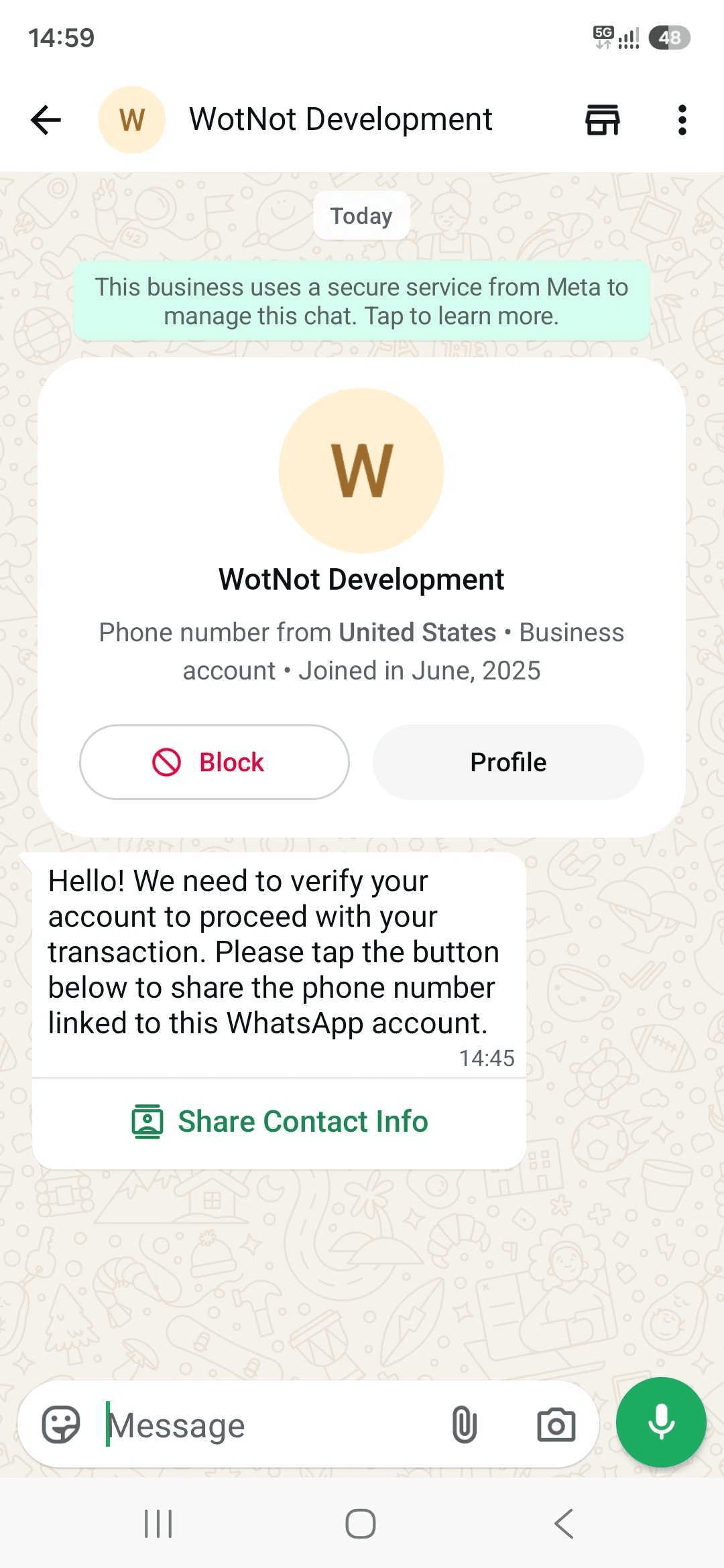
- Contact information can include the visitor’s name, phone number, and email.
- Contact details shared by visitors are now displayed directly in Live Chat.
- Added support for these updates in the Mobile App.
- Existing phone-number-based WhatsApp conversations continue to work as before.
This update currently supports inbound conversations only.
Email Signatures in Live Chat
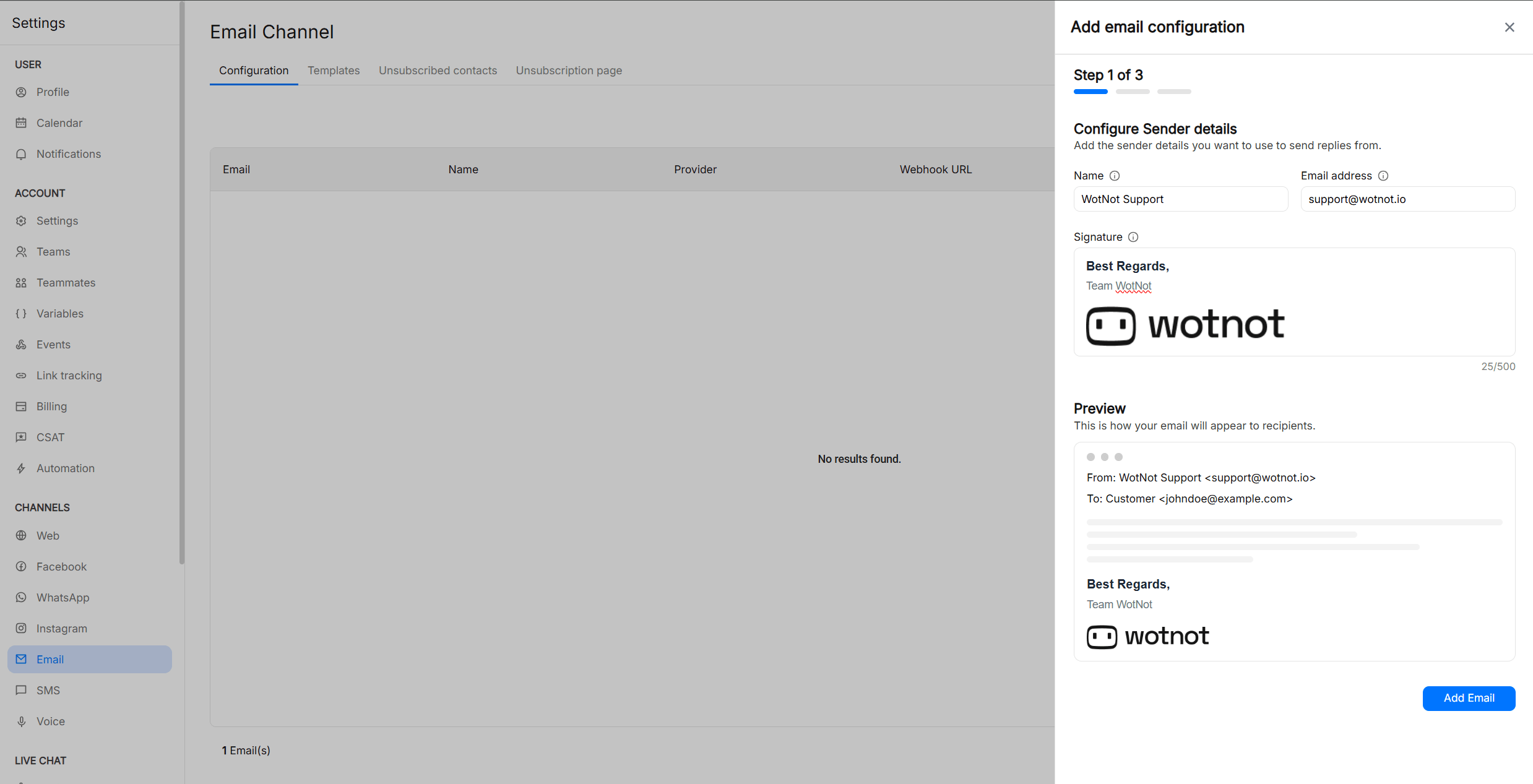
We’re happy to introduce Email Signatures in Live Chat, making email conversations more consistent and professional.What’s newThere are two types of signatures. Both are independent and optional.- Agent signature: Configure a signature for each email channel. It is added automatically to AI agent replies.
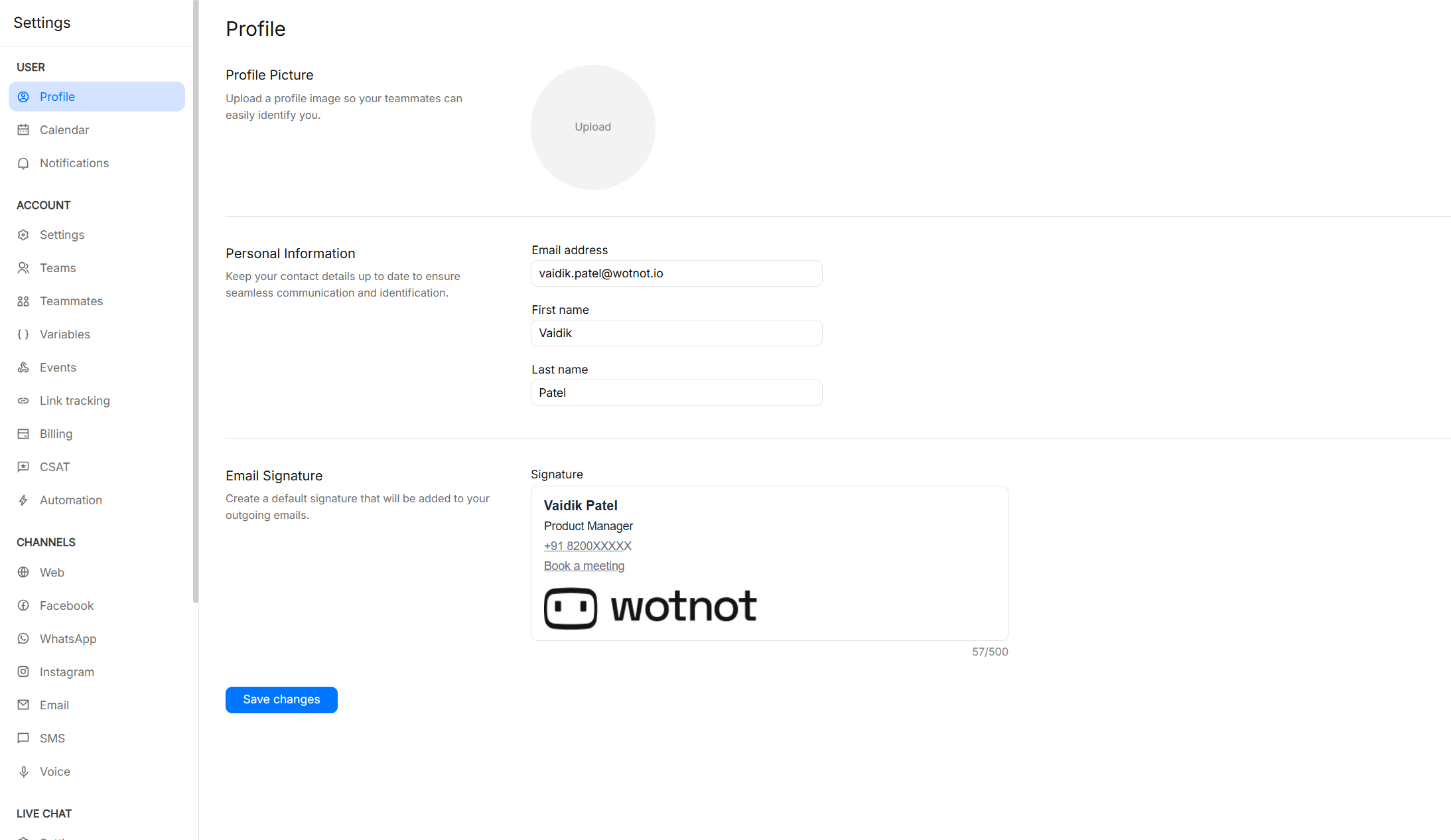
- Personal signature: Users can set their own signature from Settings → Profile. It is used for user-initiated email replies.
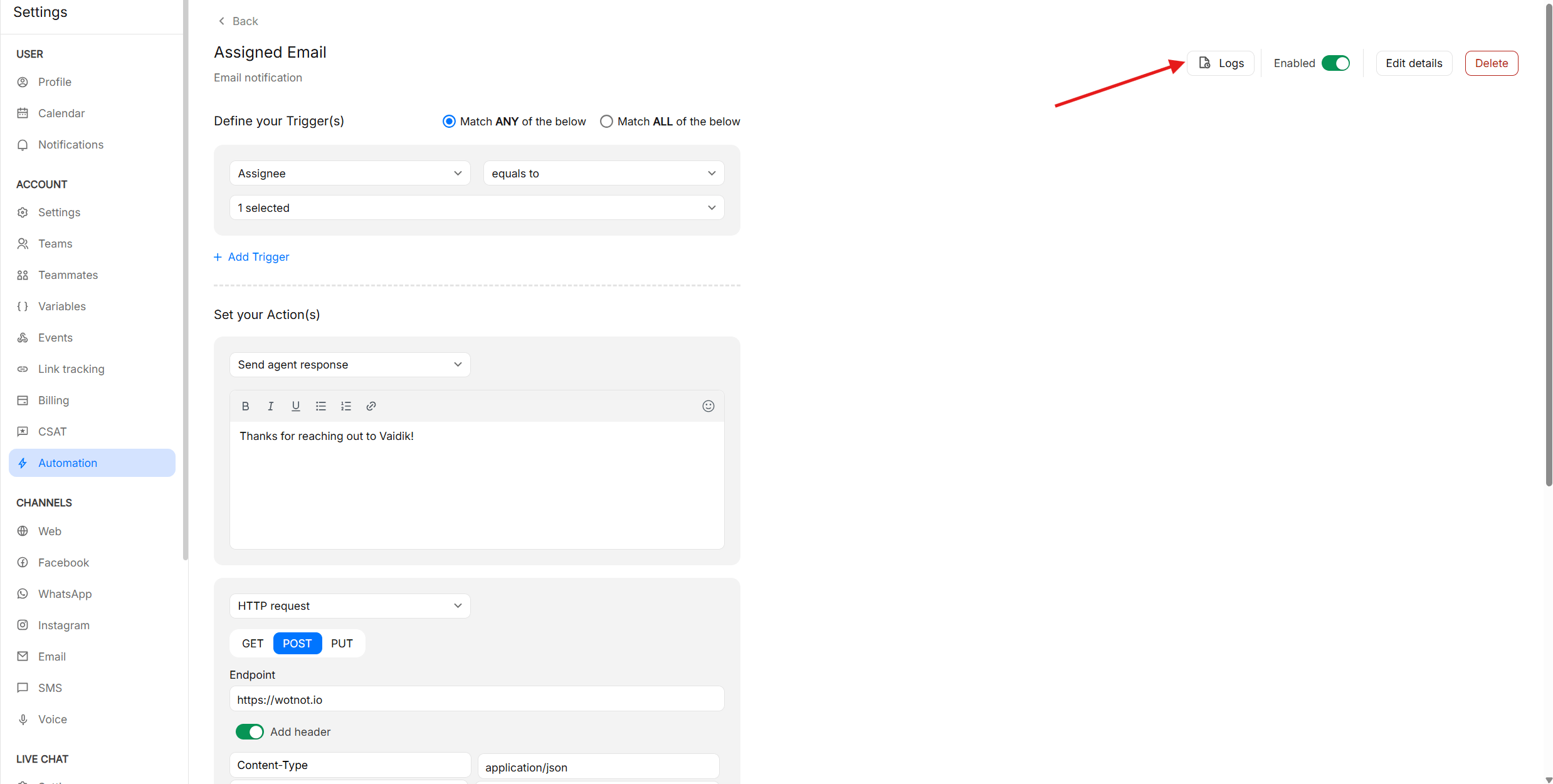
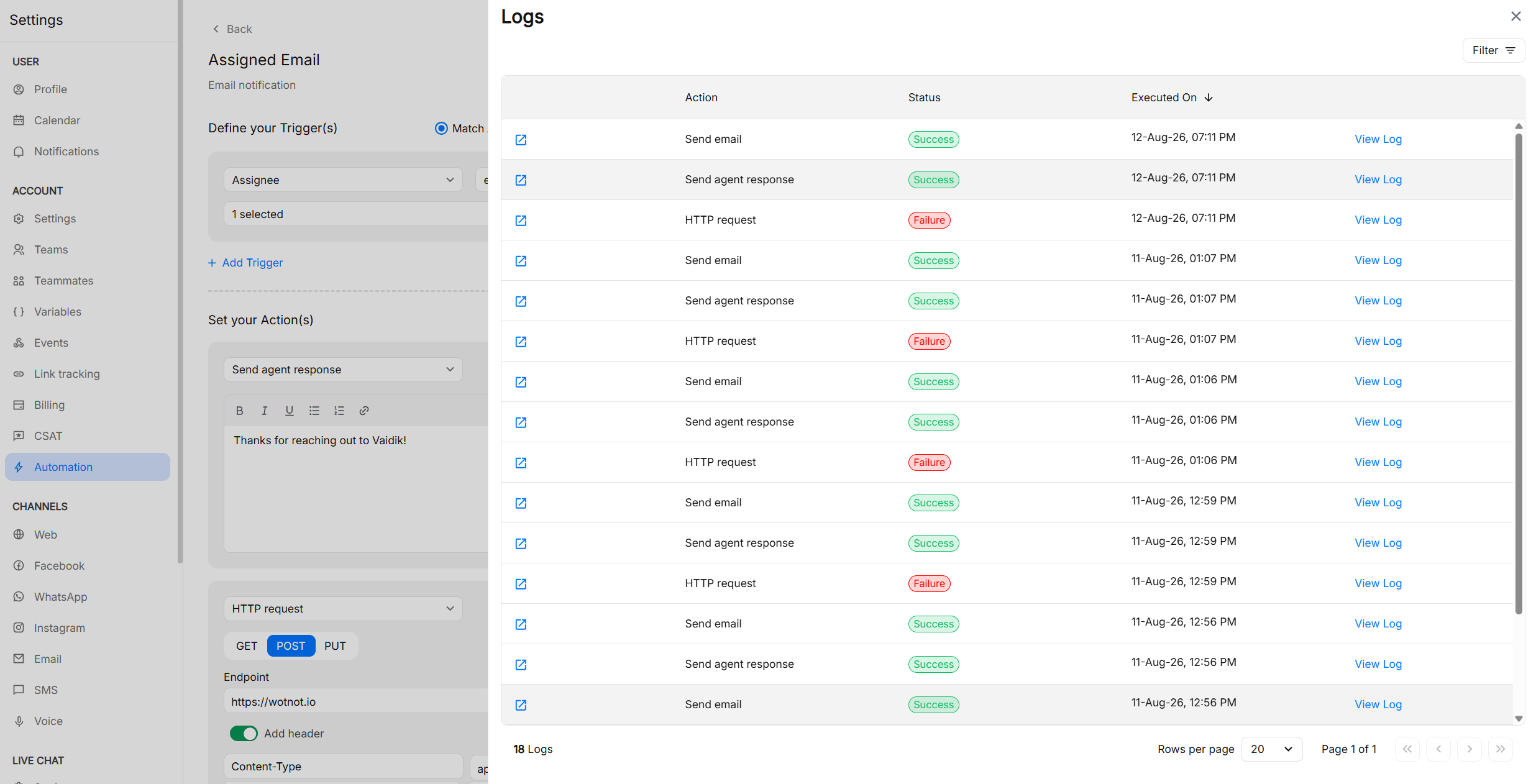
Automation Logs
Get better visibility into what happens when your automations run.Previously, it was difficult to know whether an automation was triggered, which condition triggered it, what action was performed, or whether the action succeeded or failed.With Automation Logs, you can now:- See when an automation was executed.
- View the trigger conditions that caused it to run.
- Check the action performed and its status.
- Open individual logs to view detailed execution information.
Updated Salesforce integration
You can now create, update, and fetch Contact, Lead, and Case records in Salesforce directly from your WotNot bots and AI agents. Previously limited to lead creation only, the integration now covers the most common CRM actions your team needs — whether that’s logging a support case, updating an existing contact, or pulling up a lead record mid-conversation.Authentication has also been upgraded from API key to OAuth, making the connection more secure and easier to manage. If you’re an existing Salesforce user, you’ll need to reconnect via OAuth once to continue.Learn more →Deepgram Flux now available for Voice AI
You can now power your voice agents with Deepgram Flux — the first conversational speech recognition model built specifically for voice agents.What’s new- flux-general-en — English-only conversational speech-to-text, now selectable as an STT model for your voice agents
- flux-general-multi — multilingual conversational STT with code-switching support across 10 languages, including English, Spanish, French, German, Hindi, Portuguese, and Japanese
- Smarter turn-taking — Flux features model-integrated end-of-turn detection, so it knows when the caller has finished speaking, resulting in fewer awkward interruptions and more natural conversations
- Lower latency — ultra-low latency optimized for voice agent pipelines, with Nova-3 level accuracy
- Seamless language switching — flux-general-multi handles callers who switch languages mid-conversation
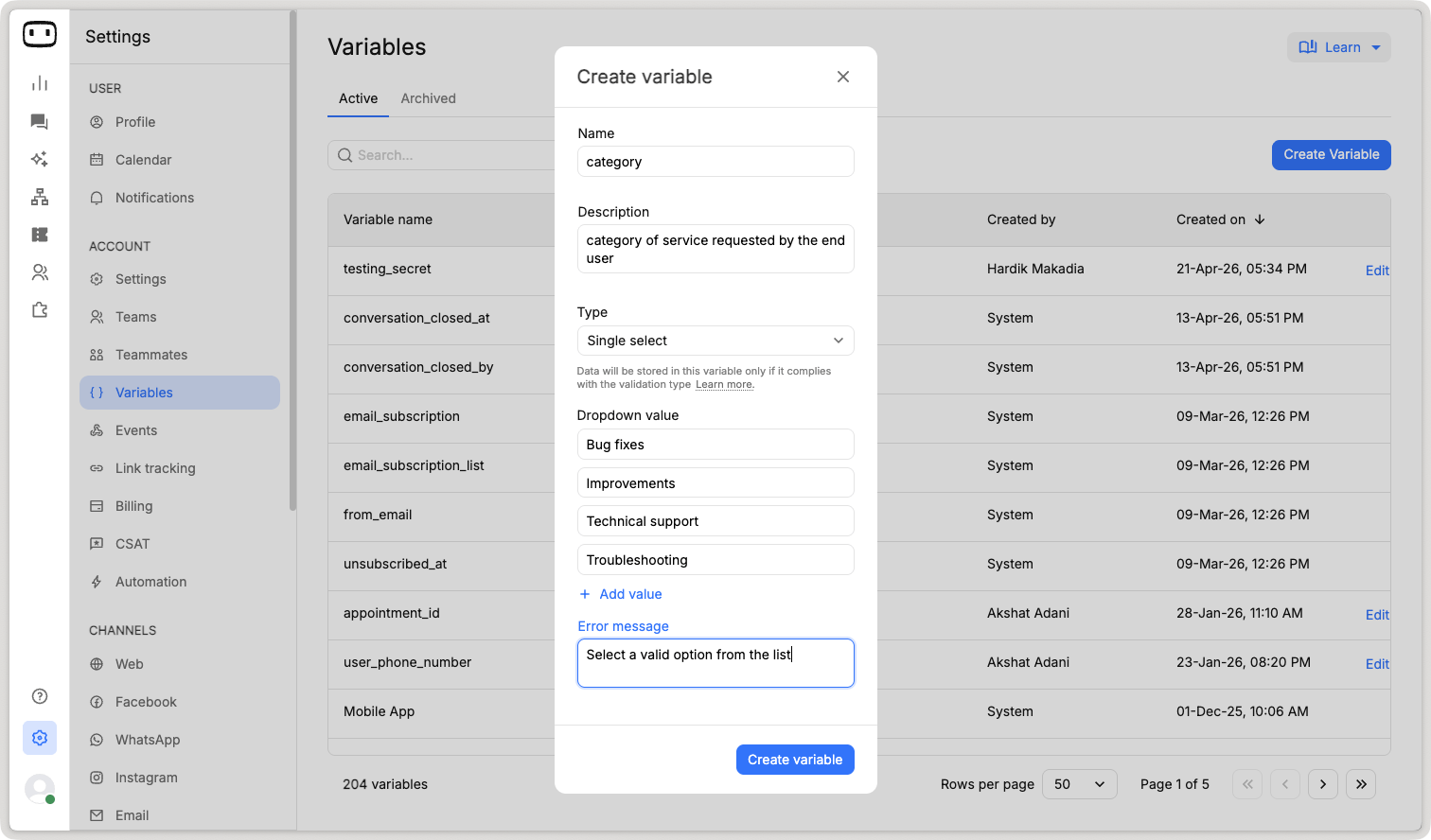
New variable type “Single select”
You can now create Single Select variables — a new variable format that lets you define a fixed set of options for cleaner, more consistent data capture.What’s new- Single Select variable type — available for both Contact and Conversation variable types
- Automatic drop-downs in Forms — use a Single Select variable in a Form block and visitors get a drop-down with your configured options, no free-text guesswork
- The new format is supported everywhere Regex variables are, except the Google Calendar block and AI Agent Exit Path
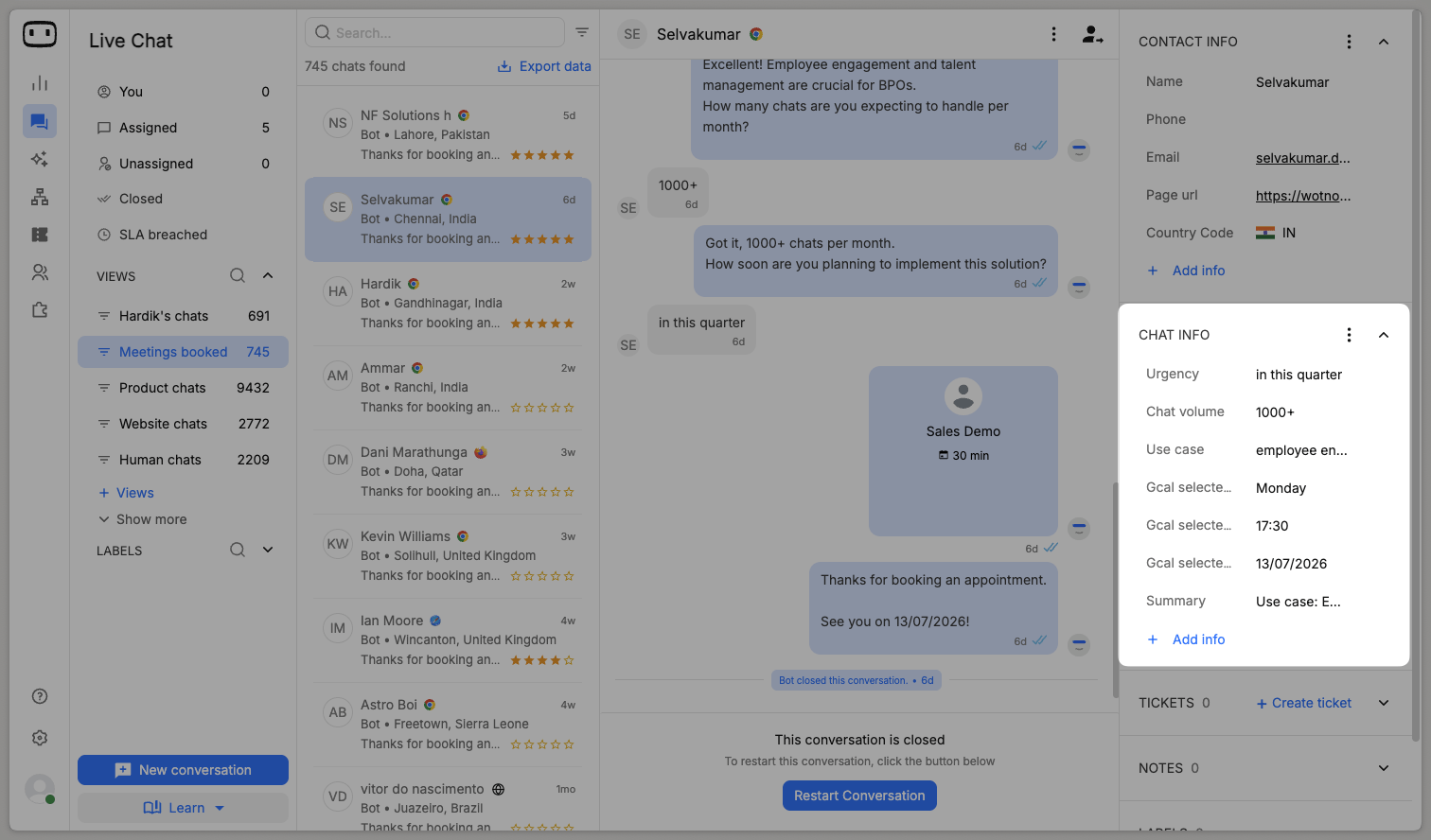
Chat info section on live chat
Agents now get more context on every conversation with the new Chat Info section in the Live Chat side panel.What’s new- Conversation variables, finally visible — Chat Info displays all conversation-type variables captured during the chat, like urgency, chat volume, use case, meeting slots, and even an AI-generated summary
- Context at a glance — agents see what matters for this conversation without scrolling through the transcript
- Add info on the fly — agents can add or update conversation variables directly from the panel
Email channel setup via forwarding
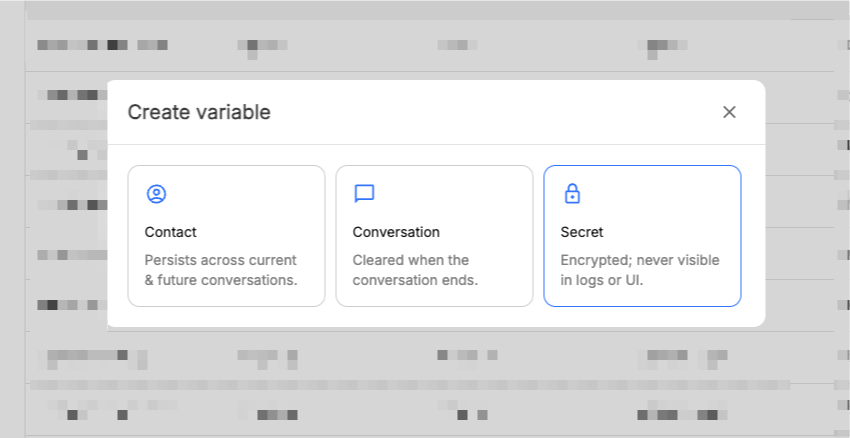
Connecting your own email provider to WotNot’s Email AI just got simpler and more secure.Instead of sharing IMAP/POP3 mailbox credentials, you can now set up using a unique forwarding address — you stay in full control of which emails reach WotNot, and no passwords ever leave your inbox.The guided setup includes provider-specific instructions, DNS verification (SPF/DKIM/DMARC), and built-in forwarding verification to get you live in minutes.We’ve also made email conversations easier to work with: the email subject now appears in the first inbound message of every conversation, and visitor message formatting has been cleaned up for better readability. Setup for Google, Microsoft, and other providers remains unchanged.Learn more →Secret type variable
Native email unsubscription management
When contacts unsubscribed from your outbound email campaigns, WotNot had no way to track it — that data lived entirely on your transactional email provider’s side.That changes today. Clicking unsubscribe in any campaign email now brings contacts to a WotNot-hosted Subscription Preferences screen, and their opt-out is recorded directly in WotNot.You can also set up Subscription Groups when designing your campaigns, so contacts can choose exactly what they opt out of rather than going dark entirely.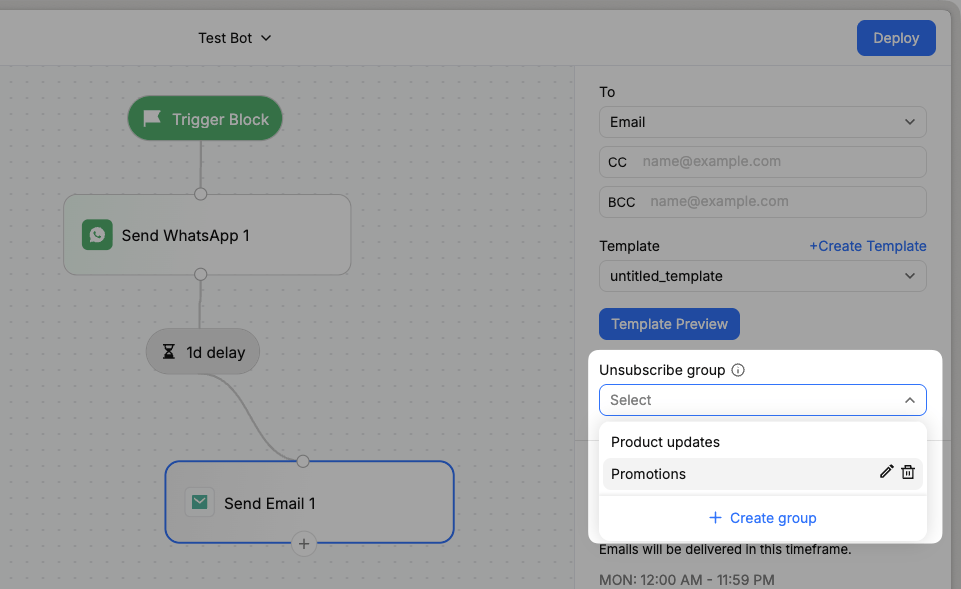
AI Credits now calculated per 1,000 tokens
We’ve made a significant change to how AI credits work on WotNot — and it’s one of the biggest updates to our billing model since launch.Here’s how things worked before- Every AI-generated response cost 1 AI credit, no matter the size.
- A 200-token reply and a 40,000-token reply were charged exactly the same.
- This made costs unpredictable for us, and unfair for customers who keep their interactions short and efficient.
- AI credits are charged based on actual token usage.
- Each LLM model has a defined credit rate per 1,000 tokens(Blended i.e. input + output tokens) consumed.
- Tokens include everything in the interaction — your prompt, knowledge base, conversation history, and the AI’s response.
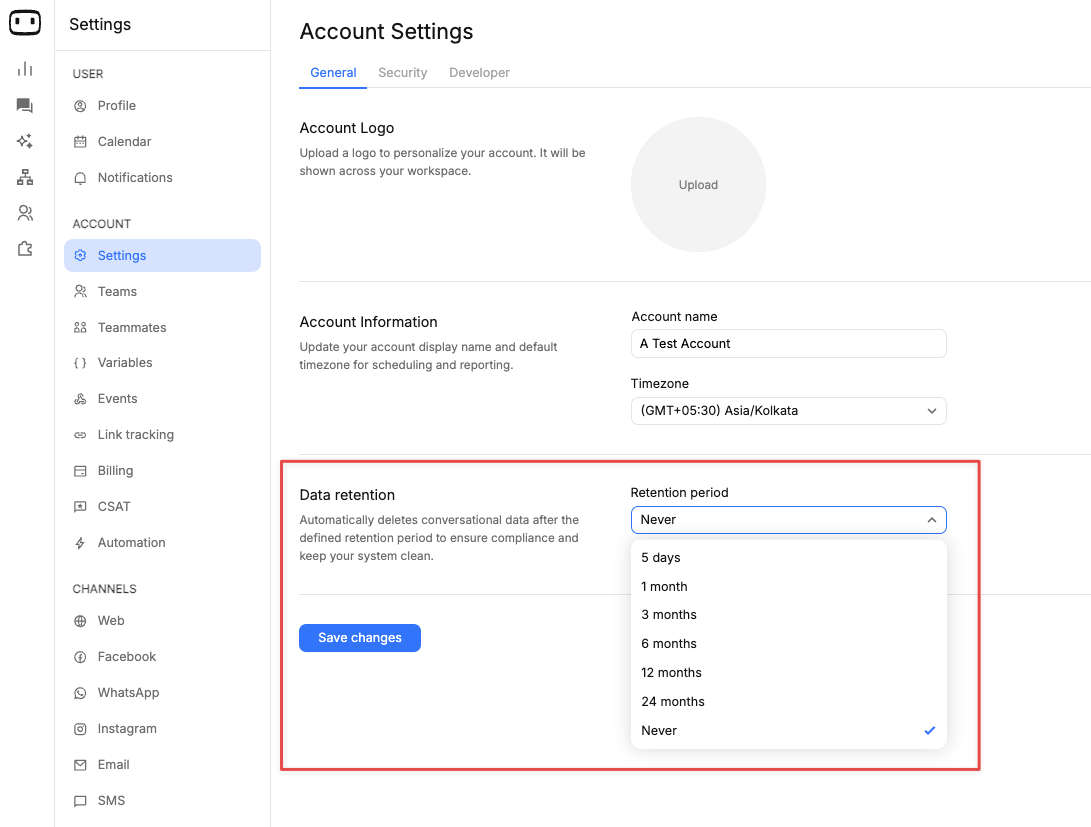
Data retention period
You can now automatically manage how long conversational data is stored in your account.With Data Retention, you can set a predefined period after which chats and conversations are automatically deleted — helping you stay compliant and keep your system clean.What’s new- Choose retention periods like 5 days, 1 month, 3 months, 6 months, 12 months, or 24 months
- Or keep data indefinitely with “Never”
- Automatic deletion — no manual cleanup needed
- Stay aligned with data privacy and compliance requirements
- Reduce unnecessary data storage
- Keep your workspace clean and efficient
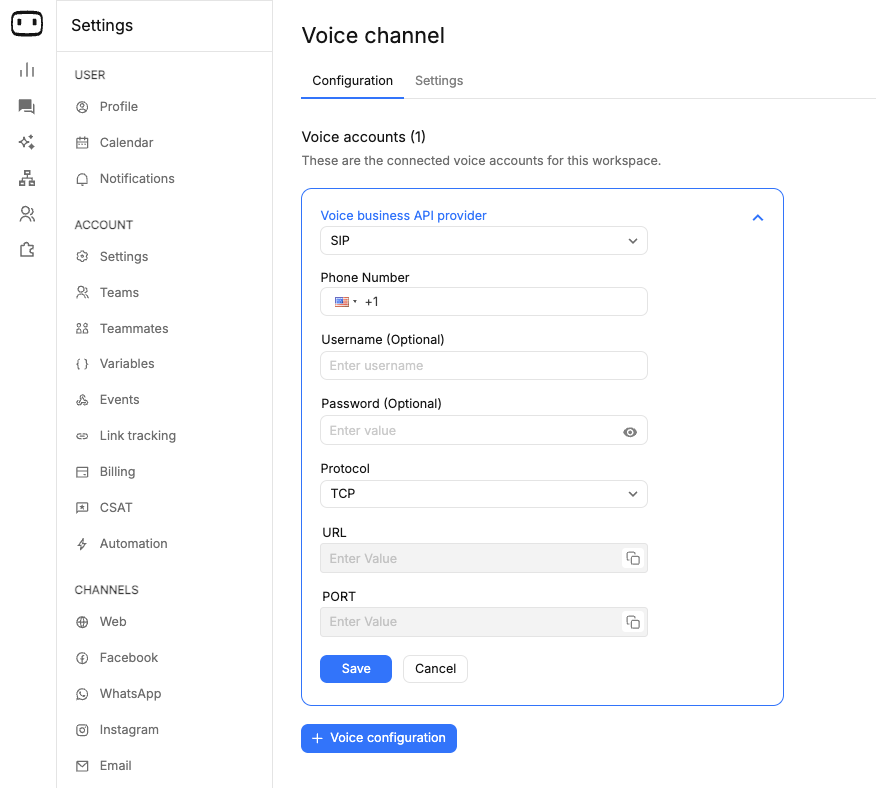
SIP trunk support for connecting phone numbers
You can now connect your own SIP infrastructure to power voice agents on WotNot.Previously, voice agents were limited to phone numbers provisioned via Twilio. With SIP trunk support, you now have greater flexibility in how you route and manage voice calls.What’s new- Connect voice agents using SIP trunks
- Configure your own provider, credentials, and routing details
- Support for custom protocols, URLs, and ports
- Use your existing telephony setup
- Reduce dependency on Twilio
- Gain better control over call routing and costs
- Enable enterprise-grade voice integrations
New models support for TTS and STT
You can now choose from multiple models for both speech-to-text (STT) and text-to-speech (TTS) in your voice agents.This gives you more flexibility to optimize for cost, speed, and voice quality based on your use case.What’s new- Multiple STT models supported (e.g., real-time and high-accuracy options)
- gpt-4o-transcribe
- scribe_v2_realtime
- saaras:v3
- Multiple TTS models supported with different voice qualities and latencies
- gpt-4o-mini-tts
- eleven_flash_v2_5
- eleven_multilingual_v2
- eleven_turbo_v2_5
- bulbul:v3
- Optimize for cost vs performance depending on use case
- Improve voice quality and responsiveness
- Support a wider range of languages and accents
- Greater control over your voice agent experience
Hide empty days from analytics data
You can now hide days with no data from charts in the Analytics reporting dashboard.With the new “Hide empty data” toggle, charts will exclude dates where no activity was recorded — making reports cleaner and easier to analyze.This setting is available in any drill-in report that includes a chart. Simply enable the toggle to remove empty days from the view.Cleaner charts. Better insights. 📊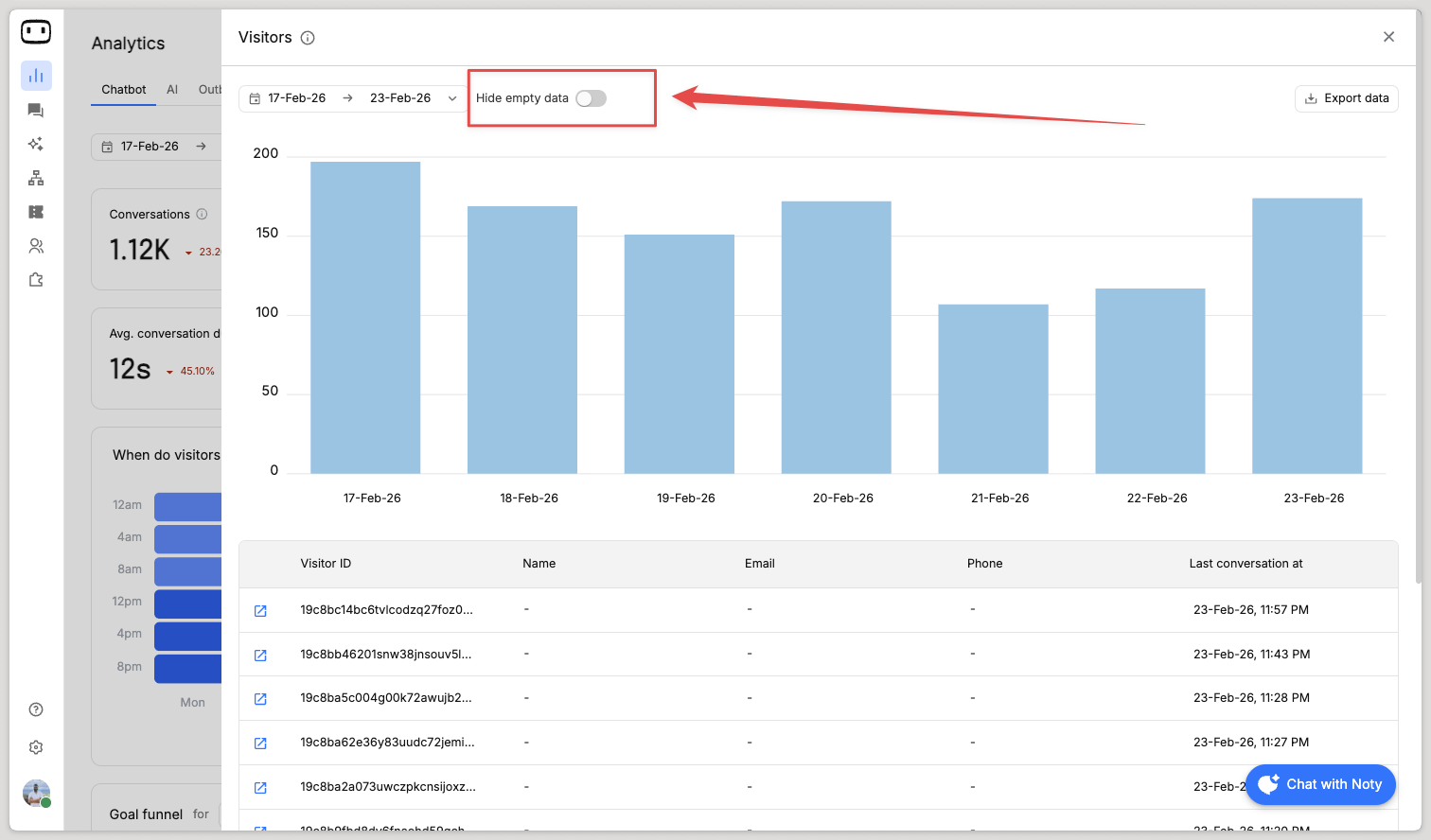
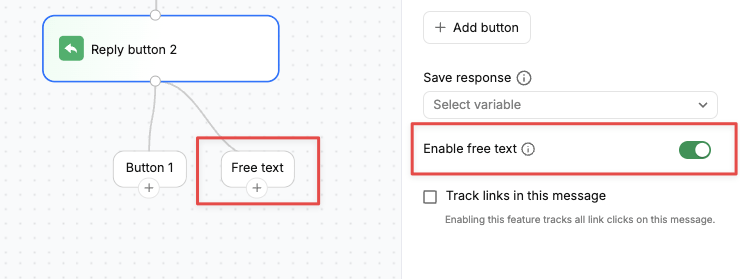
Free-text support on collect blocks
We’ve added support for free text input across all Collect blocks(i.e. Buttons, Options, Dynamic data, List, Airtable, Reply Button, Carousel), giving you more flexibility in how users interact with your bots.You’ll now see aconfiguration under advanced settings for “Enable free text” that lets you enable an input box alongside existing options like buttons or quick replies. When turned on, users can either select from the predefined options or type their own response directly in the chat widget.This unlocks more natural, two-way conversations by:- Allowing users to express intent in their own words
- Avoiding forced, linear journeys
- Making interactions feel more flexible and human
Agent analytics improvements
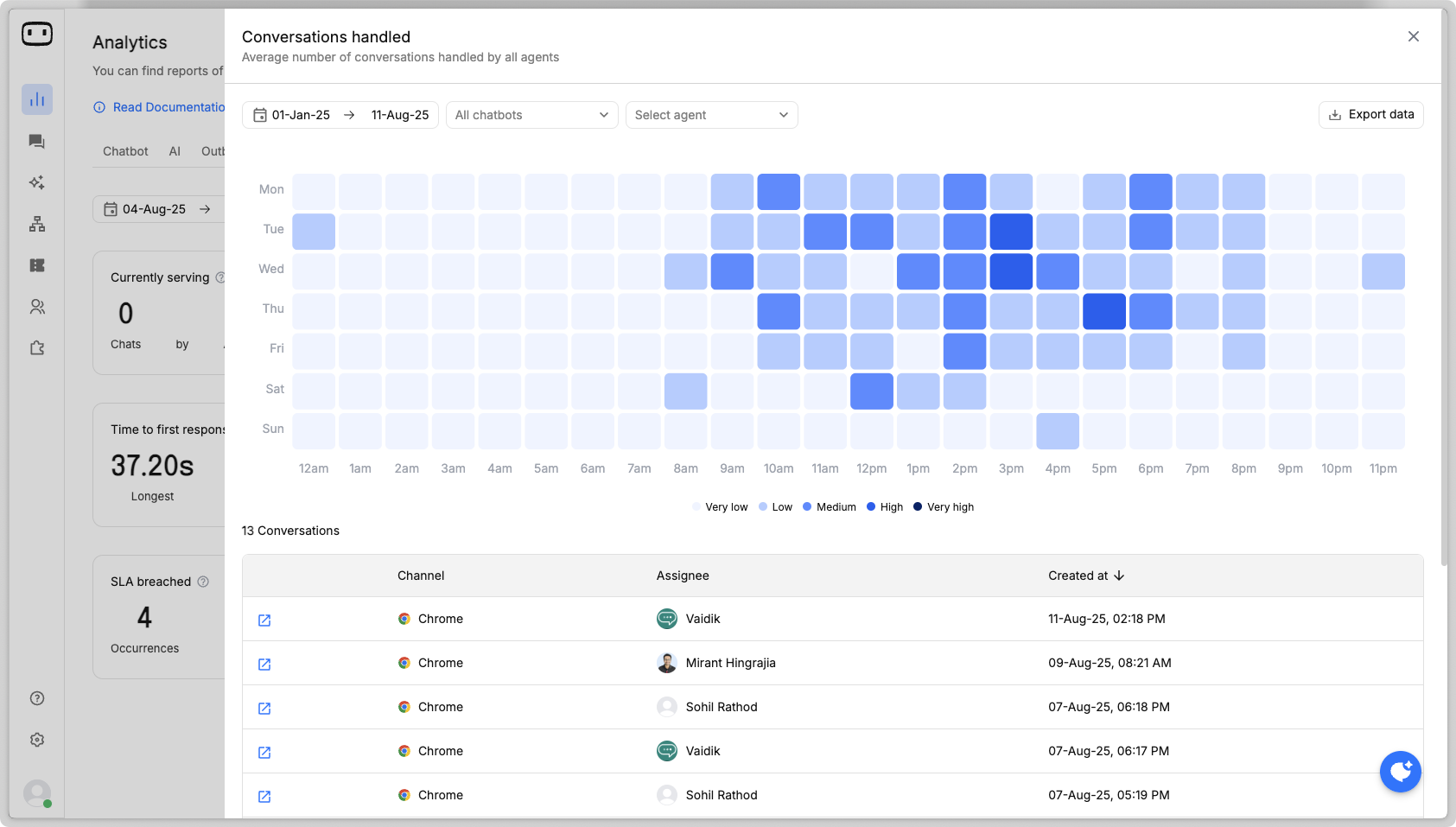
We’ve made several improvements to assist admins/managers to get better insights of their agent performance.What is the average length of chats?On the “conversation duration” metric, under its drill-in view we have introduced a insights tab which shows all the duration of chats handled in pre-defined ranges — <5, 5-10, 10-15, 15-30, >30 mins.This helps you get better sense of how long agents take to complete a chat.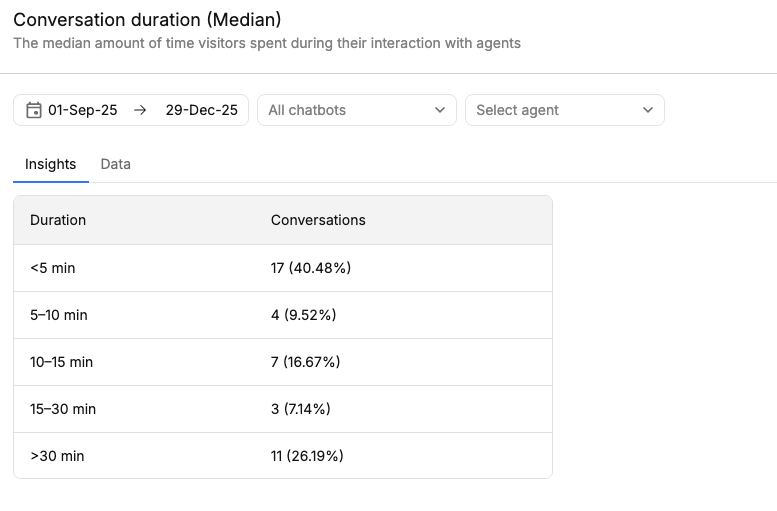
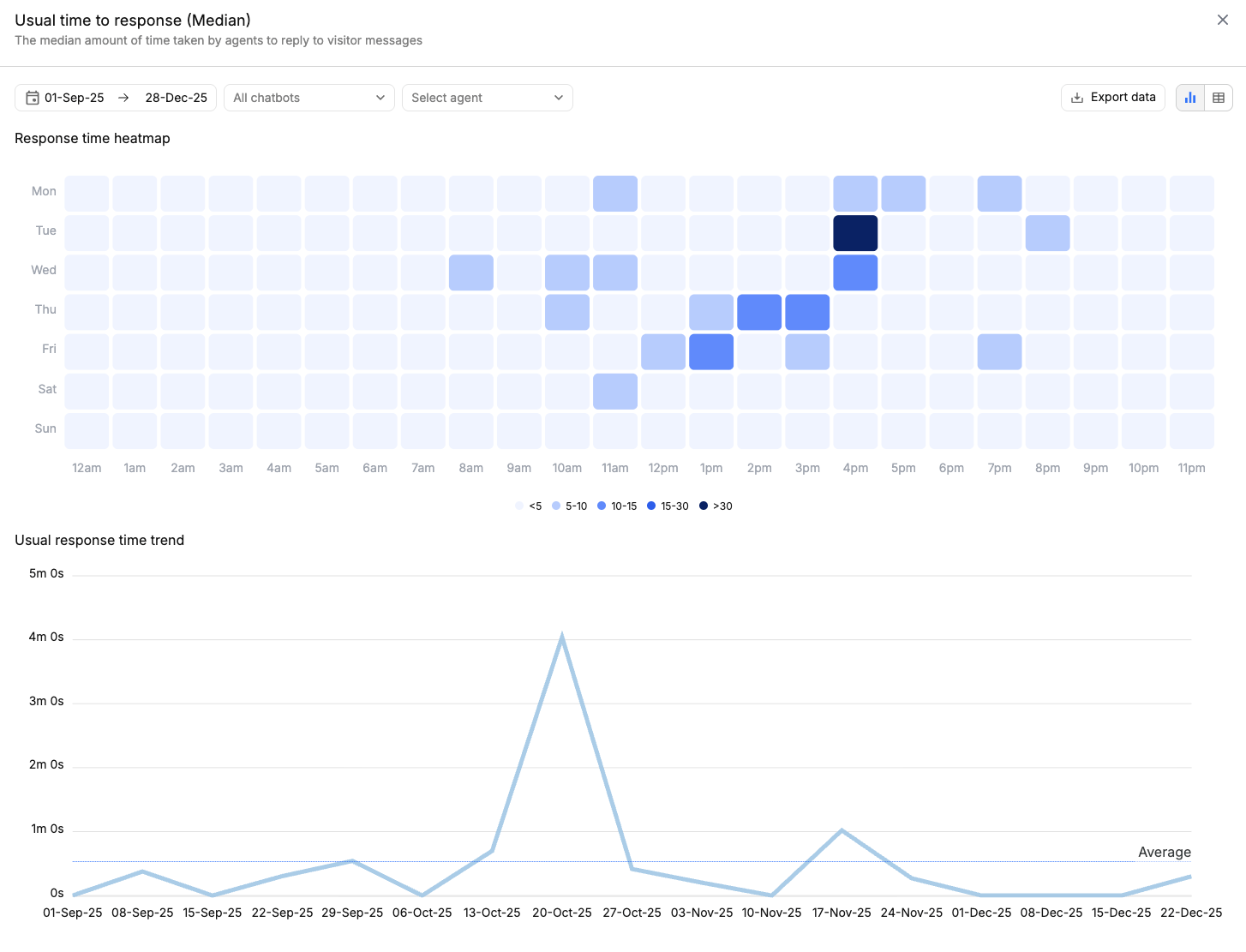
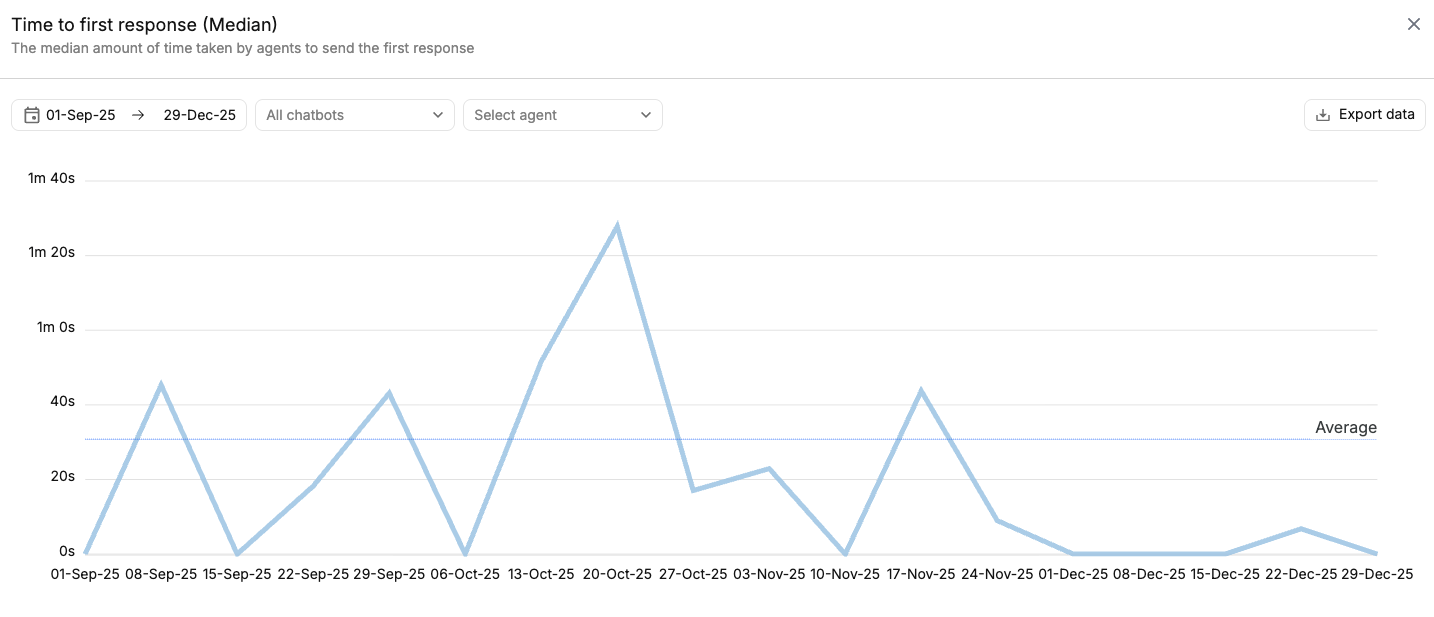
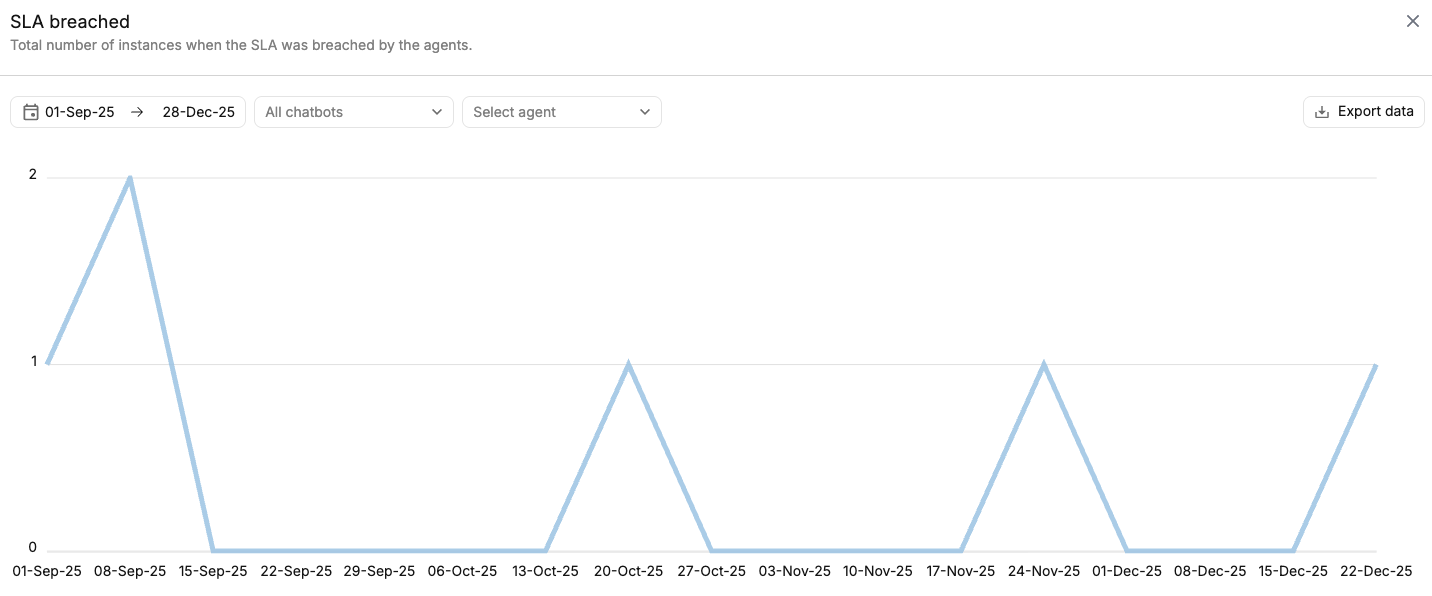
Filters for bot management
We’ve added new filters to the Bot Management screen to make it easier to find and manage your bots as your list grows.You can now filter bots based on:- Creation date — quickly view bots created within a specific time range.
- Bot status — see bots that are active, inactive or in draft/sent mode.
- Created by — filter bots based on the user who created them.
- Channel — which channel is the bot built for.
Events for message status
We’ve added support for message status events that stream updates whenever a message is sent, delivered, seen, or replied to. All these updates are available as part of a single event stream.Why it matters This gives you deeper visibility into how users engage with your messages. You can now:- Update CRM records based on message opens and replies
- Track delivery and engagement patterns
- Trigger smarter marketing and follow-up automations
Retrieving JSON objects from a variable
You can now easily reference specific fields from a JSON object stored inside a variable—without extra parsing or custom logic.How it worksIf you’re storing a JSON object in a variable and want to use a particular field from it, follow this simple approach:- Create a TEXT type variable
- Store the JSON object in that variable
- Type # followed by the variable name and append the field you want to access
- Hit Enter to create the variable chip
Improved audit logs
We’ve added an Audit Log that tracks key user activities and configuration changes across your workspace. This includes events like login, logout, availability status changes, and live chat configuration updates made by team members.Why it mattersAudit Logs bring transparency, security, and accountability to your operations. You can:- Monitor who did what, and when
- Track access and activity for compliance and security reviews
- Debug issues faster by identifying recent configuration changes
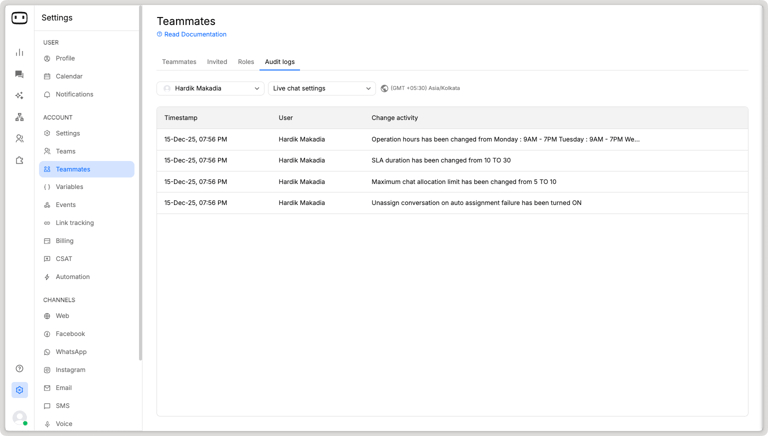
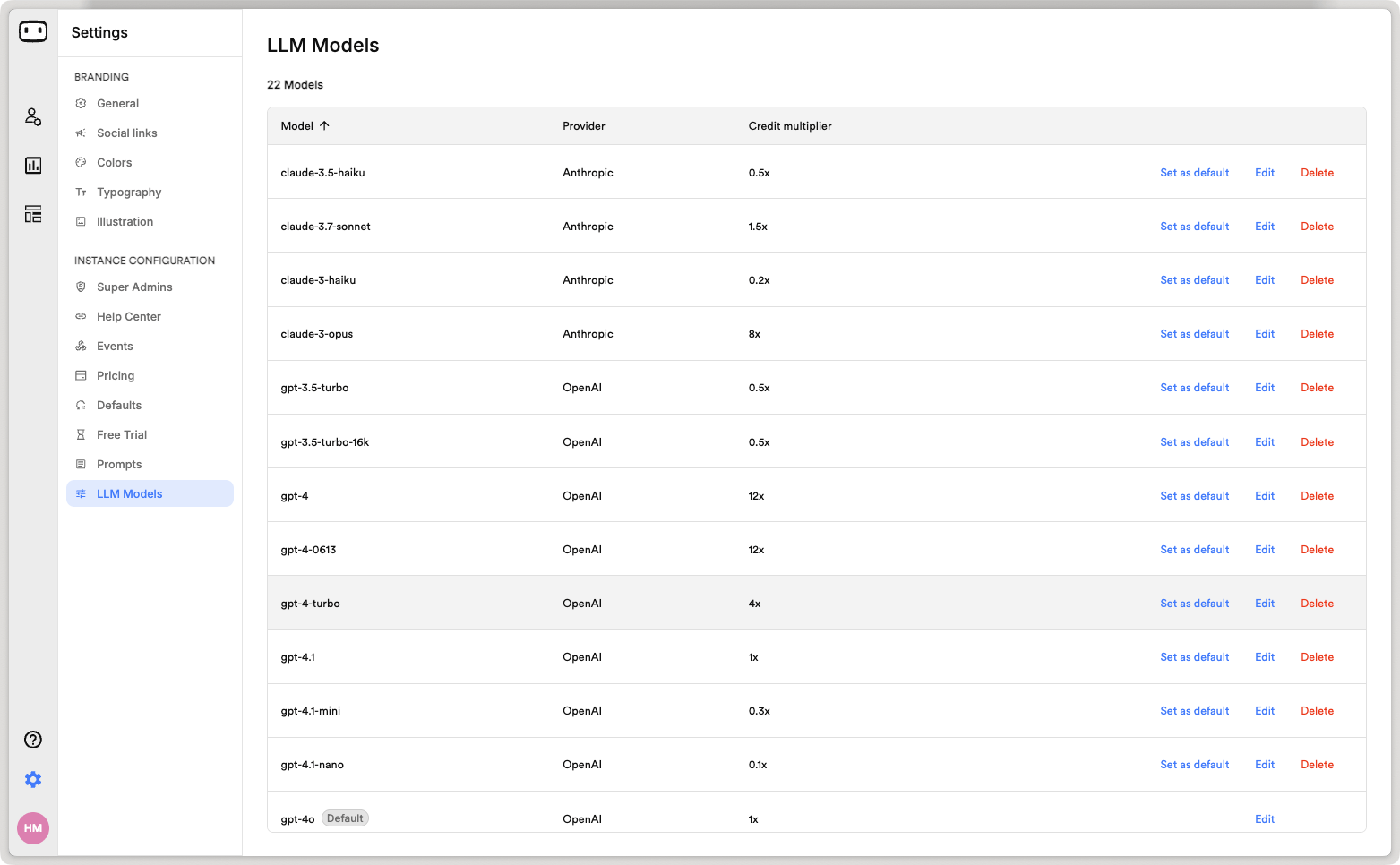
LLM models configuration
We’ve added a dedicated LLM Models Configuration section in the admin portal. From here, partners can manage the list of supported LLM models and configure credit multipliers for each model.Why it mattersThis gives partners greater flexibility and control over usage and costs. You can:- Decide which LLM models customers can access
- Set custom credit multipliers per model
- Better manage margins and optimize AI usage
Mobile SDK
Bring WotNot’s chatbot experience straight into your mobile apps.With the new Mobile SDK, you can seamlessly embed AI agents into your iOS and Android applications, enabling in-app support, engagement, and automation — without ever leaving your app.No redirects. No browser hops. Just smooth, native experiences your users will love.Learn moreKey Benefits- Native experience: Fully integrated, app-like chat interactions.
- Higher engagement: Keep users within your own app ecosystem.
- Developer-friendly: Easy SDK setup with complete control over branding and UI customization.
Automate first agent response on human handover
We’ve introduced a new automation event — “Send agent response” — that lets you configure the first message sent automatically when a chat is assigned to a human agent. This ensures customers receive an immediate response, improving CX and helping prevent SLA breaches.You can also personalise this message using variables such as{{agent_name}} and contact fields, giving a warm and customised first touch.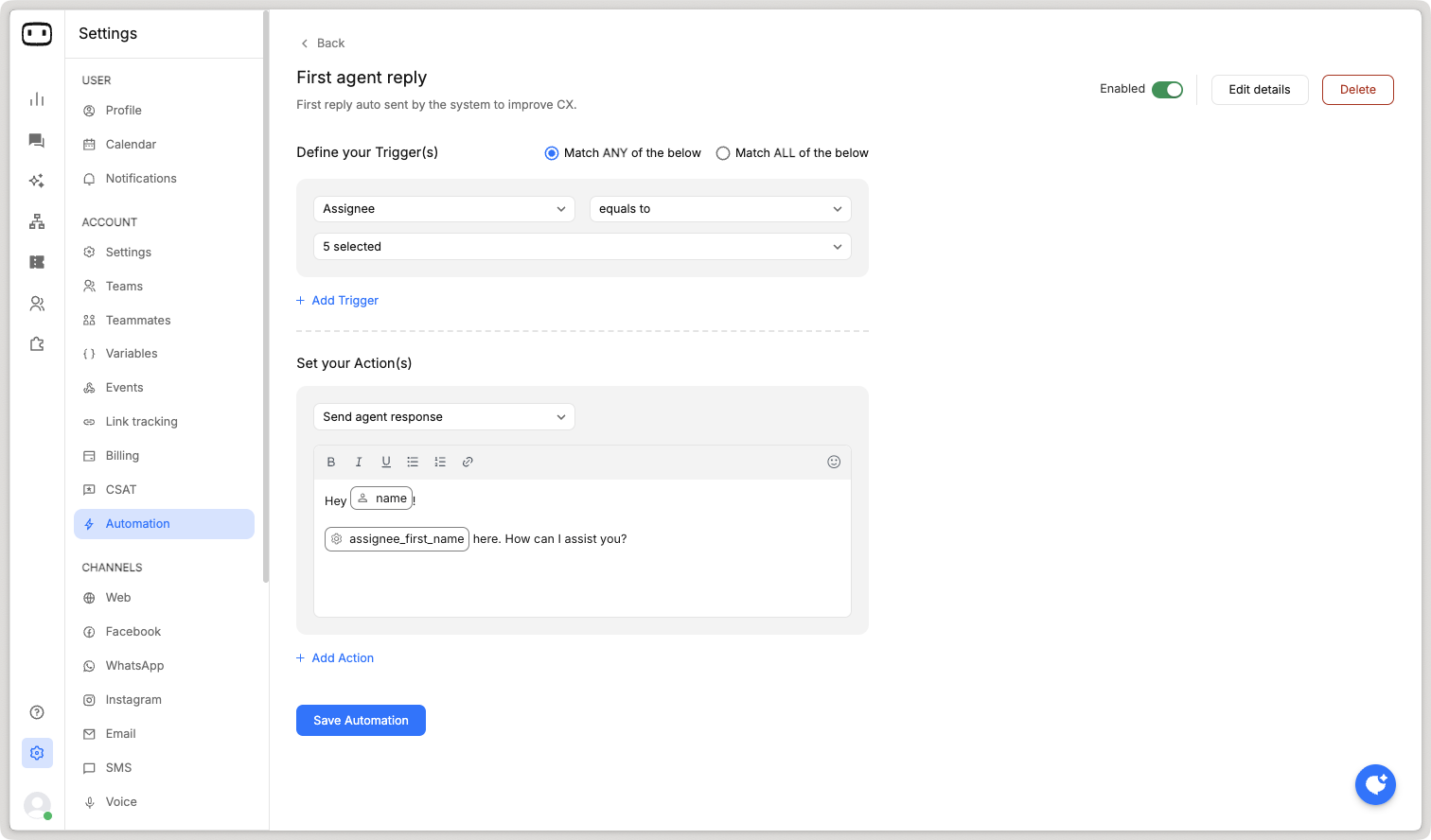
SSO integration
We’ve added support for Single Sign-On (SSO), allowing your users to securely access WotNot using their existing enterprise identity provider. This streamlines authentication, improves security, and simplifies user management across teams.WotNot now supports major SSO providers including Auth0, Okta, and Azure Active Directory (Azure AD)Learn more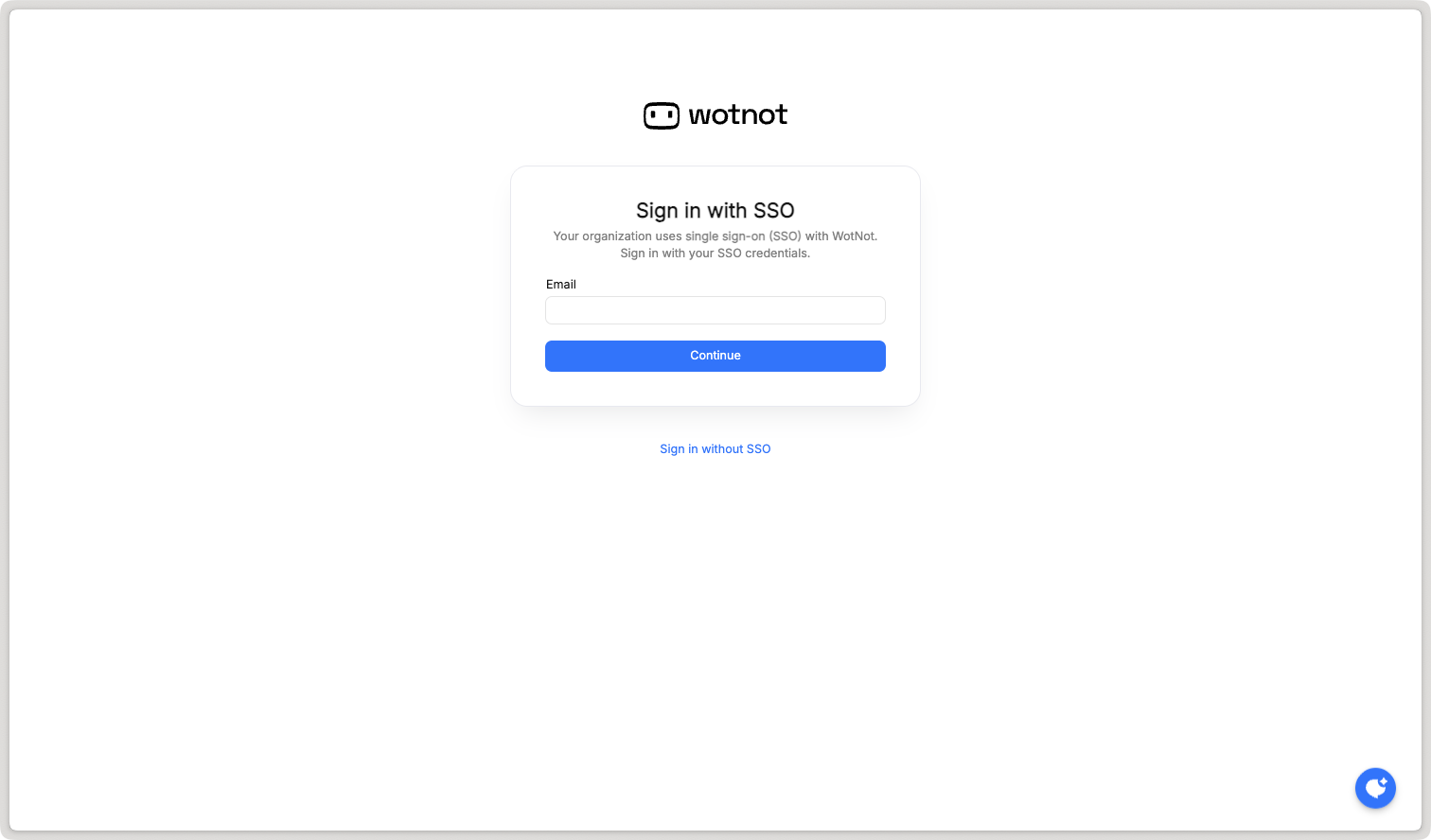
Viewing bot versions
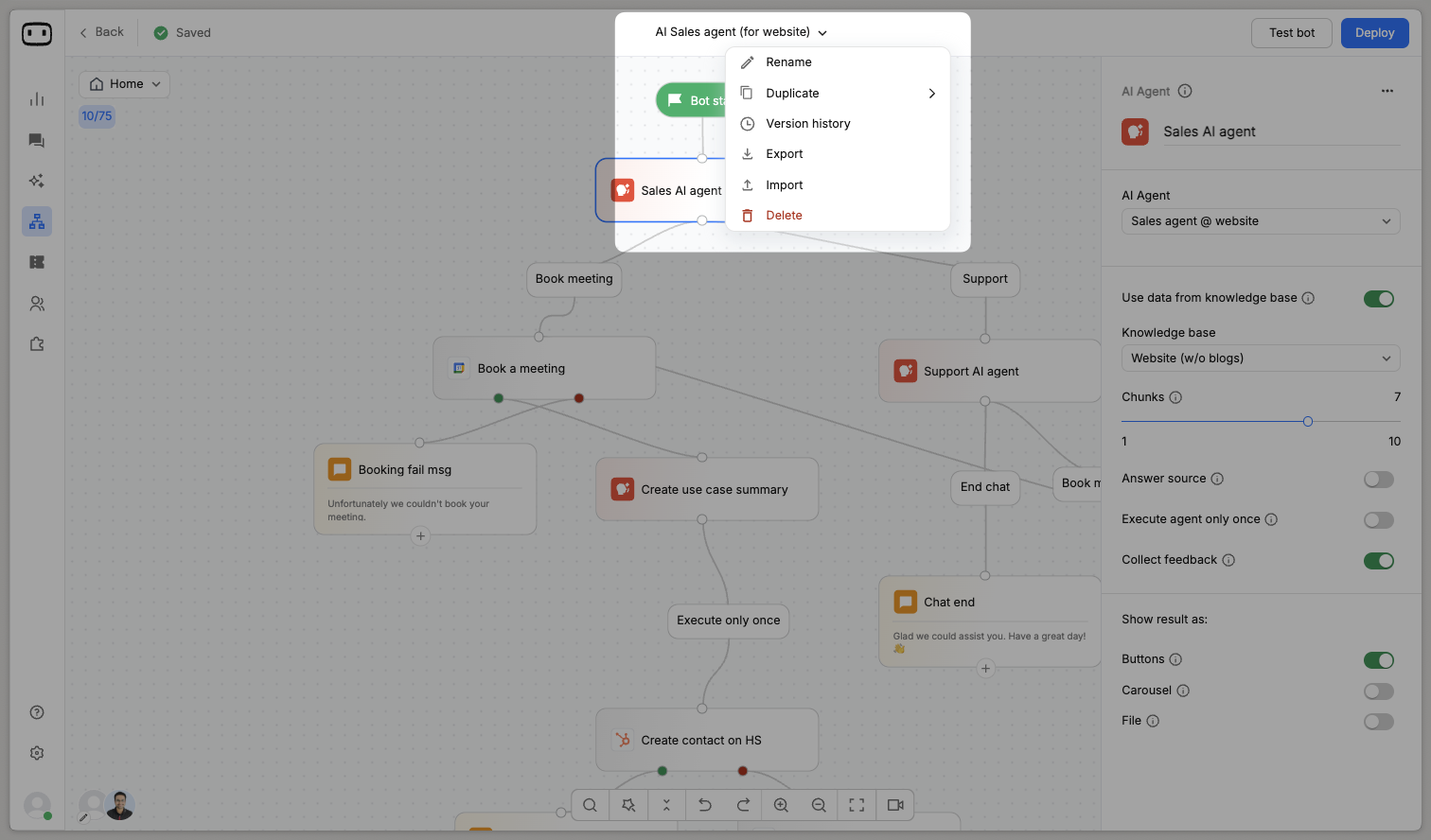
You can now do more with your bot’s version history.In addition to seeing past versions, you can open any version in read-only mode and even test it directly — making it easier to compare flow changes, A/B test experiences, and confidently roll back if needed.A simple way to experiment, learn, and optimize your bots faster.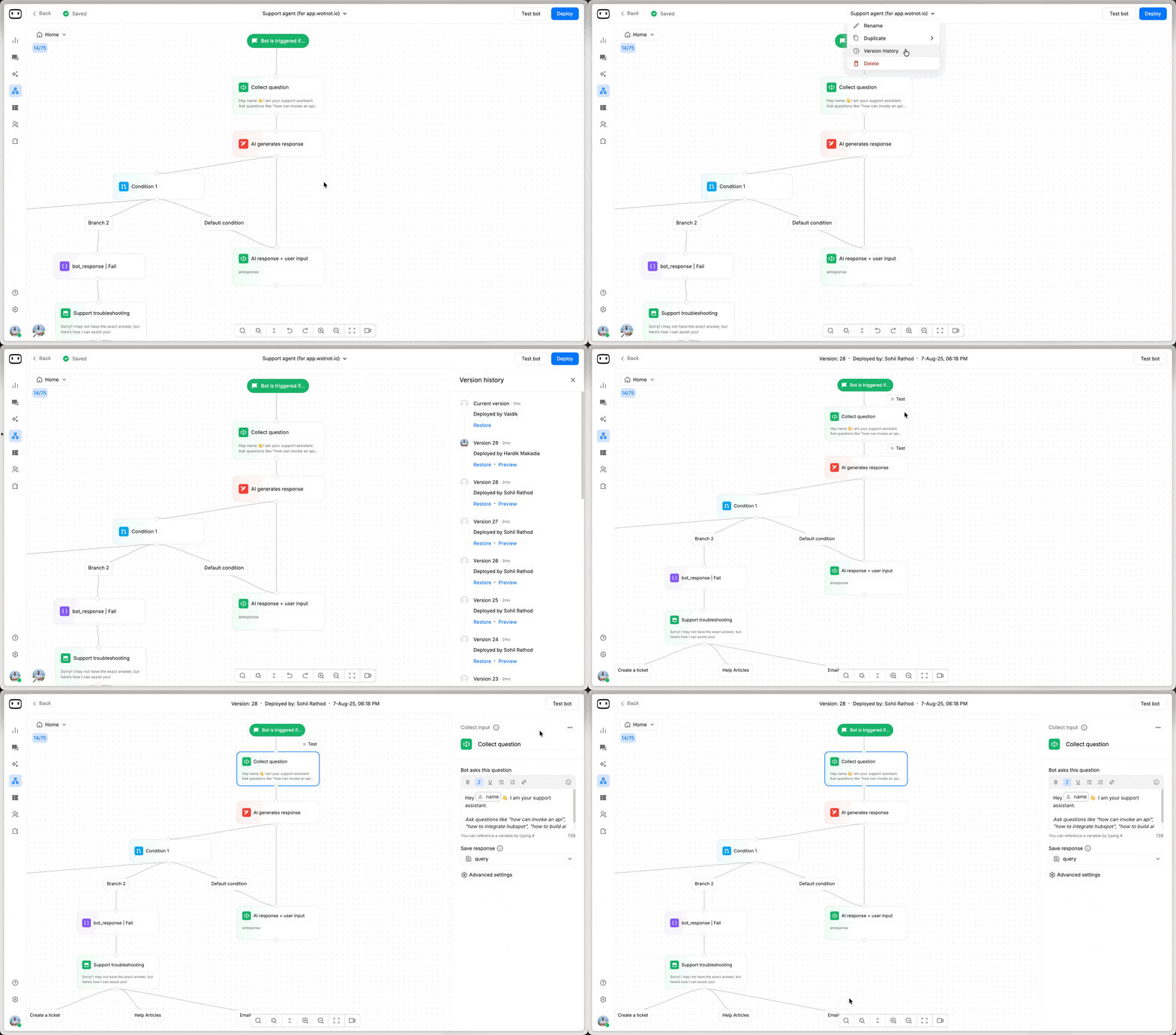
Voice transcripts
Agents can now see instant transcriptions of voice messages sent by users — right inside the live chat screen.This makes it easier to quickly read, understand, and respond without needing to play the audio every time.A small change that makes conversations faster, clearer, and more accessible.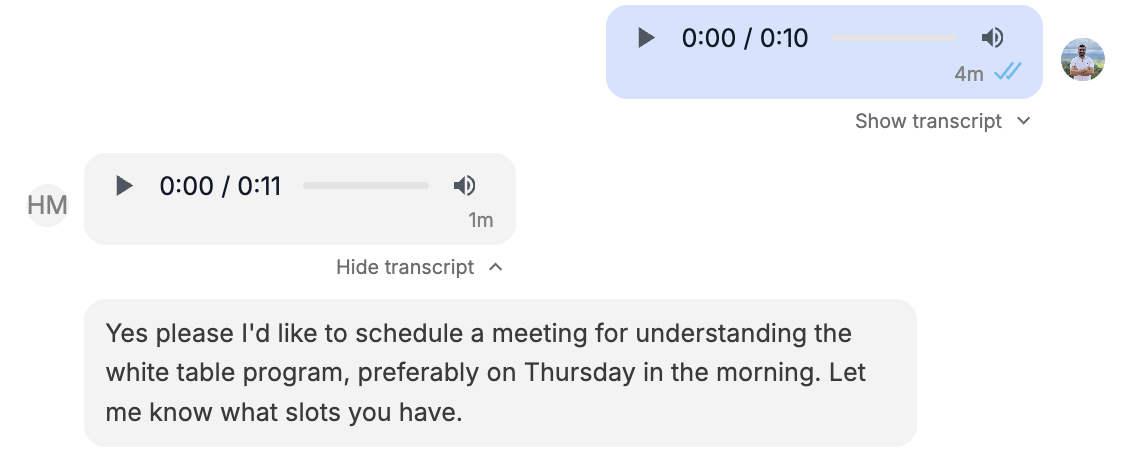
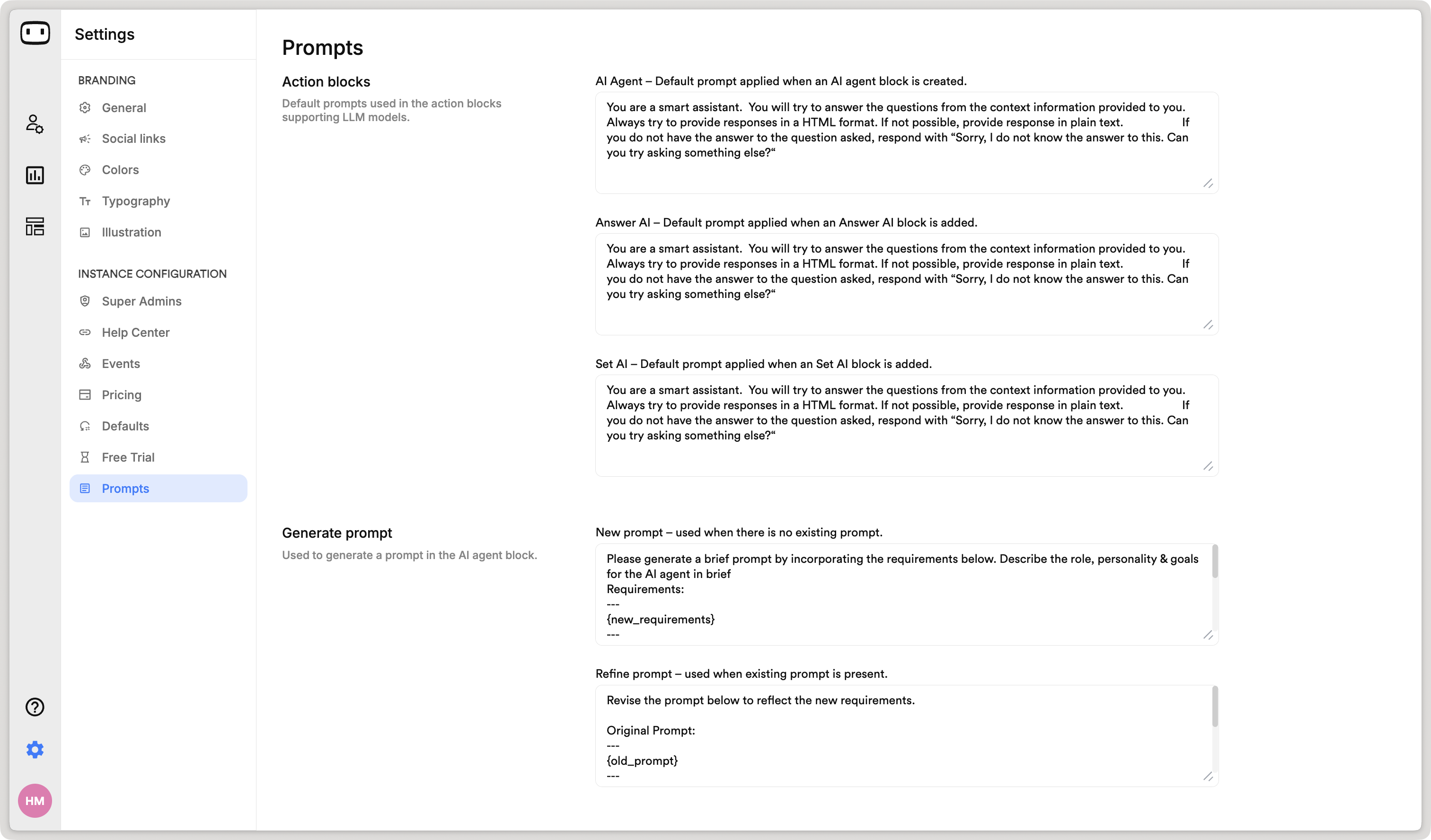
Prompt management
You can now manage all your AI prompts from one place — the Admin Portal.This includes prompts used across:- Action Blocks (AI Agent, Answer AI, Set AI)
- Co-pilot on Live Chat
- Rewrite Messages
- Prompt Generator
Support Meta Marketing Messages (MM) Lite API for marketing broadcasts
We’ve added support for the Meta Marketing Message Lite API in the outbound bot to improve message delivery rates and enhance campaign success.Key benefits- MM Lite API delivers comparable or a greater number of marketing messages than Cloud API
- New features exclusive to MM Lite API and not available on Cloud API
- Easy-to-transition from Cloud API
- Reconnect your WhatsApp Business API
- Your Meta registered email address will receive an email from Meta
- Click on the link to acknowledge
- Start running your campaigns
Centralize KB training
With Centralized KB Training, all whitelabel instances can now leverage centrally managed servers, eliminating the performance delays typically seen when training large knowledge bases.This enhancement ensures consistent training times, higher availability, and efficient use of compute resources, so you can deploy updates faster and scale effortlessly across multiple environments.Introducing “Email” channel
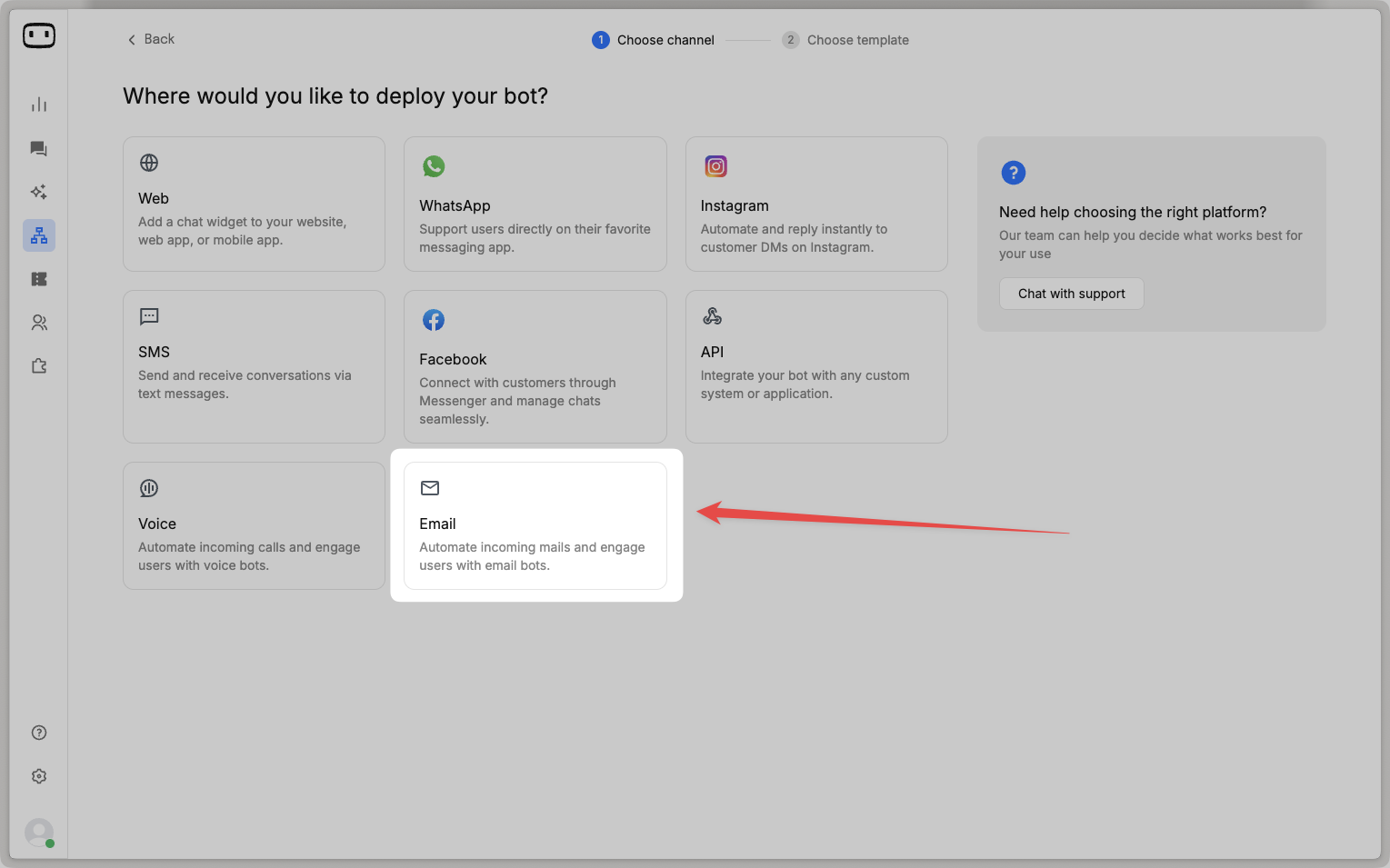
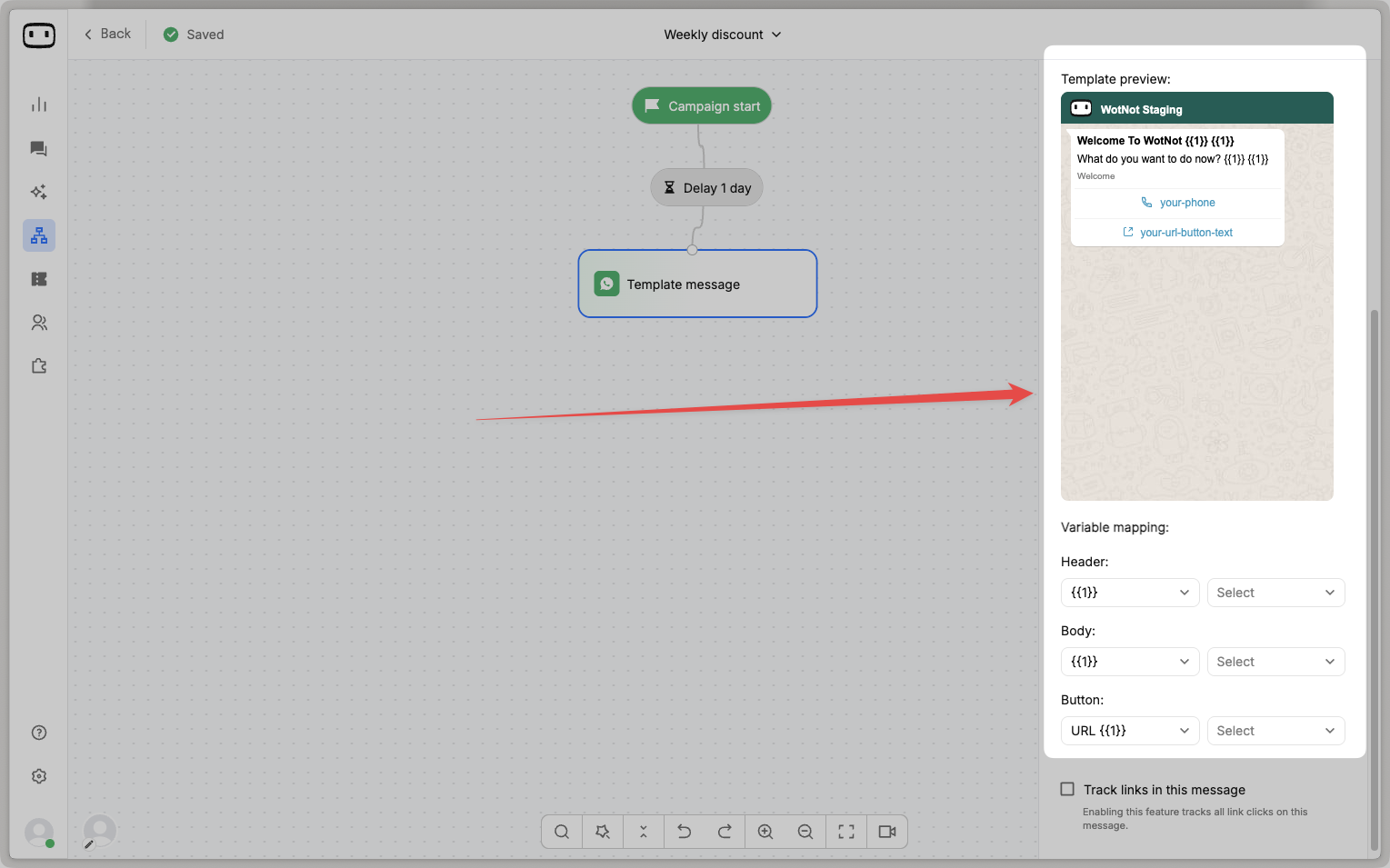
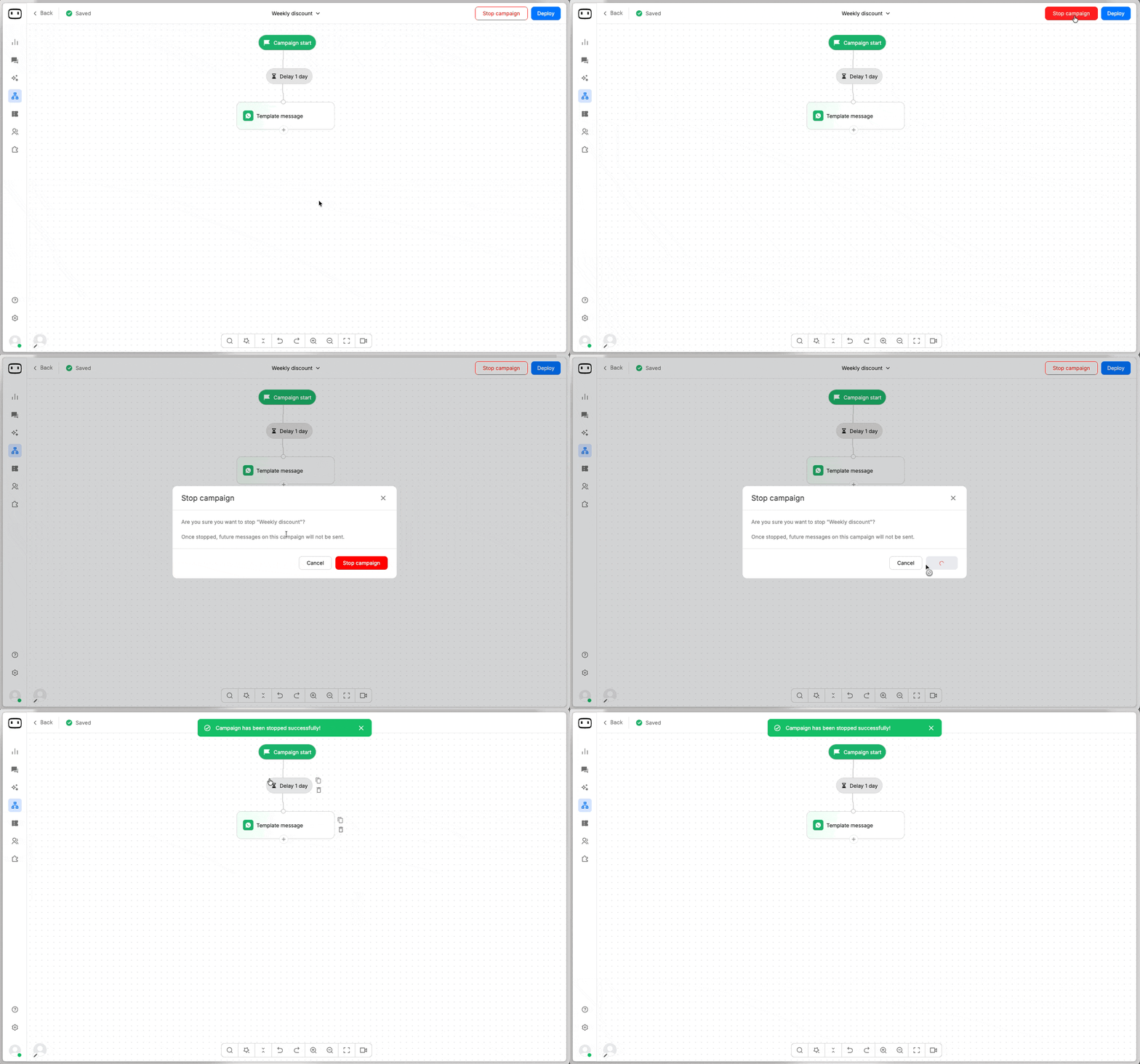
We’re excited to introduce the Email Channel — now available on the Premium Plan!You can now connect your email account and let your AI agents automatically read, process, and respond to incoming emails.🔧 What’s new:- Connect your email provider (Gmail, Microsoft, TechAlpha, or custom IMAP/SMTP).
- Use your existing bots to handle inbound emails — just link your bot to a configured email address.
- Automate common email workflows like lead follow-ups, support responses, or FAQs.
Chat logs
We’ve added Logs to help you better understand and debug your bot’s behavior.You can now view detailed event data — including user queries, responses, latency, and AI usage — for every interaction that happens with your bot.🔍 Where to find it:- On the Test Bot page → click “View Logs”
- On the Live Chat page → view logs for real-time conversations
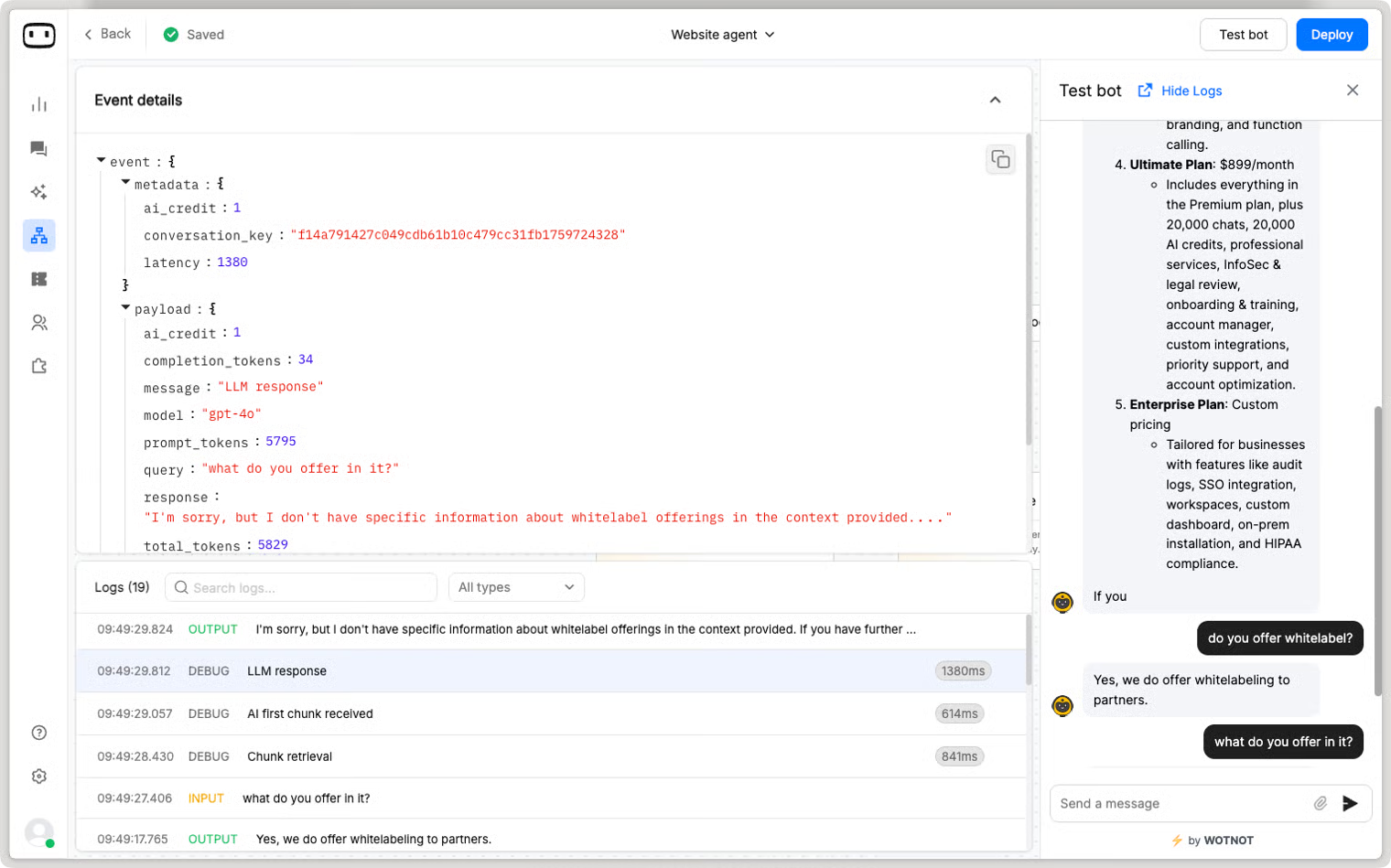
💡 This update gives you full transparency into every bot message and helps you fine-tune your AI interactions with ease.
Affiliate program
Join the WotNot Affiliate Program and earn 30% commission on every referral for the first 12 months!It’s simple — share your unique referral link, bring in new customers, and get rewarded for every signup.💰 Payouts: Commissions are paid out in the first week of each month, with a minimum payout of $100.👉 Sign up hereFor any questions or support, please reach out to hello@wotnot.io.Chat assignment logs
We’re introducing Chat Assignment Logs to bring full transparency to how chats are assigned.Now, you can see exactly which rules were applied and how an agent qualified for each assignment—making it easier to trace and resolve queries like “Why wasn’t this chat assigned to Agent A or B?”Learn more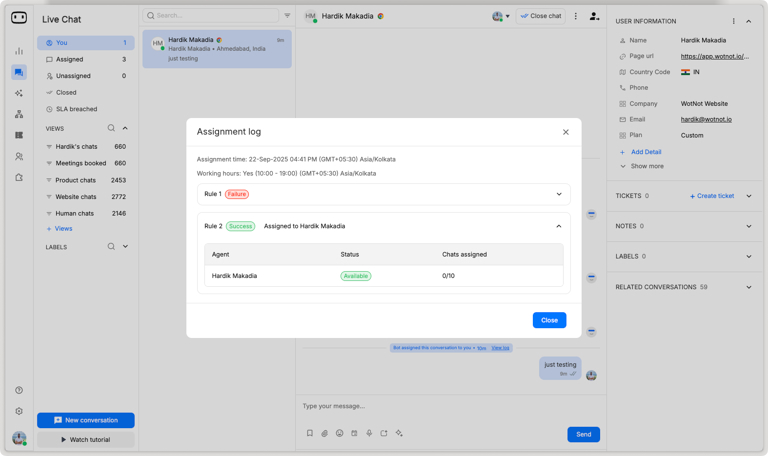
Auto-assign “Unassigned” chats
Sometimes chats land in the Unassigned tab when no agents are available to pick them up.With this new configuration, these chats will now be automatically routed to the next available agent as soon as they’re free.This ensures customers get faster responses while agents handle conversations more efficiently.Learn more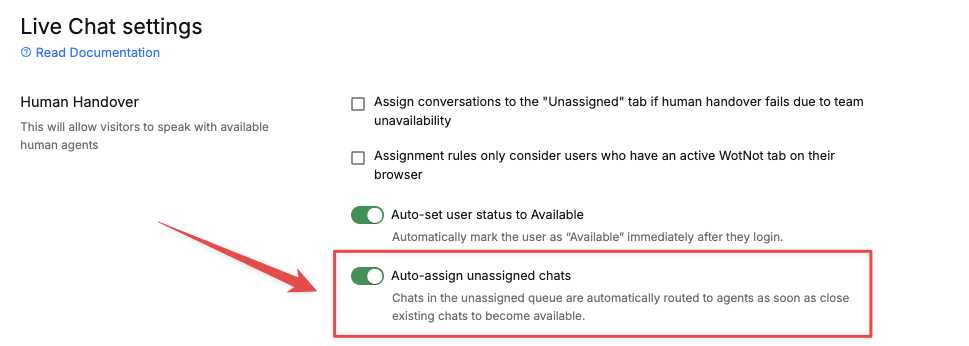
Display images on WhatsApp
We’ve improved how shared content appears on WhatsApp. Now, when you send links, they’ll automatically render in their native format — image links will preview directly as images, and file links will show up as files.This makes conversations more seamless and visually engaging for your users.AI response streaming experience
We’ve enhanced the way AI responses are delivered to create a smoother, more engaging user experience. Instead of waiting for the entire answer to load from the LLM provider, responses now begin streaming instantly from the very first word.This upgrade not only improves response speed but also makes conversations feel more natural and real-time.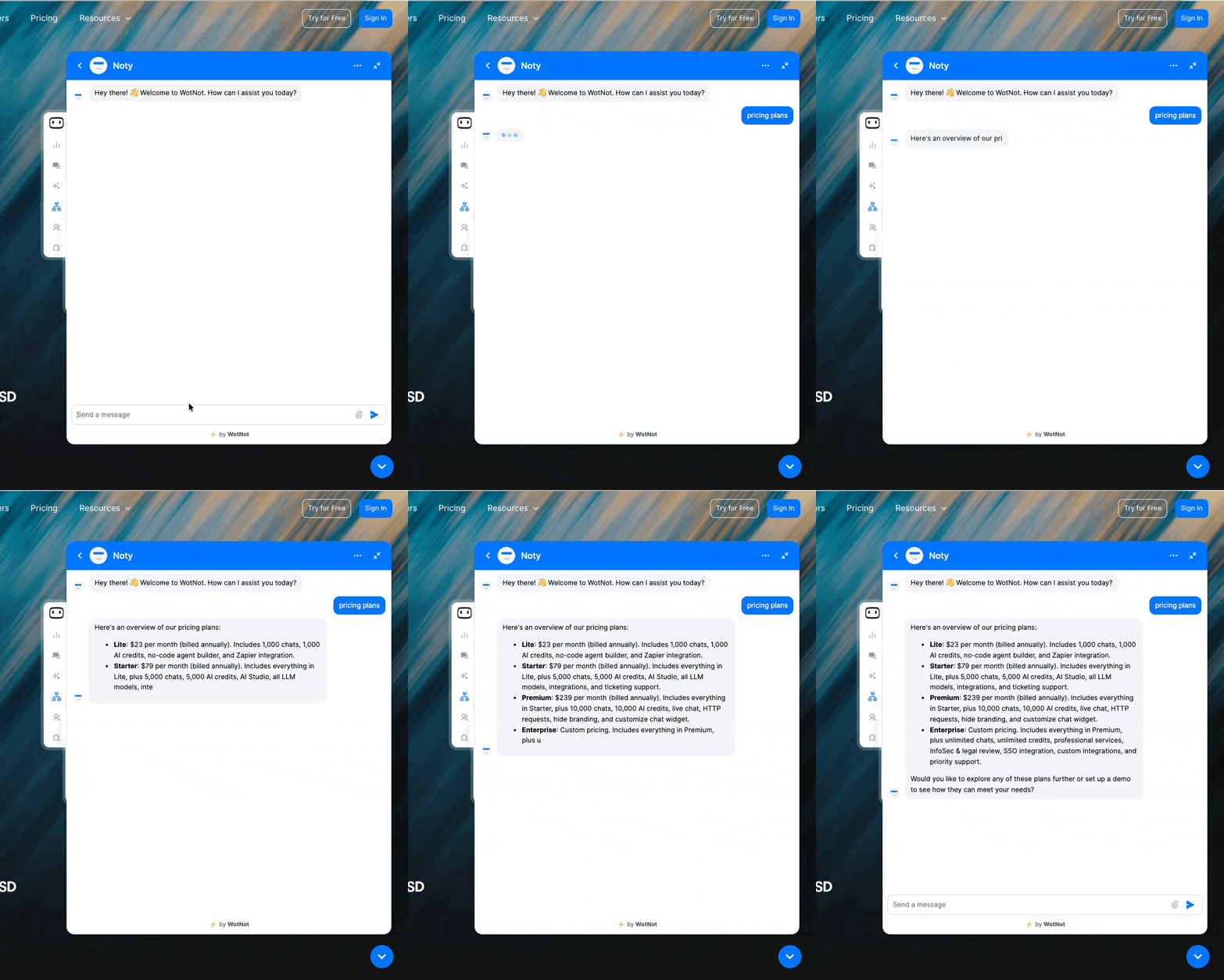
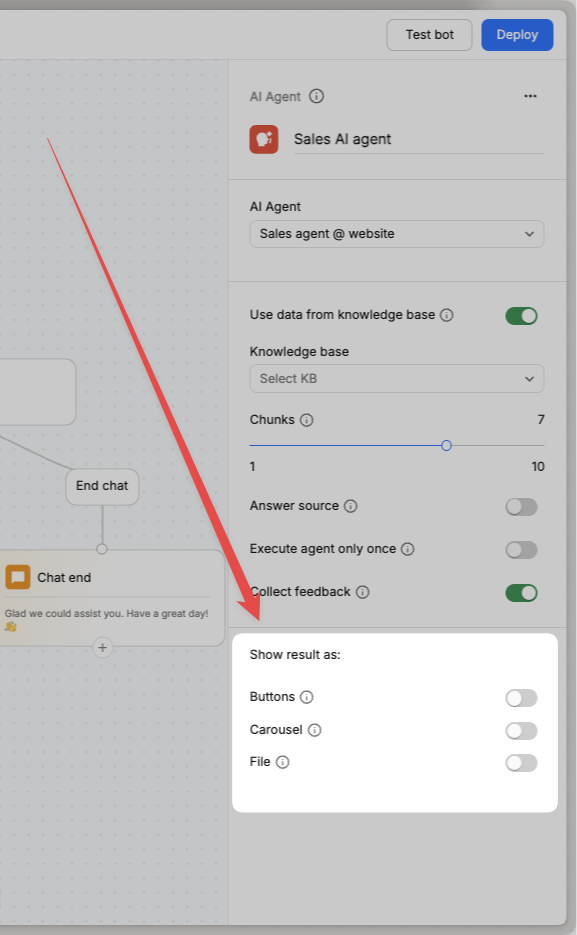
Supporting carousel/button output on AI blocks
Until now, AI Agent responses appeared only as plain text. With this update, you can enrich conversations by enabling Buttons, Carousels, or File attachments in AI blocks.- Buttons: Provide quick, clickable options alongside the response.
- Carousel: Showcase items visually with images, descriptions, and actions users can scroll through.
- File: Share detailed documents, like PDFs, directly within the chat.
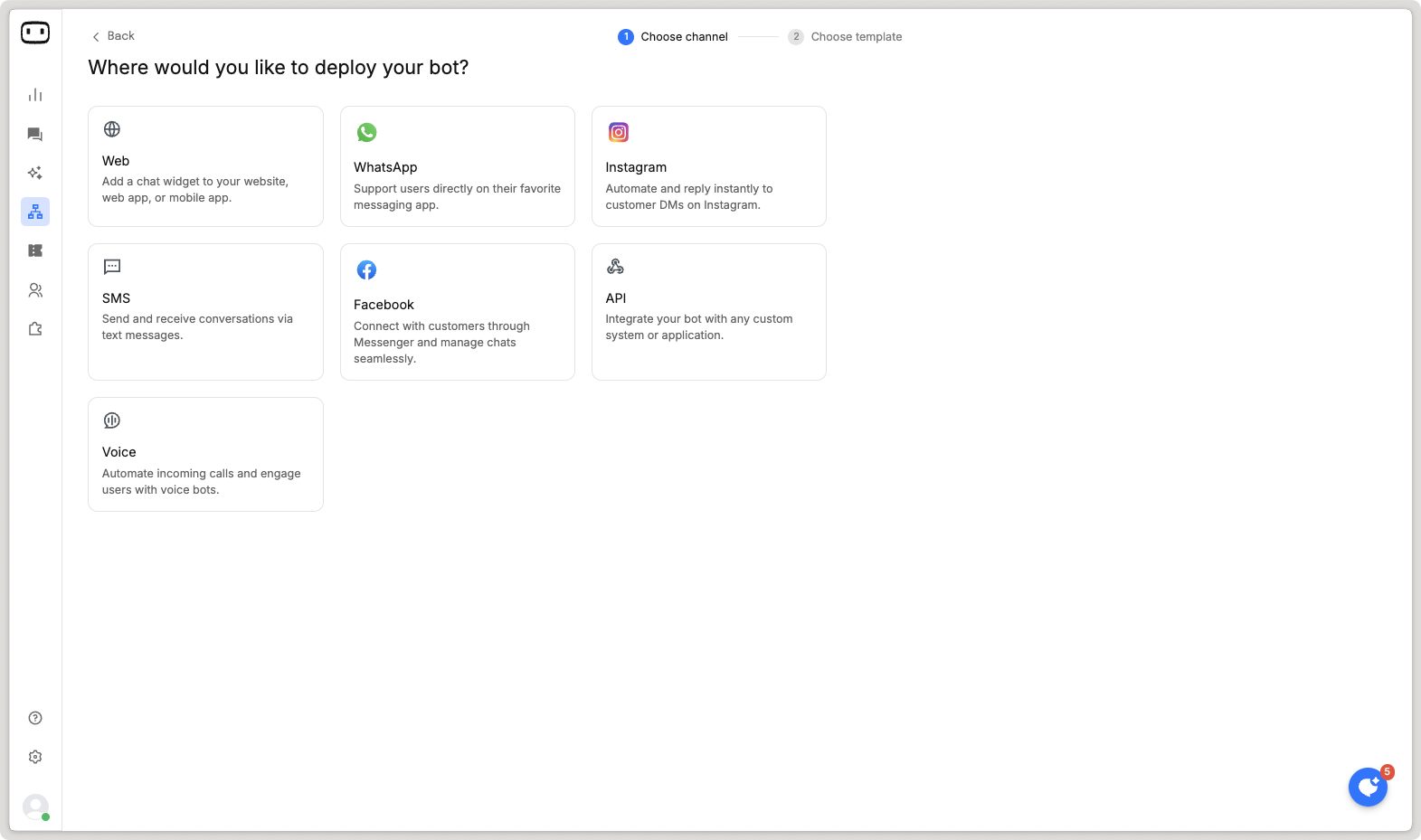
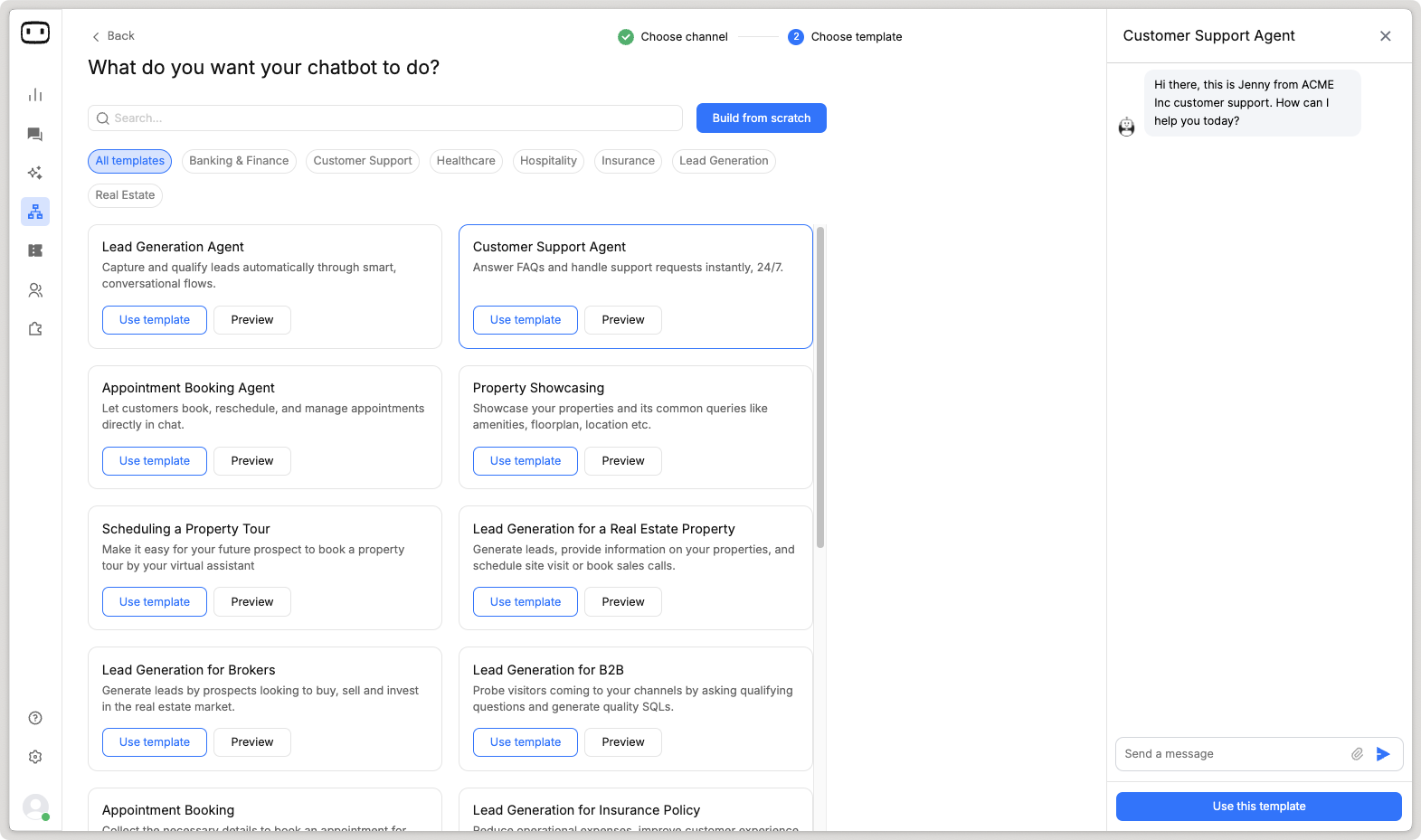
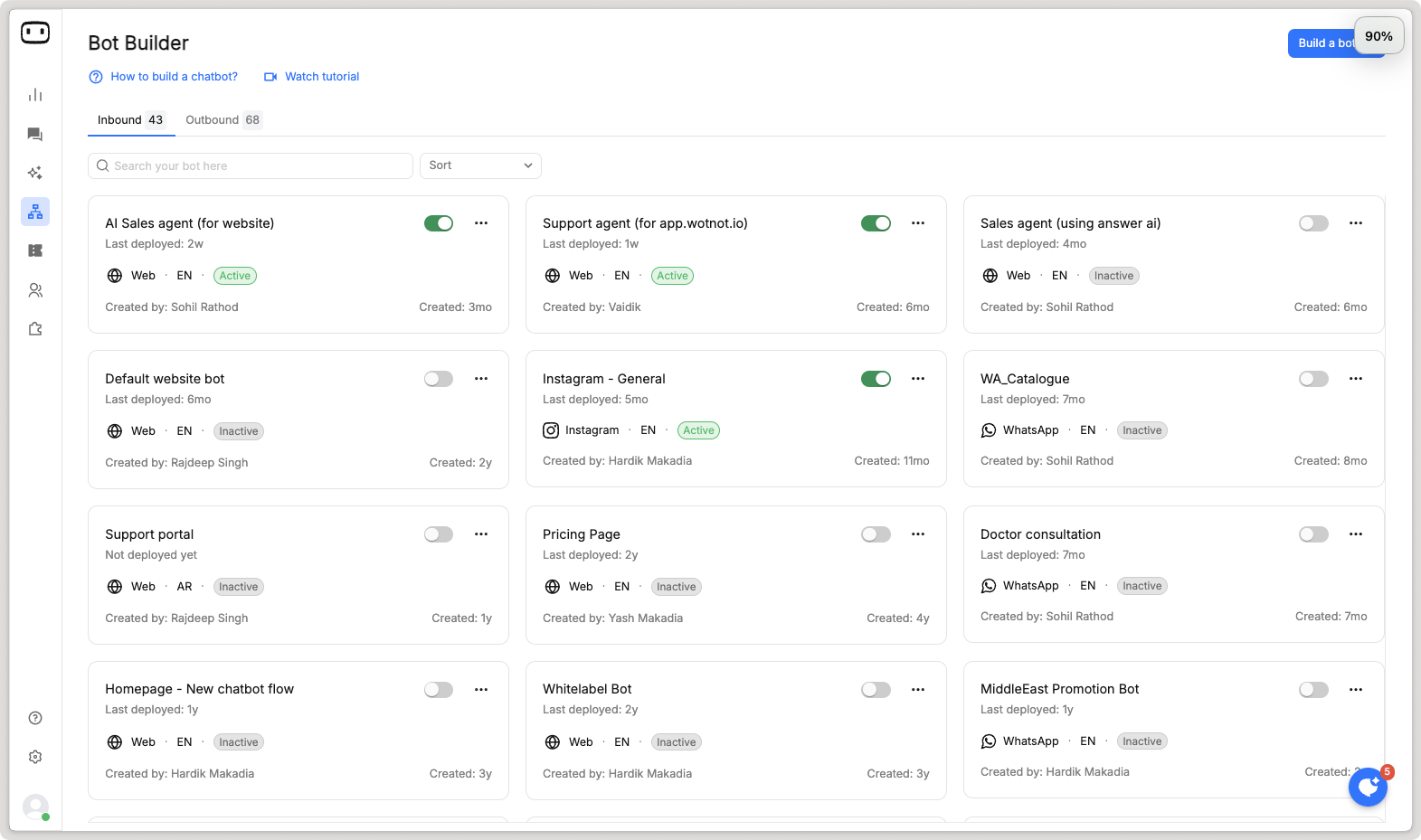
Keyword triggers for instagram bot
We’ve introduced Keyword Triggers on the Instagram channel.Now you can define keywords or phrases like “GET OFFER” or “START” to instantly launch a specific bot you’ve built.Perfect for promotions, campaigns, or guiding users straight into the right flow.Learn more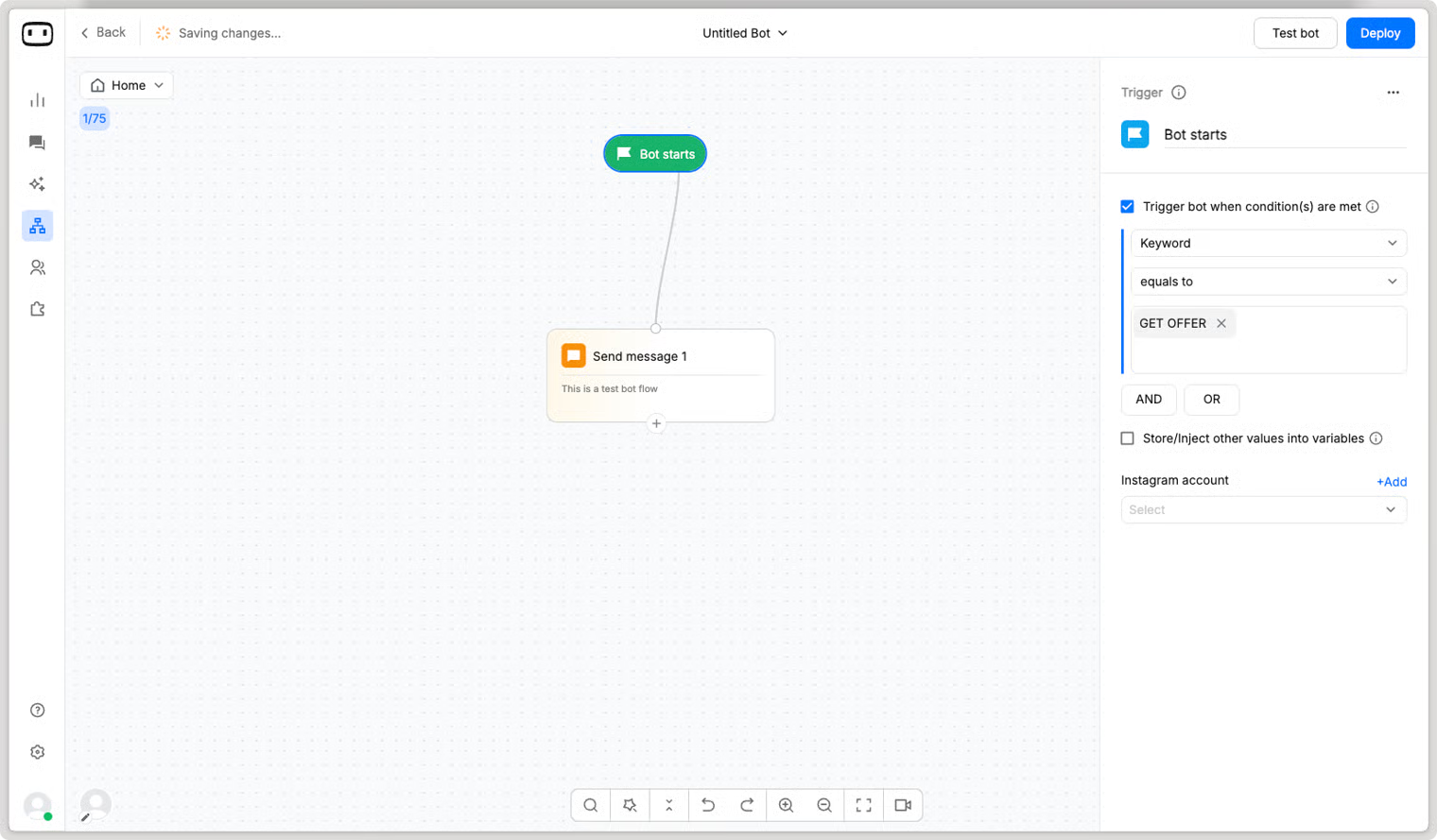
”Set Variable” action block
You can now use the Set Variable action block to assign values to variables during a conversation. This makes it easier to personalize experiences, set defaults, pass data to integrations, or control logic within your flow.For example, you can set plan_type = Premium when a user selects a subscription plan and use it later for routing or CRM updates.Learn more - https://help.wotnot.io/build/action-blocks/set-variable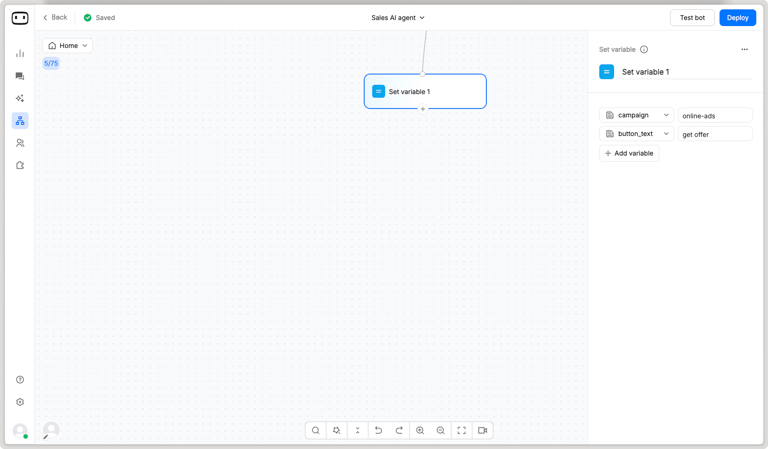
Automations
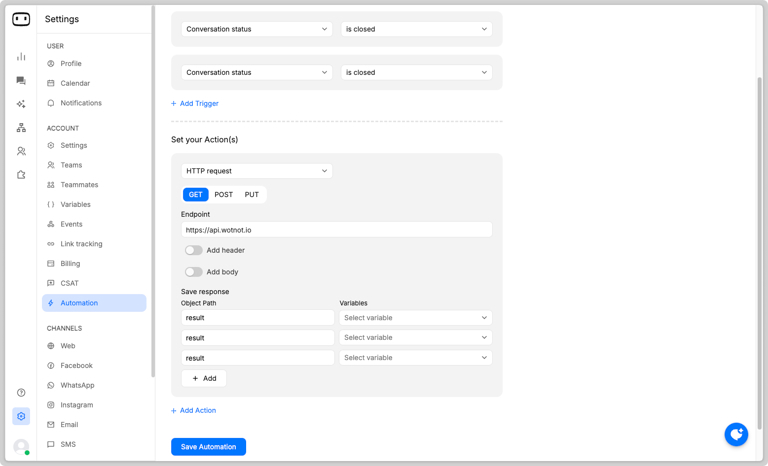
Automatically perform actions when specific events occur — such as sending an email to a contact, sending a Slack notification, or updating your CRM with the chat transcript once a conversation ends.Learn more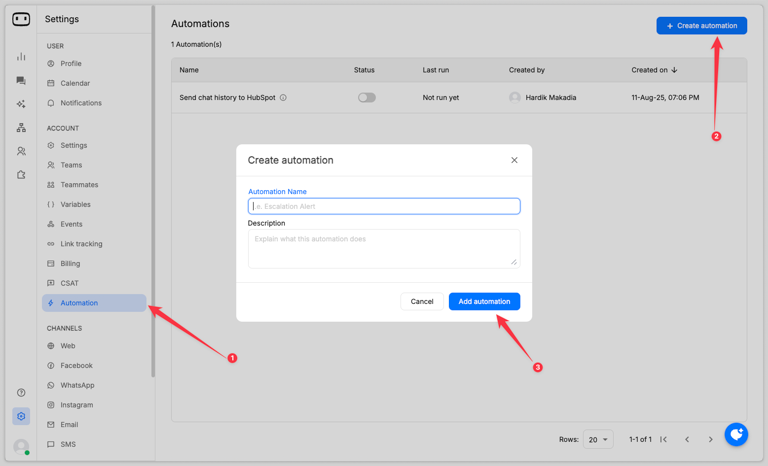
Dynamic assignment on “Talk to human”
Assign chats to the right account owner in real time by using API responses from your CRM or ERP, instead of relying on fixed assignment rules.Learn more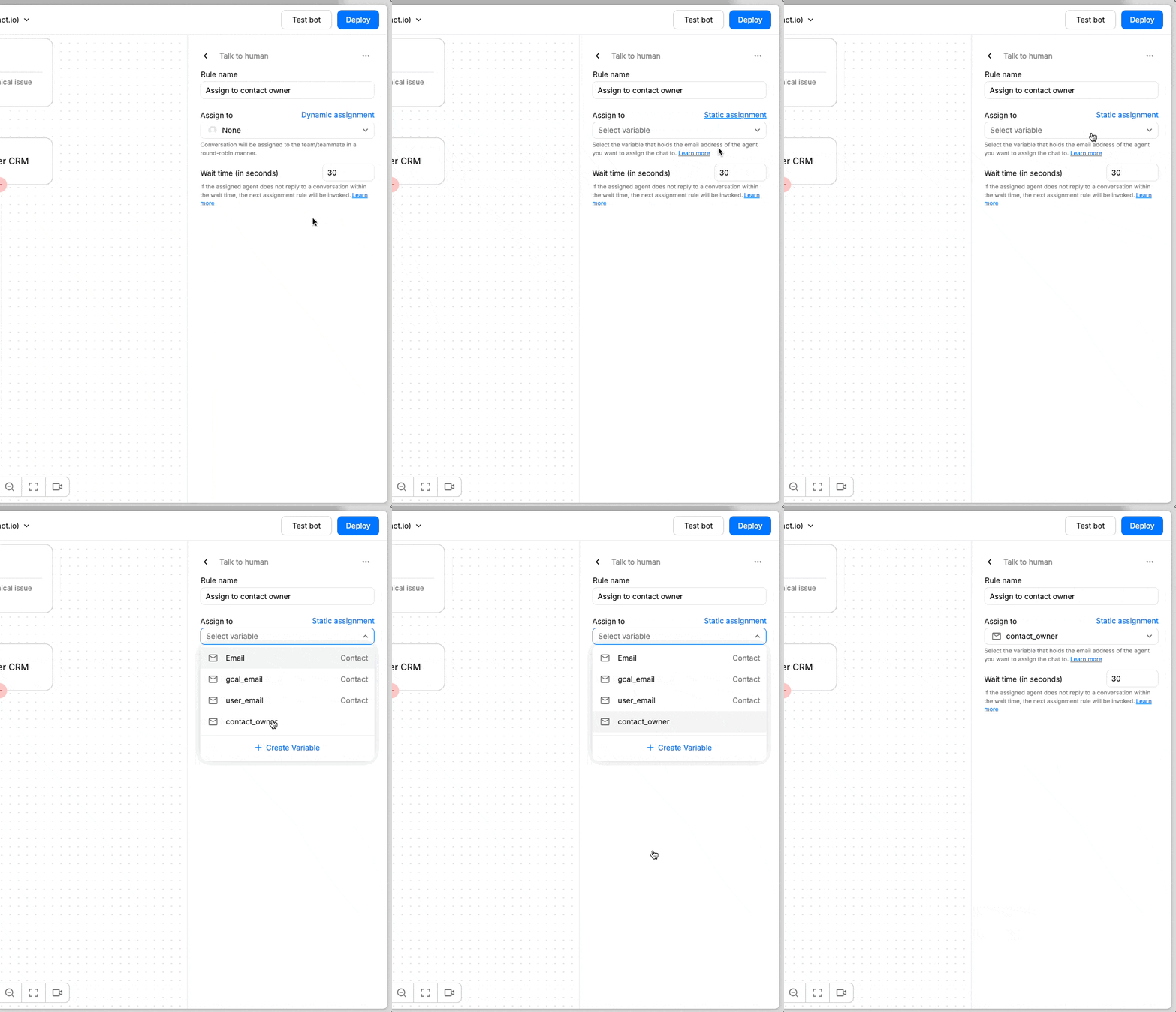
Delete contacts
Easily remove contacts created during testing or any that are no longer needed, helping you keep your contact list clean and organized.Learn more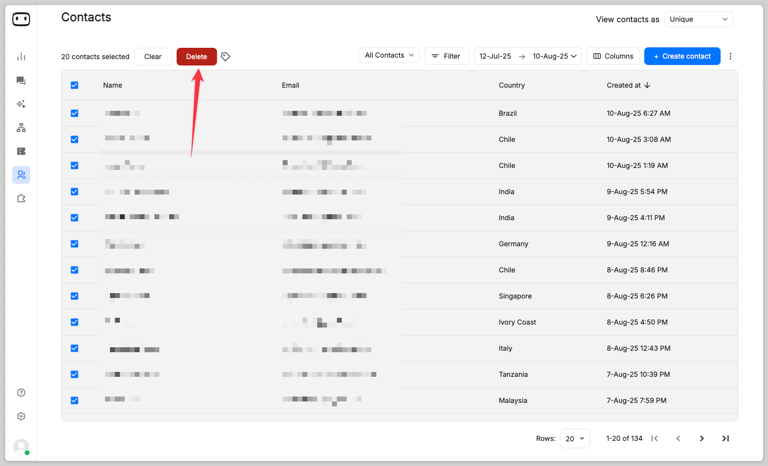
Introducing “Voice widget” (BETA)
We’re excited to introduce the Voice Widget — a new way to engage users on your website through voice-based conversations instead of traditional chat.Users can now speak directly to your AI agent and get responses in a natural, conversational flow. No typing needed — just a simple back-and-forth to get their questions answered.This creates a faster, more intuitive experience for users who prefer talking over typing.
Auto-set user status to “Available”
We’ve introduced a new configuration for Live Chat that, when enabled, will automatically mark agents as “AVAILABLE” as soon as they log in to the platform.This ensures agents are always ready to take chats without needing to manually update their status—saving time and reducing missed conversations.Goto Settings > Live chat settings > Human handover to enable it.
”Location” block for WhatsApp
You can now collect user location seamlessly on WhatsApp using a native block that allows users to share their location with just a tap of a button—no typing required.For businesses, this means you can automatically capture and store the location name, address, latitude, and longitude into variables, making it easy to personalize experiences or trigger location-based workflows.

Create knowledge base & function from bot builder
You can now add or modify your Knowledge Base and Functions directly within the bot builder. These will open in a convenient drawer view inside the bot builder canvas, so you never have to break your flow or switch tabs while building your AI agents.This seamless experience makes it faster and easier to create powerful, intelligent bots.

”Send template” block for WhatsApp
You can now use the new Send Template block in inbound bots to send rich template messages during a chatbot conversation.This enhancement allows you to go beyond standard message formats like reply buttons and lists, enabling support for media-rich carousels, image+text combo messages, and more — all within the same conversation flow.This gives you more flexibility to deliver engaging, visually appealing experiences to your users.
Image support in AI questions
You can now attach image files when asking the AI a question. The AI will analyze both the image and the text to generate its response.For example, upload a picture of a food item and ask “What are the macros?”, and the AI will return information like calories, protein, carbs, etc.Great for use cases in health, documentation, product support, and more.AI-Powered Prompt Generation in Bot Builder
To make prompt writing easier and more efficient, we’ve added an AI-assisted prompt generator. Simply describe what kind of prompt you need (e.g., “ask for customer feedback politely”), and the system will generate a relevant prompt automatically.You can also use it to improve and refine existing prompts with one click — ideal for building high-quality conversations quickly.
Live translation on Live Chat
WotNot now supports real-time language translation in live chat.When a user messages in a foreign language (e.g., Arabic), the agent sees the message translated into their set language (e.g., English). The agent replies in English, and the message is auto-translated back into the user’s language.This ensures smooth, multilingual support without switching tools or relying on external translation apps.Languages supported: 79 (See the list)Message scroll behaviour
We’ve introduced a new setting that improves how new messages appear in the chat.When enabled, you’ll now see a “New messages” badge with a count—rather than being force-scrolled to the bottom every time a new message arrives.This gives you more control over the conversation flow and ensures you never miss a message in between.Better readability. Smoother experience.
Reorganization of Channel configuration
We’ve moved Channel Configuration from the main navigation bar to the Settings section.Since it’s mostly a one-time setup, this change helps declutter the main nav and keeps all configuration-related options organized in one place—making it easier for you to manage settings without jumping around.Same functionality. Cleaner navigation. Better experience.
New integration - Outlook Calendar
You can now connect your Outlook Calendar directly to our platform!This means your AI agents and chatbots can seamlessly access your availability and book meetings in real-time —no more back-and-forth scheduling.Whether it’s sales calls, support appointments, or demo bookings, let automation handle it while you stay in control of your calendar.Learn more
Analytics 3.0
We’ve completed the phased roll-out of a powerful update to WotNot’s Analytics feature — designed to give you deeper insights and a smoother experience.✨ What’s new?- Sleek UI/UX redesign for a more intuitive interface
- New reports: AI performance & Outbound analytics
- Drill-in capabilities to dig deeper into your data
- Fresh set of KPIs to track what truly matters

Introducing AI report
Gain deeper insights into your AI Agents’ performance with the new AI Report. This report provides a comprehensive overview, including:- AI credits usage
- Upvotes & downvotes
- Conversation topics
- User sentiment
- Median messages per session


”Agent” action block
WotNot’s “Agent” action block is its most advanced feature for building smart, conversational AI agents. This action block will help you manage complex interactions, pull from a knowledge base, follow custom logic, and run functions—all in one streamlined step.The Agent step provides a comprehensive solution for creating AI agents that can:- Intelligently respond to user queries
- Search knowledge base for relevant information
- Follow specific conversation paths based on user intent
- Execute functions to interact with external services


Functions redesign
We have improved the functions screen to make it easy for users to build functions for your AI agents.The homescreen now shows templates created by the WotNot team, which can be directly used.


Chat Widget 3.0
We have redesigned the chat widget to give it fresh coat of paint. Now making it modern, sleek, and intuitive to look at on your website.We’ve introduced a new widget style wherein you can include the icon and get together to provide more visiblity to users if an icon is not enough.Some new features added:- Expand mode - you can expand the chat widget to see it in a bigger view.
- Email transcripts - you can request for a email transcript of your conversation.
- End conversation - you can request to end the conversation at your will.
- Privacy banner - to meet compliance requirements state your privacy policy.
- Announcement banner - Let users know if there is anything important
- Privacy link - always give visibility to users on your privacy info.
Opt-out management
If you’re using SMS channel, you can now setup opt-in and opt-out keywords that manage a contact’s subscription to receive marketing messages from your companies helping you stay compliant.Learn more


Bot Builder 3.0
We’ve completely redesigned the bot builder from the ground up to enhance your experience. With this update, you can find action blocks more quickly, reduce the number of clicks needed to perform actions, and gain better visibility into your chat flow, making bot-building smoother and more efficient.List of actions that get a UI refresh:- Action blocks
- Configuration panel of action blocks
- Add action block menu
- Test bot
- Utility tools


API as a channel
We’re introducing API as a channel, enabling your systems to interact with WotNot via APIs. This allows you to use custom chat widgets while using WotNot to maintain the chatbot logic.Why is it helpful?- Helps you connect to channels, WotNot does not support yet
- Use your own chat widget UI, and WotNot for the bot logic

Advanced crawling criterias
When training a knowledge base using a website as source, you can now include:- exclude urls - define regex to exclude certain urls
- wait time - delay in crawling until your page loads.
- wait CSS - delay in crawling until a CSS selector is loaded.
- Execute Javascripts - to prevent any unwanted popups to be crawled instead of the actual webpage content.

Collaborative bot builder
Now, when building bots, you can see which users are viewing the same page.Other users will be in read-only mode by default, allowing you to focus on bot creation.They can request editing access when needed - to which editor can accept/reject.Learn more
Agent status on live chat
We’ve addressed a critical gap in live chat transfers to improve user experience. Previously, when an agent wanted to transfer a chat to another team member, there was no way to know if the assignee was online. This often resulted in chats being transferred to offline agents, leaving users without a response and creating a poor experience.With our new update, you can now see the real-time status of agents directly in the assignee list. This ensures that chats are transferred only to available agents, improving response times and ensuring a seamless experience for your users.
Zendesk integration
We’re thrilled to announce our latest integration with Zendesk, designed to make customer support more seamless than ever. With this powerful integration, you can:- Create Tickets in Zendesk Automatically generate Zendesk tickets directly from your WotNot chatbot, ensuring no customer query goes unnoticed.
- Fetch Ticket Status Keep your customers informed by fetching and displaying real-time ticket statuses directly within the chatbot.
- Enable Live Chat via Zendesk Elevate customer interactions by routing chats from WotNot to Zendesk agents, enabling live support when needed through Zendesk comments.


APIs to live chat
For customers and partners, that want to use WotNot for its AI chatbots and AI agents, and continue using their existing live chat software like Zendesk, Intercom etc. — we are releasing APIs to our live chat feature.Using these APIs, you can setup your live chat system such that WotNot’s chatbots do most of the talking; and when there is a need to transfer to an agent, the agents continue taking the chat from your existing live chat system.APIs available are:- to create a conversation
- to close a conversation
- to send an agent response


Disable domain restriction
For partners, we have introduced a new configuration “Disable domain restriction” which when selected allows the WotNot code snippet to be installed on more than one website (i.e. domain).Using the trigger action block, you can define which bot is to be shown on which website.Note: The chat widget UI will remain the same on all the website the code snippet is used on.

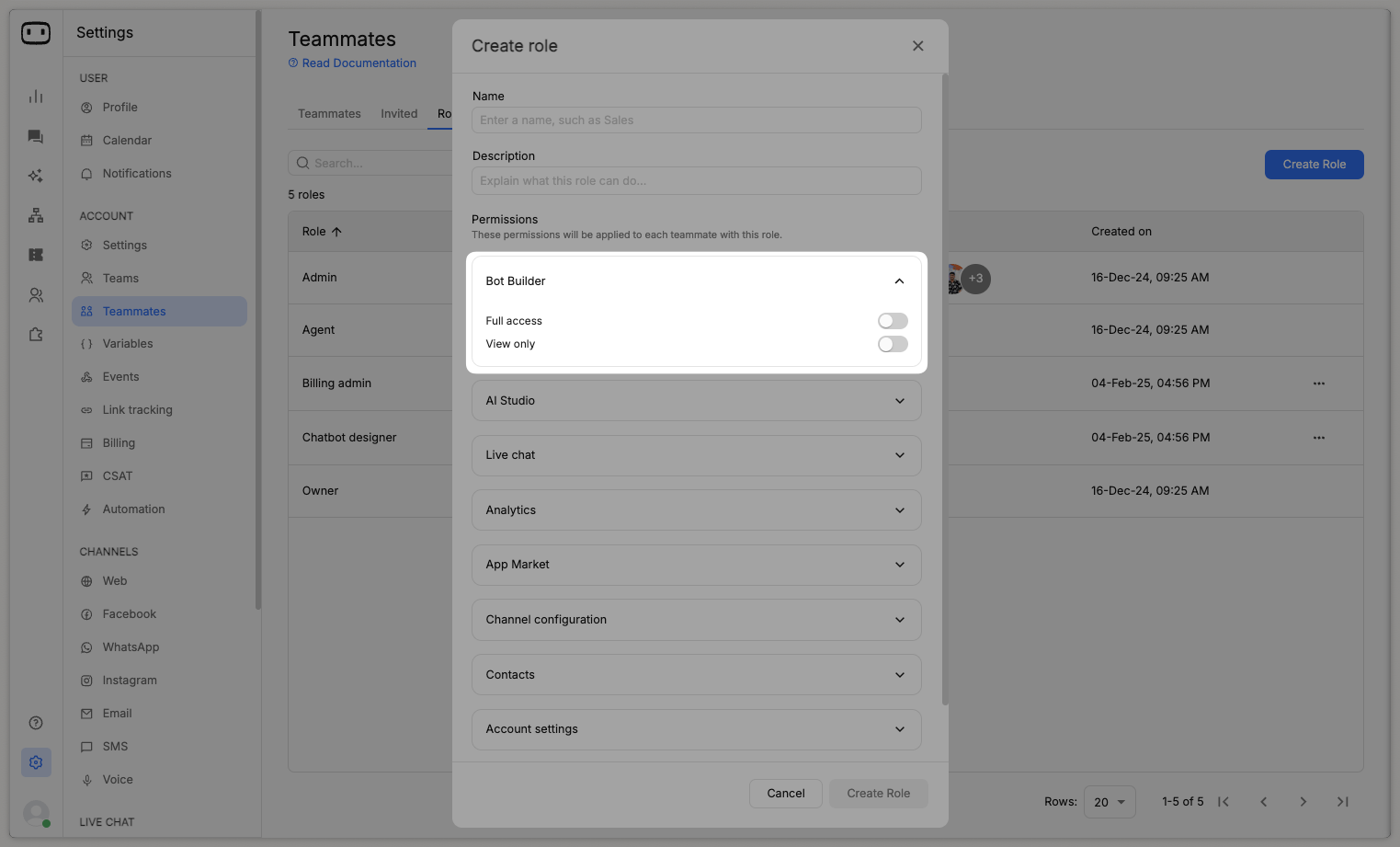
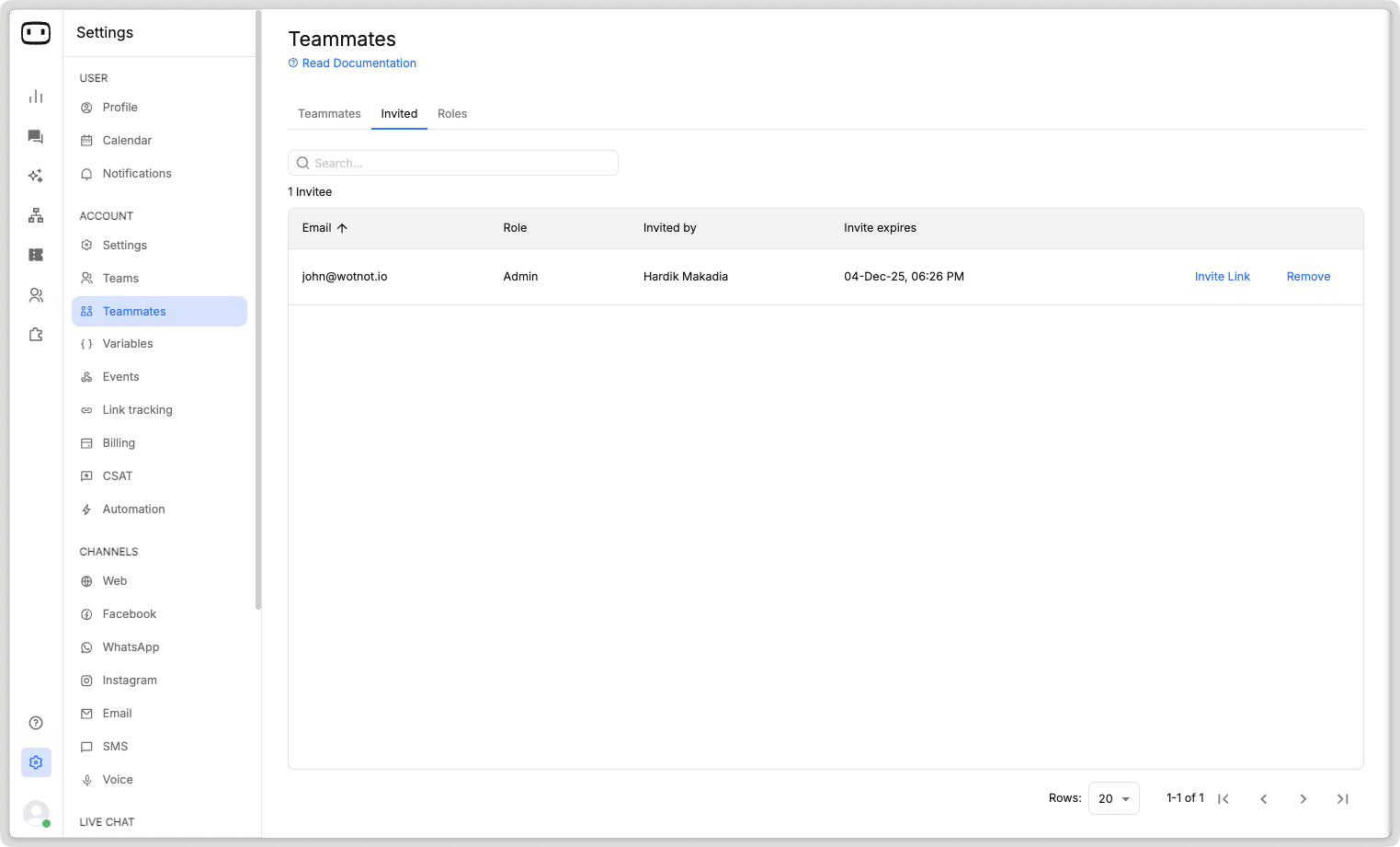
Custom permission roles
We’re excited to announce a powerful new feature: Custom Roles and Permissions!This update allows you to tailor roles with specific permission sets, ensuring that every team member has access to the tools they need—nothing more, nothing less.Custom Roles- Easily create roles tailored to your organization’s unique needs.
- Name roles for clarity, e.g., “Marketing Analyst,” “Support Specialist,” or “Junior Admin.”
- Assign specific permissions to roles based on platform features, such as:
- Access to analytics dashboards
- Managing chatbot workflows
- Grant view-only, edit, or admin rights for each feature.

Blocking contacts on WhatsApp & SMS
You can now block contacts on WhatsApp and SMS to prevent them from starting new chats or receiving outbound messages.This helps you block suspicious users from misusing the chatbots.Learn more
Support for Anthropic & Gemini models
To added flexibility, we now offer AI models from Gemini and Anthropic models.Supported models are:- gemini-1.5-pro
- gemini-1.5-flash
- claude-3-haiku
- claude-3-sonnet
- claude-3-opus
- claude-3.5-sonnet
- claude-3.5-haiku

Support for server-side tracking of GA events
We are introducing server-side tracking of GA events as an alternative method to track events on your Google Analytics account.This functionality tracks events by firing the Google Analytics API when used on your chatbot flow, instead of the client-side Javascript fired.With this support, non-web channels can make use of server side tracking.Read help doc
’Get Started’ for new users
We’ve introduced a ‘Get Started’ page to help new users navigate the WotNot platform seamlessly.This page provides a checklist of essential steps to complete before launching their chatbots.Additionally, we’ve included quick access to the most common support links to assist users whenever needed.
AI credits
We’re excited to introduce a new feature called ‘AI Credits’ to track and manage AI usage in your account.AI Credits are consumed whenever your chatbot uses the ‘Answer AI’ or ‘Set AI’ action blocks, as these actions incur a cost for WotNot to generate responses.Here’s the AI Credit allocation included in each plan:• Starter Plan: 5,000 credits• Premium Plan: 10,000 credits• Ultimate Plan: 20,000 creditsIf you need additional AI Credits, they can be purchased at $7 per 1,000 credits.Learn moreCookie setting
Previously, whenever a user interacted with your chatbot on your website, a cookie was automatically added to their device.The sole purpose of this cookie was to identify whether the user was new or returning.However, we observed that many websites with cookie consent banners included our cookie but violated consent principles by adding the cookie regardless of the user’s approval.To address this, we’ve made cookies optional! You now have two choices:You can choose to have it :- Manually added - The cookie won’t be added by default and will only be set if you use our Javascript method to add it.
- Automatically added - The cookie will automatically be added to the browser.

Message status on mobile app
On the WotNot mobile app, you can now view the status of the message in a conversation.Similar to WhatsApp, you will see:- Single grey tick - if the message is sent from our end
- Double grey tick - if the message is delivered to the visitor
- Double blue tick - if the message is seen by the visitor
APIs to manage data sources
When building the knowledge base, you can now manage adding of new data sources by using our public APIs.We are launching two APIs:Adding data sources to knowledge baseWith this, you can add multiple ‘Text’ and ‘File’ type data sources to an existing knowledge base.Refer API docGet training status of a data sourceWith this, you can fetch the training status of a data source that is added to a knowledge base. This is usually required, if you have a large data source that may take a while to get trained.Refer API docSupport for Carousel template message
WotNot now supports carousel WhatsApp template creation.To create a carousel template, goto Channel configuration > WhatsApp > Template messages > ‘Create template’ > Carousel template.Limitations:- At least 2 cards are required
- Max cards supported are 10
- You can only use the same media type for all cards
- Max of 2 buttons per card


Account events
As a whitelabel partner, you can now subscribe to events related to the accounts in your whitelabel.This can help you send transactional/marketing emails to those contacts to improve product education and convert them to paying customers.Events you can subscribe to are:- Account signup
- Account details update
- Add/remove user from account with role details
- User details update
- Bot create/delete
- Bot status change events - on/off/turned off by the system
- Bot deploy
- Channel configuration add/remove
- Connect/disconnect account from integration
- Purchase/upgrade/downgrade/cancel plan
- Feature add/remove/update from account
- Account delete
- Account status - active/inactive
- Conversation limit hit, will also pass the extra chat status
- Subscription renewal
Product catalog on WhatsApp
Got products to sell? Now, with the ‘Catalogue’ feature on WhatsApp, you can start selling instantly—just like an e-commerce website!Use this feature to display a list of products that users can easily browse, select, and add to their cart for a seamless shopping experience. Start offering a convenient, in-chat shopping solution to your customers today!Learn more - https://help.wotnot.io/bot-builder/action-blocks/catalogue
Sync WhatsApp templates
Already have WhatsApp templates created or migrating from another platform? We’ve got you covered!With our new ‘Sync’ button, you can now fetch all your WhatsApp template messages directly from Meta in just a few minutes. No need to recreate anything—just sync and you’re ready to go!
Purchasing a subscription has become easy
We’ve simplified the process of subscribing to a plan! If you’re a new user and unsure about which features are included in each plan or how to purchase one, it’s now easier than ever.Just look for any lock icon across the platform, click on it, enter your card details, and you’re instantly subscribed. No more confusion or hassle—getting access to the features you need is now just a few clicks away!Soon we will also launch our billing overhaul.
Training historical live chat to generate response
With the launch of ‘Generate response via AI’, the AI is capable of taking the current context of the chat and the trained knowledge base to generate an answer.With this update, we’re now making it easier to enhance your knowledge base by automatically adding historical chat transcripts that your agents have handled in the past.This means your knowledge base will be enriched with practical scenarios that your team has already encountered, allowing the AI to provide more accurate and relevant responses.You also have the flexibility to selectively add historical chats from specific agents to improve the quality of the training.
Message status on live chat
Now, you can easily track the deliverability of each message across Instagram, Facebook Messenger, WhatsApp, and SMS.For every message sent, you’ll see a tick icon that indicates whether it was:- Sent - Single grey tick
- Delivered - Double grey tick
- Seen - Double blue tick
- Failed - Failed icon

Instagram channel
The wait is over! 🎉We’re excited to announce that Instagram is now available as a channel on WotNot!You can seamlessly connect your Instagram business account to WotNot and deploy your chatbots directly on the platform. Plus, manage all your conversations with ease using our omnichannel inbox, where agents can handle Instagram chats alongside other channels.Learn how to connect Instagram here - https://help.wotnot.io/getting-started/publishing-your-bot/instagram
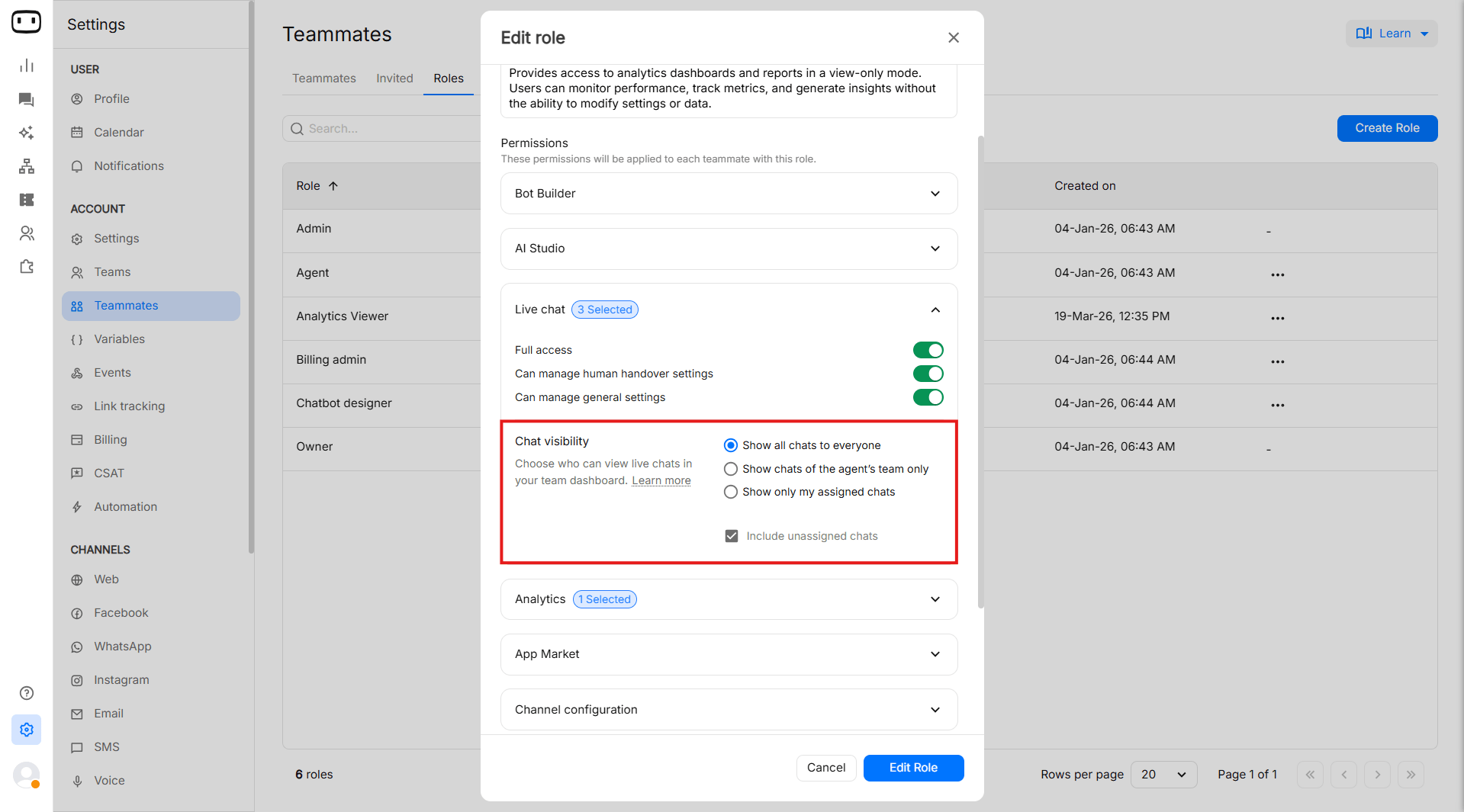
Limiting chats view to specific teammates
We’ve introduced a new feature that restricts users in an account to view only their teammates’ chats on the live chat page.This ensures that team members can focus solely on their own conversations and those of their direct peers, without the distraction or access to other team members’ chats.By limiting unnecessary visibility, this feature strengthens data privacy, enhances focus, and prevents accidental access to sensitive information across teams.You can set it up by going to Settings → Live chat settings → Chat visibilityThe 3 options offered are:- Display all chats to everyone - No filtering of chats are applied
- Display chats assigned to team members - All members of a team can see each others chats
- Display only assigned chats - Only shows your chats

Generate response using AI
We’re thrilled to introduce our latest feature, Generate Response Using AI, designed to enhance the efficiency of live chat agents. With just one click, agents can now generate an AI-powered response tailored to the conversation.Here’s how it works:- Agent initiates to generate a response.
- AI searches its knowledge base for relevant content.
- Once the right information is found, it’s passed along with the chat transcript to the AI, which generates a contextually accurate response in seconds.
Feature is available on the PREMIUM plan.

AI Rewrite
We’re adding a new utility for live chat agents to improve their writing and CX.With this agents, can choose to rewrite their answers based on:- Condense - Reduces the size of your answer.
- Fix grammar - Fixes up your answer.
- Improve writing - Rewrites your answer in a better way.
- Positive tone - Converts your answer into a positive tone.
- Translate - Translates your answer to another language.
Feature is available on the PREMIUM plan.

Live chat gets a new UI!
We’re excited to announce a modern UI refresh for our Live Chat feature, rolled out as part of our recent brand update.Given that Live Chat is one of our most popular features, we prioritized enhancing its look and feel. Along with the new design, we’ve also addressed key bug fixes and made performance improvements to ensure a smoother, more responsive experience for our users.This version keeps the focus on the rebranding while emphasizing both the importance of Live Chat and the improvements made.
Retrain frequency for URL data sources
When adding data sources to a knowledge base, we have now added support for you to define a retrain frequency for “URL” data sources.With this, your data sources and content will always be updated.The frequency you can use:- Daily
- Weekly
- Monthly

Support for “Update record” in Google Sheets
Increasing the utility of the Google Sheets integration, you can now update cells in your Google Sheets based on your conditions.This would enable more use cases to be built using the Google Sheets integration.Learn more - https://help.wotnot.io/integrations/ready-integrations/google-sheets#updating-records
WhatsApp flows
We’re releasing WhatsApp flows to make it easy for your customers to get things done within WhatsApp.You can design and build a variety of rich customer experiences using UI components embedded right in your conversations.Your conversations on WhatsApp now allow you to have components like:- Date picker
- Dropdowns
- Radio buttons
- Text area
- Checkboxes
- and more…

New sound options
You can now choose from a new sound option for the chat widget.If you have another music files in mind, feel free to share it at hello@wotnot.io

Custom answers
Available on the PREMIUM plan and above.

Function call
Available on the PREMIUM plan and above.
- Define the prompt which describes what this function does
- List the parameters required in the API call
- Write a JS code that will execute when this function is selected by AI

AI Studio 2.0
We have rebuilt how AI models were built with this UI revamp.First off, we are now calling AI models → Knowledge bases.You can build knowledge bases using multiple types of data sources i.e. URLs, text or files all in a single knowledge base.Some more functions added:- Showing chunks of each data source
- Multi train of data sources
- Filtering data sources
- Add multiple data source types


Dynamic media in WhatsApp template messages
We now support dynamic media files while creating a WhatsApp template message.When creating a new WhatsApp template message, you can choose the dynamic media from the dropdown menu and the variable containing the dynamic media file (a publicly accessible URL).Learn more 👉 https://help.wotnot.io/outbound-bots/creating-a-whatsapp-template
Get WhatsApp APIs directly from WotNot
Getting WhatsApp APIs from Meta was a long and complicated process involving technical and confusing steps.Now, we’re launching an easy way to get WhatsApp APIs — right inside WotNot.With our embedded signup process, you can easily get a new WhatsApp API within a few minutes. Just make sure you have the following docs:- A phone number (w/o an active WhatsApp account)
- Access to Meta business manager


Create tickets from admin portal
Partners can now easily create tickets related to whitelabel instance from the admin portal.Login to admin portal > Help > Create ticketYou can request for the following,- Implementation assistance
- Report bug
- Suggest features
- Technical support
- Other question


Updated pricing plans
Each year, we try to improve our pricing plans to meet the needs of our users.This year, we have made the following changes.Starter plan- Access all native integrations except Slack
- Access the Slack integration
- HTTP request
- 100hrs of professional services to help build and maintain your bot
- Info-sec and legal review
- Custom integrations
- Dedicated slack channel for support


Start a chat from live chat
On WhatsApp and SMS, for use cases like support require agents to initiate the chat with their customers/users.Because often times, an agent would need to follow-up regarding a ticket or something else.We are now releasing support for this on the live chat screen.Simply click the icon to create a new chat, and choose the template that you want to send.NOTE: You cannot send open text messages to new chats on WhatsApp, as it is mandatory for the user reply back to start a session.Watch the videoAuto-delete conversations
To ensure compliance, we have introduced a new feature for whitelabel partners where in they can configure a time interval after which the conversations along with all its data is permanently deleted across WotNot systems.Time interval can be set in terms of minutes and days.This helps you adhere to local compliances.New action block - HTTP Request (Streaming)
We are introducing a new action block to support APIs that provide a streaming response.Most common APIs that would benefit from this new action block are LLM models, which often provide a streaming response.The configuration UI remains almost the same with two notable changes:Filter event(s) — So you can choose which events are to be considered for streaming and storing of data.Streaming field path — Response path which is to be used to show the response.
Total count to be displayed for outbound bots
There was a bit of confusion in our outbound bot cards, as we did not show the total count of contacts uploaded to run the campaign.To solve this, we are now going to show the following metrics,- TOTAL - all contacts uploaded
- SENT - contacts who would receive the message
- DELIVERED - contacts to whom message is confirm delivered
- SEEN - contacts have seen the message
- REPLIED - contacts have replied to the message sent
- UNSUBSCRIBED - contacts have replied to be unsubscribed
- FAILED - contacts did not receive the message due to wrong number
- CLICKED - contacts clicked on a link

New action block - Google Analytics
We’re adding a new action block to our bot builder — Google Analytics!Every company has a different way of tracking metrics, some do it using our own analytics dashboard, and some through excel sheets. For those who use Google Analytics as their main analytics tracking software, we’re launching a easy way to fire events.Now, you just need to add the “Google Analytics” action block at the point in the chatbot flow where you would like to fire an event.Steps to configure,- Add your Google Analytics measurement ID
- Define a name to the event
- Add event parameters

Subscribe/unsubscribe contacts
While using SMS and WhatsApp as outbound channels to communicate with contacts, companies are compelled to allow these contacts to subscribe/unsubscribe to the promotional messages received.With the launch of our keyword-based triggering support, we are now adding the functionality for users to subscribe/unsubscribe contacts when these keywords are pressed.For example, you can create a bot which gets triggered when keywords like STOP, UNSUBSCRIBE are used, and this automatically marks them unsubscribed.Doing this will prevent any future outbound campaigns to be sent to these contacts.

New KPIs for Agent Analytics
After receiving a lot of feedback from our live chat users, we are now adding the following KPIs to our Agent Analytics dashboard.Now, you will see the following KPIs:- Currently serving — Current active chats handled by the agent
- Chats assigned — Chats assigned to an agent
- First response — Avg time taken by agent to send the first reply
- Usual response — Avg. time taken by agent to send every reply
- Chat duration — Avg. time taken by agent to complete the chat
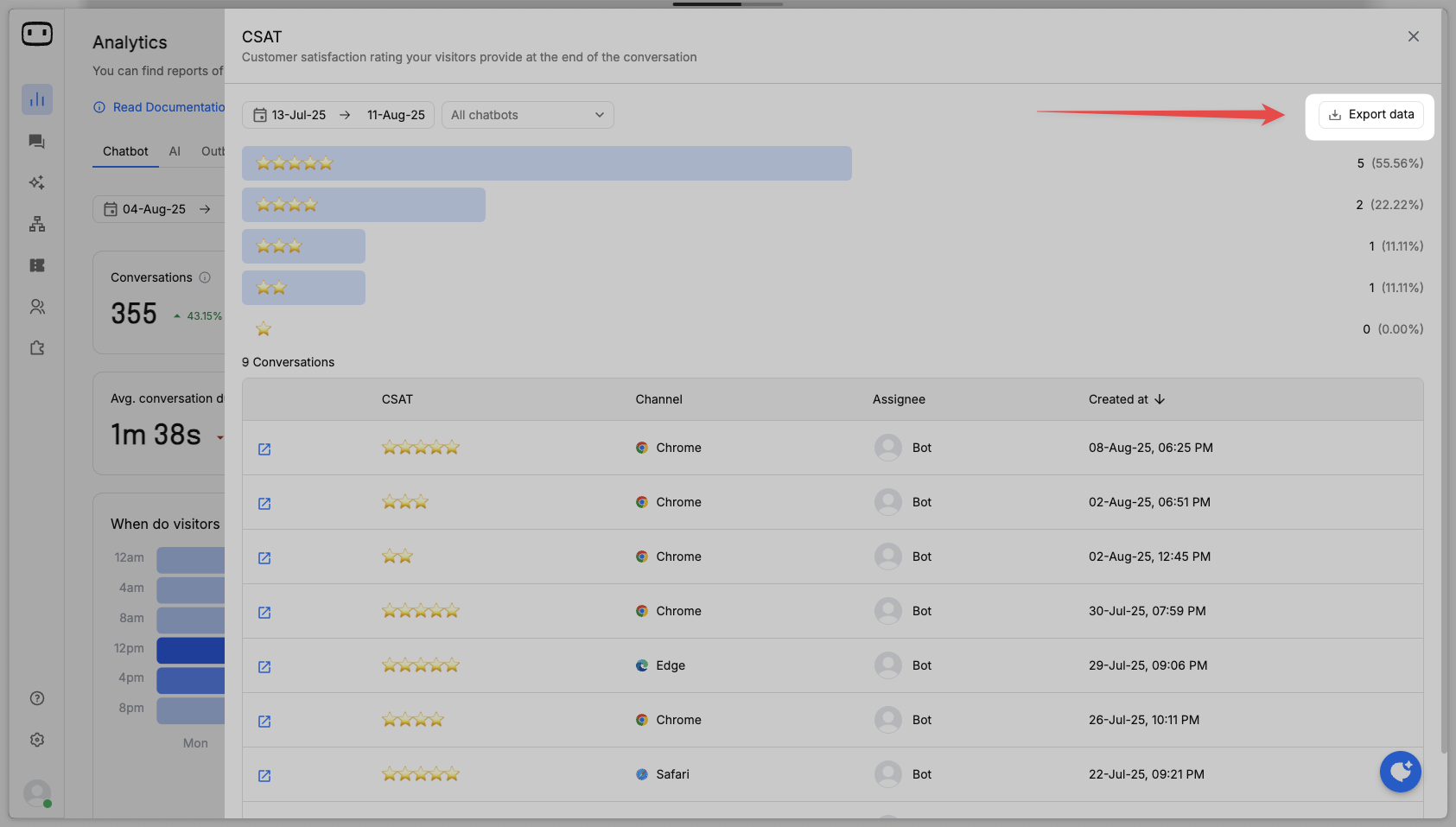
- CSAT — Avg. rating given to the agent by the visitor
- SLA breached — No. of times SLA was breached by the agent
- Chats handled — Total chats assigned to an agent when chat is closed
- First response (Longest) — Longest time taken by agent to send the first response
- Usual response (Longest) — Longest time taken by agent to send every reply
- Chat duration (Longest) — Longest time taken by agent to complete the chat

Trigger WhatsApp bots based on keyword
The trigger action block now supports keyword-based trigger conditions.For example, if you plan to launch a new marketing campaign by sending outbound messages with a button “Book a meeting”; you can now create a new bot that gets triggered for this keyword.This helps make it easy for users to manage incoming replies based on the keyword provided.


Support for sub-domains
Your WotNot account now supports all sub-domains in your domain.i.e. if your domain is wotnot.io, your chatbot will also trigger on blog.wotnot.io, help.wotnot.io etc.You can use the trigger action block to define the domain as a condition like “URL contains blog.wotnot.io”.Take a free trial
Starting today, users signing up to WotNot can take a free trial of all paid features for a period of 14 days.With this, you will have enough time to evaluate WotNot for your business needs. Post the trial, you will be moved back to the “Free” plan with limited features.Note: You can reach out to sales at hello@wotnot.io post your trial for assistance.Flow analytics
To make it easy for users to visualize where visitors speaking with the bot have reached, we have launched flow analytics.The same way you built the chatbot flow, you can also see the number of times users have moved from one block to another.GREEN - indicates progression to the next blockRED - indicates exit from that blockDELETED - indicated exits from that deleted block
[Sunset] FAQ Builder
We have finally sunset FAQ Builder which used to use Natural Language Processing (NLP) to train the AI model with the intents, utterances and responses supplied to it.With the advent of ChatGPT, the use NLP has become less popular given it taking more time and efforts.Hence, we have taken the call to sunset FAQ Builder with intents completely.


Chatbot Template manager
Partners can now add/remove templates from the Super Admin portal.You can create new templates, add new categories and publish them. Once added, you will be able to see it while creating a new chatbot on the bot builder.Note: Make sure you add all new bots on Account ID: 1, as we will be fetching all bots from this account when creating a new template.


More configuration on AI Model block
You now have two new additional configurations you can use,- Top K - Choosing a higher number generates multiple chunks of information for OpenAI to find answers from. Generally, higher the numbers gives you more accurate answers but takes slightly longer time to generate a response.
- Context length - Sends the previous historical interactions along with the question to generate contextual answers.


Fetch records using Google Sheets
We’ve enhancing the existing Google Sheets integration by adding support for ‘Fetching records’ in addition to ‘Create records’.How does it work?- Connect your Google account
- Choose the sheet with the data
- Define the criteria for the search
- Choose the columns you want to save into variables

Audit Log
We’ve added a new audit panel under “Settings” that will help Admins be aware of the activities performed by their teammates.This feature will track the following activities of all teammates in your account,- Login
- Logout
- Marking as Available
- Marking as Away
- Chat limit hit
- SLA breached


Agent analytics (NEW)
We’re introducing a new way to look at agent analytics — something that scalable and easier to view.Some highlights of the change:- Tabular view of all agents and their KPIs
- Online status of all agents
- Search the agent with a searchbox
- Filter by teams
- View only the KPIs that are important to you


Improved cacheing on Live Chat
When you go back and forth between chats on the live chat page, the history of the conversations will be cached.This means that on click of a conversation your chat history will be ready to see without any loading animation.For a conversation to be cached, it has to be loaded once.New action block - Dynamic data
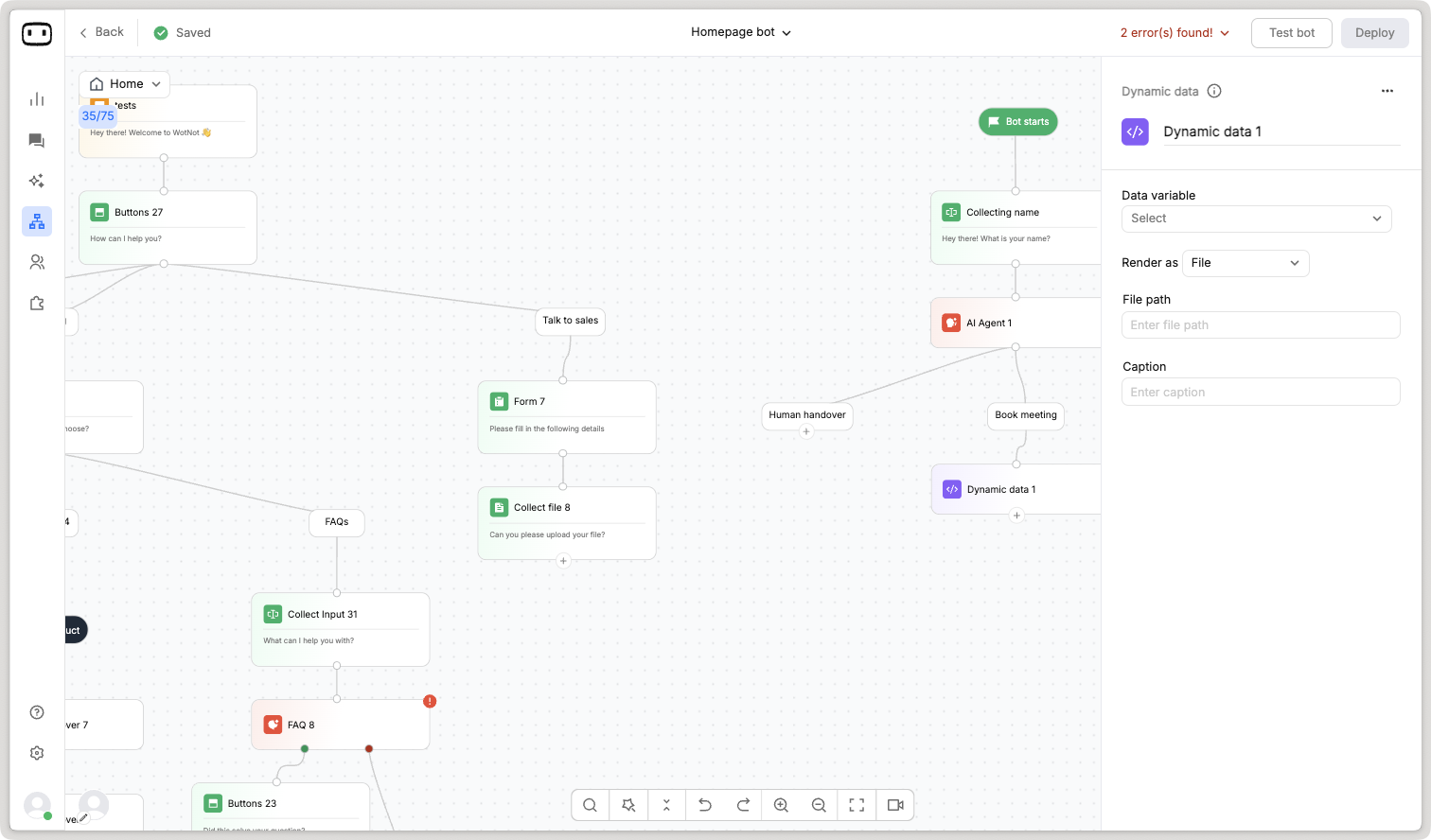
You can now dynamically render buttons, carousels, lists, options using this new action block.Works the same way as the elements they render, with the only difference that the values are dynamic meaning they vary based on the data it reads from.The way it works is that before using the Dynamic data action block, one would need to store the required data to be fetched and stored in a variable using a HTTP request.Once the data is stored, you would use the Dynamic data action block to map the object paths of that JSON response, like,result.item[*].label
Mobile app 2.0
We’re truly for the time it took for us to roll this out.We had been experimenting other ways of offering live chat through PWA and Slack based live chat, which have failed ultimately making us go back to the mobile app.Finally, after much delay we have released the new mobile app,iOS: https://apps.apple.com/in/app/wotnot/id1541990214Android: https://play.google.com/store/apps/details?id=com.wotnot.wotnotSLA breached UX improvements
All chats whose SLA is breached will be moved and remain on the top of the chat list section.These breached chats will be displayed in a red hue to indicate to agents that this is priority to respond back.Once the agent responds back to the visitor, the red hue will be removed.
Assignment updates in Human handover
Our human handover function only support a single assignment rule which involved a team to be selected. i.e. you could only assign a chat to a team once, and if they do not reply back the chat would remain with them while the visitors remain frustrated.We aim to change that with this update, now you can define upto 10 assignment rules when a human handover is triggered.First, the first assignment rule will execute where in the selected teammate/team will get that chat.Second, if the assigned agent does not respond back to the visitor’s message in X seconds, the next assignment rule will be triggered. This way, the chat does not remain idle.Finally, if all the assigned agents failed to respond to the chat, the chat will move to the ‘Unassigned’ queue.

Country picker on WhatsApp configuration
Many users were just adding the Whatsapp numbers and missing to add the country codes while configuring their WhatsApp APIs.As this is a mandatory requirement to establish the integration with WhatsApp, we have now made it easy by showing the country code.Now, the user just needs to type in the phone number and choose the country.

Events
Many of our enterprise customers have been asking for an ability to listen to events occurring on the WotNot platform.With this update, you will be able to subscribe to the events that you want to listen to and take actions.To begin with, here are the events we are releasing, but we will be adding more soon.
Buttons - UX Improvements
The most popularly used chat element is the buttons action block.And there’s a reason to why it is extremely popular because its interface makes it really simple for someone to select an option.Here are some of the improvements you will see on the buttons action block now,SearchEasily find your option with a search box for every button list.


- Display up to 200 buttons.
- System would display only 10 buttons and then show a ‘Show more’ button
- Button sorting to sort the list of buttons in the following manner,
- A-Z
- Z-A
- Random
- As defined


New WhatsApp API provider - TechAlpha
We have introduced support for a new WhatsApp API provider ‘TechAlpha’.They offer reliable and cost-effective prices for enterprise/high-volume customers.Reach out to them for quotes at https://techalphagroup.com/Updated token limit on AI Studio
We had noticed that most users were facing a “Token exceeds limit” error while training the AI model for their website/files.This was because every account had a limit on the number of tokens you can use to train a AI model as ChatGPT would charge based on these tokens.To solve this problem, we have increased the token limit from 8,100 tokens to 3,000,000 tokens.We’re confident now that no users will face such issues.

Introducing ‘AI Studio’ 🎉
We have revamped our ‘FAQ Builder’, now called ‘AI Studio’.With this huge update, we are reimagining how AI bots are built. In WotNot, every AI function used inside the bot builder will require an AI model. AI model is nothing but an intelligent knowledge base that is trained with certain data.An AI model can be trained in 3 ways:From URLJust enter a domain, and the AI model will automatically train itself from all the pages listed on that domain. The AI model on this method is trained using ChatGPT APIs form OpenAI.The training barely takes about a few minutes to complete.


Sunset of the gcal_name & gcal_email variables
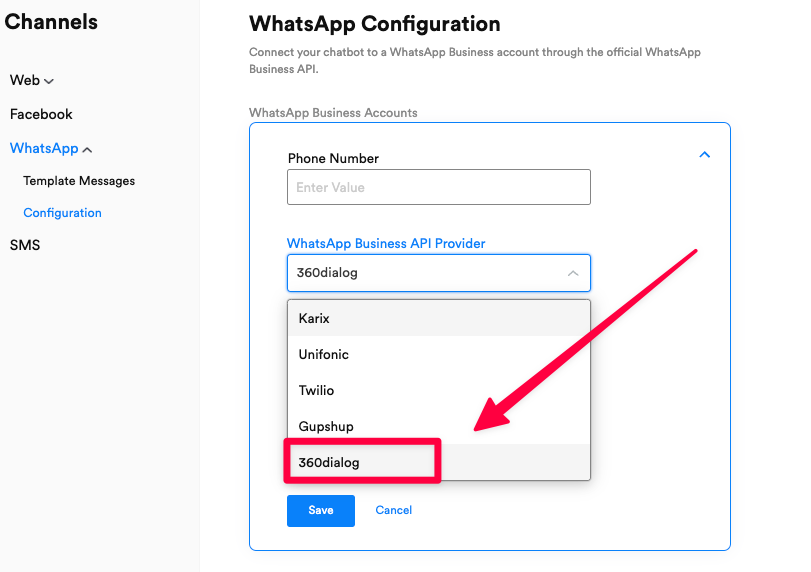
Now that we launched the variable manager for centralized management of variables, we have sunset the gcal_name and gcal_email variables that were used in the Google Calendar action block.When you add a new Google Calendar action block, you can choose the variable in which you want to store the name and email field.Note: Existing bots that are already live will still be supported.New WhatsApp API Provider - 360Dialog Cloud
We are now supporting a new WhatsApp Business API provider called ‘360Dialog Cloud’ which is managed by Meta through 360Dialog.If you are a partner of 360Dialog, this new Meta-cloud managed provider would provide you with a more stable and high-performance message-sending experience, while retaining the billing done through 360Dialog.OpenAI’s ChatGPT Integration (via APIs)
We have created an integration with OpenAI’s ChatGPT integration.With this integration, you can now create and train models by adding a domain from which you want the chatbot to be trained.Once you enter a domain, OpenAI’s model will automatically the model by scrapping all the pages of this domain.You can choose to filter certain pages if needed.This feature is only available via API! Contact hello@wotnot.io for sales information.


Easily find your bots with Search
While introducing unlimited bots on WotNot, we knew that our customers and users would love the ability to create as many bots as they want.Now, they create so many bots that finding the right bot is an added effort.We’re now adding a search functionality on the bot builder homescreen so you can easily find your bot.
Introducing Contact Lists
Our outbound bots feature has been a great success to our customers. So much so that they run WhatsApp campaigns regularly to their list of contacts.Until now these lists had to managed separately on excel or Google Sheets.Now, with the introduction of contact lists, easily create lists and add/remove your contacts from a list. With this, everytime you want to run a campaign, just choose the list you want to enroll into that campaign.
‘Join conversation’ button on Slack made optional
Everytime where would be a Slack notification through WotNot, it always included a ‘Join conversation’ button. The idea was that anyone would convert that notification into a conversation if needed, to push the lead towards closure.However, in some cases, we found that this was not applicable. Hence, we’re making this function optional with this update.

New SMS Provider Support - TechAlpha
We have partnered with Techalpha to offer their world-leading SMS APIs on our SMS channel.You can get in touch with us hello@wotnot.io or reach out to TechAlpha to get the best rates.

Progressive Web App of WotNot
Tabs. Tabs. Tabs.We have lots of tabs open on a regular basis.Now with WotNot available as a PWA, install it like any other application on your computer.Doing this will add WotNot to your list of app desktop apps, not requiring you to open WotNot on Chrome (or any other browser) every day.You will continue to receive browser notifications for important updates.
Backdoor entry to the Super Admin portal
To all our whitelabel partners using the white-labeled WotNot, you can now impersonate your customer accounts to help fix issues in their accounts, setting up features, etc.This feature is extensively logged so that no unwanted changes are made without notice.Important things like billing will be hidden during impersonation.And lastly, the impersonation lasts only for 24 hours. Post this, the user will be automatically removed from the account.
Action block limit on bot builder
This is an important one! Pay attention.Our bot builder being a visual drag and drop builder, takes up a level of RAM memory on your device. As a result, if you’ve built a bot with a huge flow it would start lagging after adding around 100 action blocks.To solve this problem, we had introduced our ‘Flow’ action block. With this users could create sub-flows to move the complex part of your tree inside of it.Though we’ve found that users prefer building a complex bot or just don’t know about the ‘Flow’ block.To solve this, now onwards, the bot builder will only let you add up to 75 action blocks in one flow. You will see a counter on the screen showing your usage of this limit.
Sunset Classic Theme
We had rolled out our ‘Modern’ theme with an aim to make our chat widget lot more customizable and fast in terms of performance.It’s been over a year and from the data we’ve seen, and as a result we are sunsetting the ‘Classic’ theme permanently from our systems. This will help us deliver changes faster as we only need to push updates to one theme.All users on the Classic theme will be moved to the ‘Modern’ theme. We have retained the look and feel of the Classic theme as a CSS. If you need it, feel free to reach out support@wotnot.io
Javascript execution on all channels
So far the Javascript action block was only accessible on the ‘Web’ channel, as we were running the script on the client-side.With the rising need of Javascript for processing of information on the chatbot flow, we are now changing the execution of the scripts at server side.With this, Javascript is now available across all our channels - Web, WhatsApp, Facebook, and SMS.
Performance improvements on Outbound bots
Performance is a very tricky subject.Only when features are utilized by users, you get to know what is the expected volume of processing. And we’ve been studying the usage of this feature and making some improvements.With this improvement, 50,000 contacts will be processed in under 15 mins. 🙌🏼We think we can still bring that number down, doing the same.


Variable Manager
It was a bit tedious to manage variables on the bot builder, which often led to the duplication of variables.With this launch, we’re introducing a centralized way of managing all the variables in your account.


Fallback value support on variables
You can now define fallback value while using variables.So that if you use a variable that does not contain any value, it will use the fallback value instead of a blank.- Grey color - Signifies that a fallback value is not provided
- Blue color - Signifies that a fallback value is provided

Improved user experience to book meetings
When a meeting is requested, visitors will be greeted with a better UX showing the exact details of that event and who it is with, and then the user can choose to book the slot.After a successful booking, this booking card will automatically update to show the status.


Easily connect action blocks together
You’ve been building bots on WotNot by connecting action blocks together.And we must admit, it is like threading a needle when trying to connect their nodes together, more so when your flow is a bit too complex.With this update, we’ve improved how you connect action blocks together.Hovering the connecting link to any part of the action panel, will start showing a glowing effect, and when you leave your mouse pointer, it will auto-connect with that action block.You’ll love it 😃
Slack for Live Chat
Live Chat requires two people to be online simultaneously; the person asking questions and the other answering.The latter is the most common problem companies face, as they do not have agents available then, resulting in a lost opportunity.To aid with this, we are happy to launch the ‘Slack for Live Chat’ action block.Using this action block, users can,- Handover chats to agents on Slack
- That’s right, using Slack threads, your agents would converse with visitors
- Reassign chats, add notes, or close conversations right within Slack
- Define assignment rules to automatically handover chats if the assigned agent does not reply back to the visitor in the said period

- Chat right within Slack
- Eliminate the hassle of training your team
- Make chats more fun and easy for sales
- Increase response time to chats

Slack Notifications
Every company now uses some form of internal messaging. Slack is the most popular choice; teams keep track of important events in their apps using Slack, and we thought of integrating it with WotNot.With our new ‘Slack notification’ action block, you can,- Send notifications to the desired channel
- Initiate a conversation with the visitor having that conversation


Google Calendar Improvements
We’ve drastically changed the way our Google Calendar block works.With the rise of appointment booking for lead generation, we’re changing how you use the Google Calendar block.


Location of calendar setup
Previously, it was mandatory to have access to the bot builder to connect your Google Calendar account. This meant you had to grant temporary access to sales reps as admins to let them complete this task, which was very time-consuming and manual.With this update, we have moved the calendar connection to the user profile section on the ‘Settings’ page.Here each user, no matter their role, can connect their Google Calendar account.- You can choose the calendar where meetings are to be booked
- Define your availability for new appointments
- Timezone


ActiveCampaign Integration
This is a special integration rolling out to enable ABM focused use cases with WotNot.Using this integration, WotNot can sync contacts from ActiveCampaign and engage with visitors in a proactive way using their details like name, email, company etc to personalize the message.Some highlights,- Sync contacts from ActiveCampaign to WotNot
- Recognize visitors coming to website from email campaign through URL params
- Personalize the chatbot flow with ActiveCampaign fields


Chat Threads
Previously, whenever a visitor would speak with the chatbot, it would always create a new chat. Even when you had a ongoing chat and moved to a new page, which proved to be very frustrating.Now, with the introduction of ‘Chat Threads’, all visitors will now be able to see their historical conversations and also see retained conversations when moved from one page to another.This feature is available on all plans.


Plan upgrade tooltip info
We’re adding more info on any place where you see a ‘Lock’ icon so that you have more info as to which pricing plan does the feature become available on.This will help all our users quickly glance through the plans and easily navigate to the billing page to purchase the plan.

Zapier Integration
We receive tons of requests from our users to integrate with their tools and software so that the chatbot syncs data seamlessly.Though we ship out integrations each month, the amount of requests and the variety of tools requested, make it hard for us to make everyone happy.To plug this gap and enable all our users, we are introducing this “Zapier” integration.Using this integration, users can integrate data collected from your chatbot on WotNot with any third-party system supported by Zapier (which are in the thousands…).Testing APIs within ‘Service Call’
To all developers out there, this update makes it more productive for you to setup your APIs on WotNot.Now, instead of switching back and forth from Postman, you can easily test your APIs within the ‘Service Call’ interface.On testing the API, we show you details of the response received, so that you can easily save the fields which are of interest.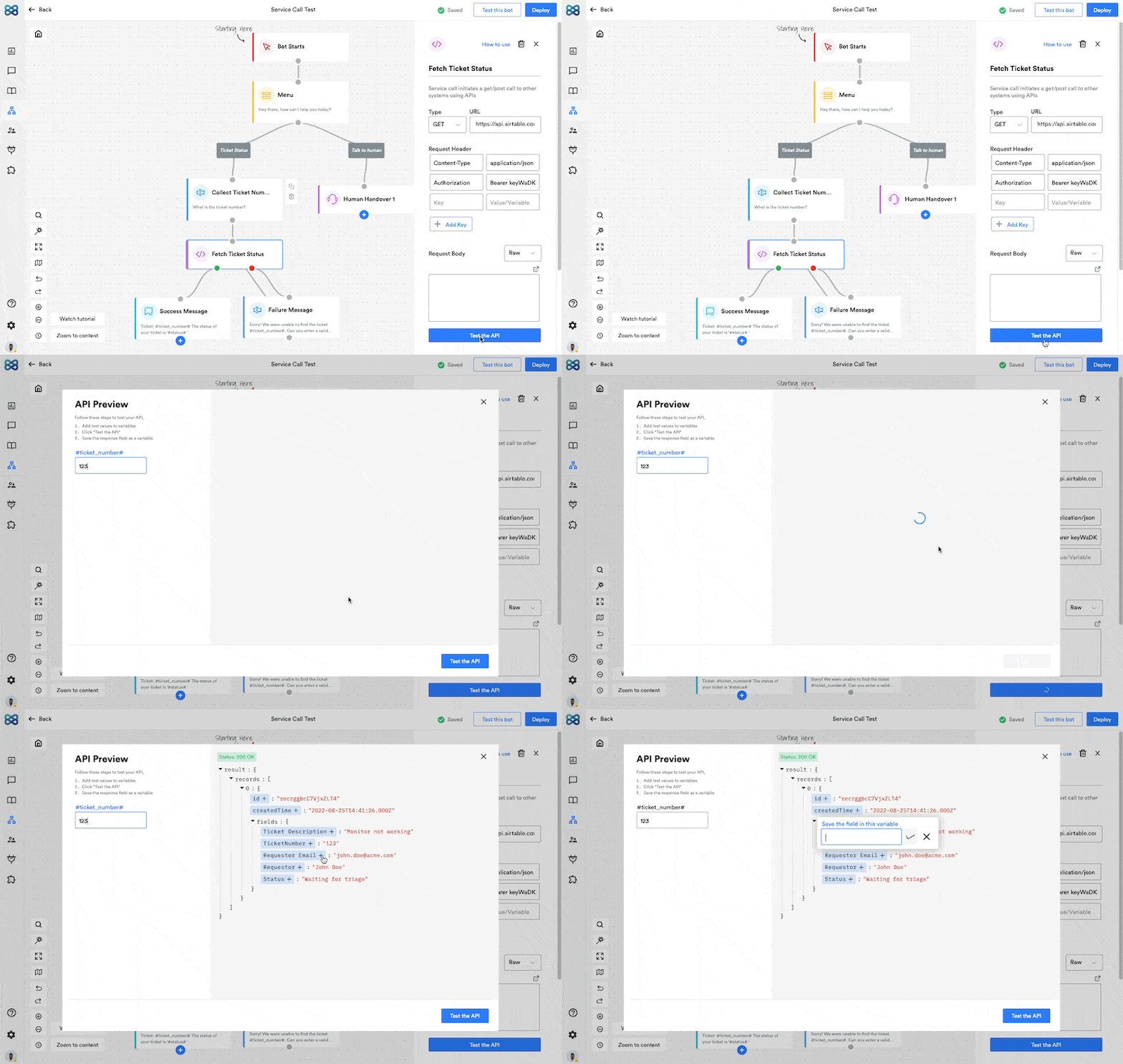
Export chatbot analytics data in a CSV
Everyone has a different way of processing data for their reporting purposes.Inspite of having the best chatbot analytics dashboard (compared to what’s available in the market) with a wide range of KPIs, we have introduced the option to export any KPI that you want using the “Download CSV” option on the interior page of each KPI.Doing this will download a CSV with the datapoints that make up the chart.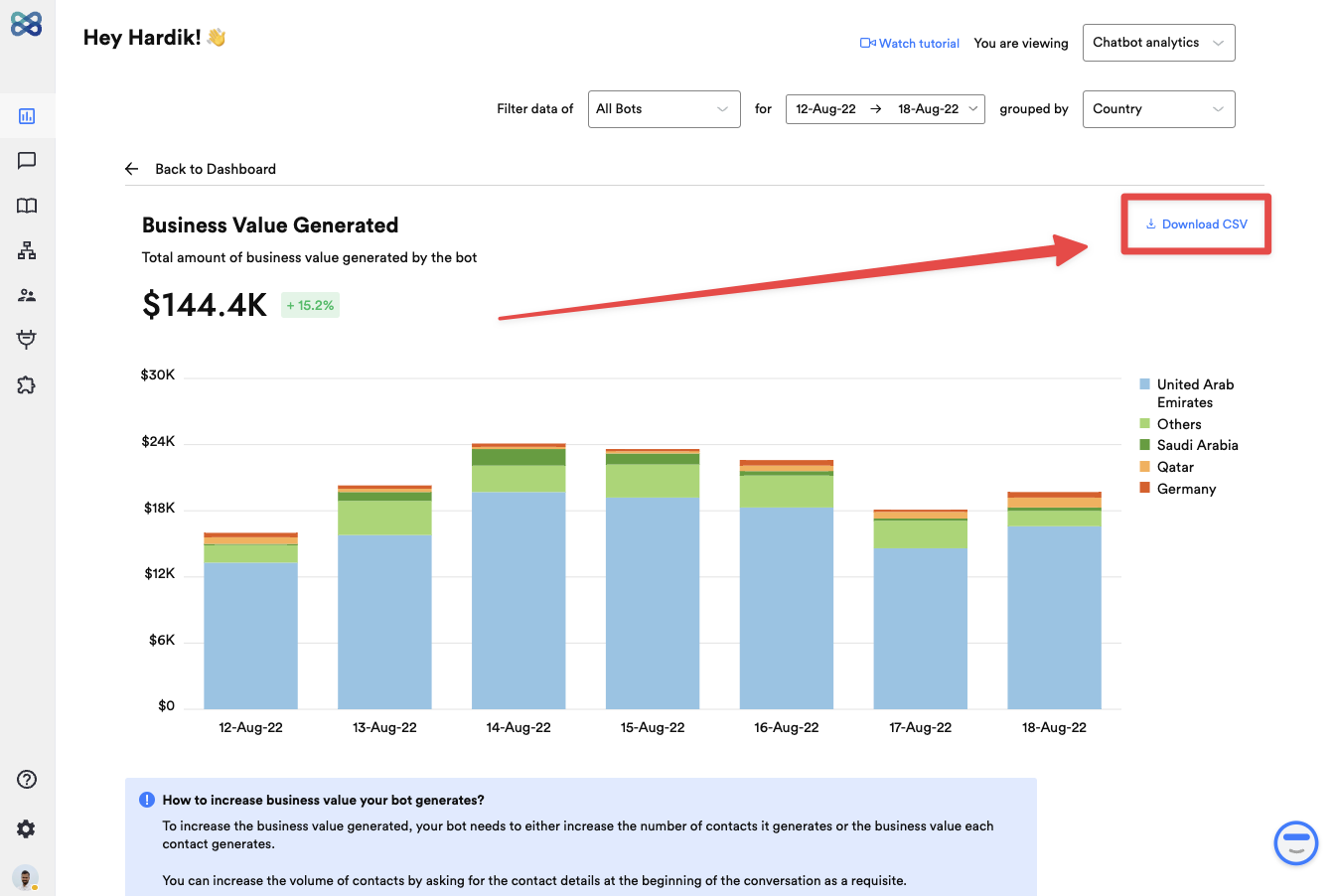
Support for ‘Search’ in the Account Drawer
Lot of our partners have been responsible for WotNot’s growth by bringing in and managing tens of customers.Even though our partners are able to easily manage all their client accounts through a single account, we now made it extremely easy for them to navigate to their client account with a search function in the Account Drawer.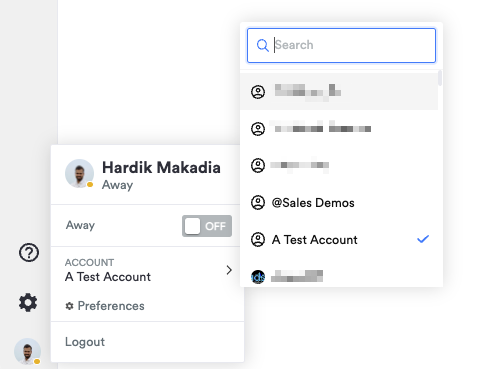
“Outbound bots” is now part of the Startup plan
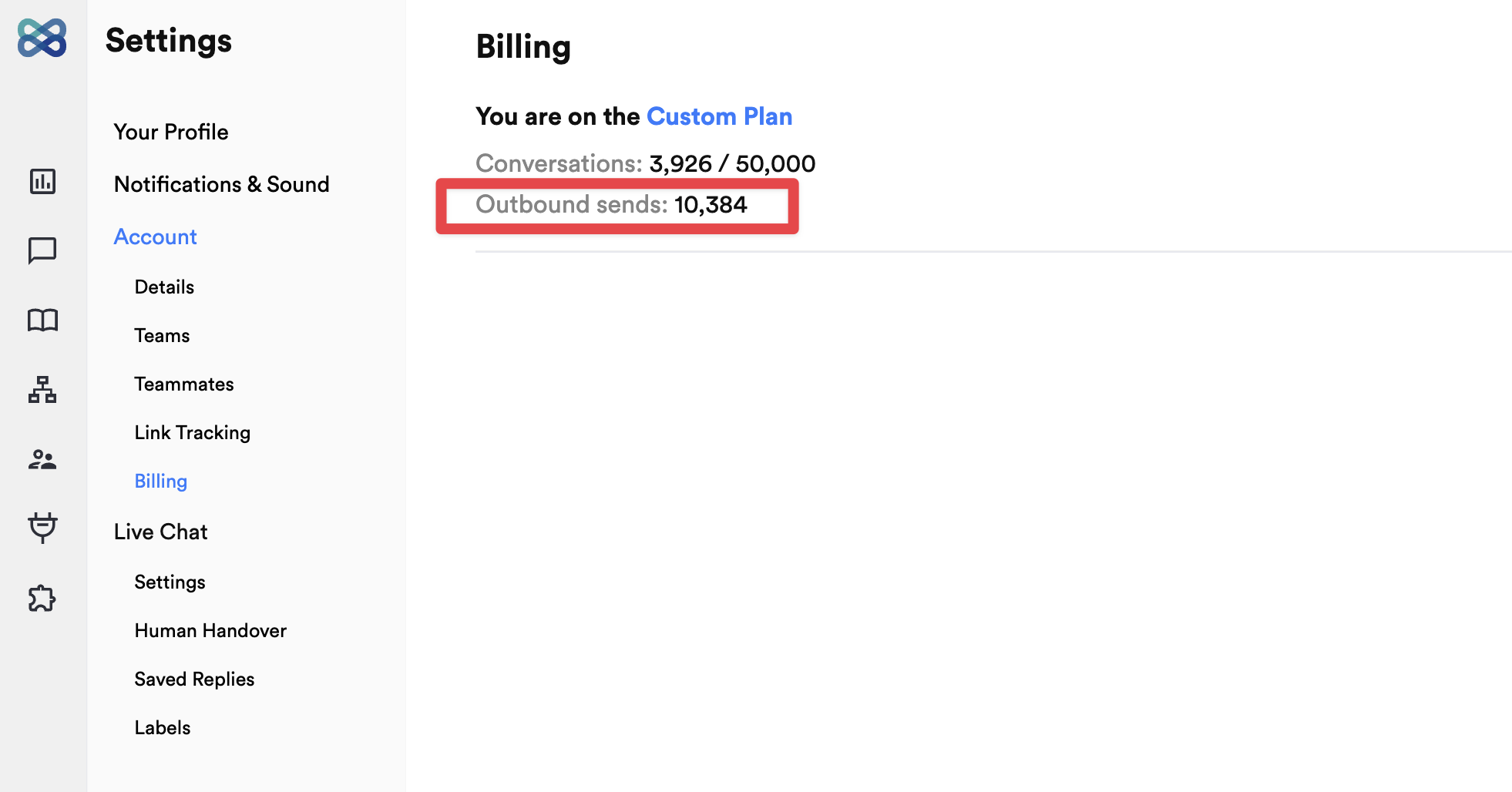
Yay! To empower all businesses to send more outbound messages to proactively reach out to their audiences, we’re making the “Outbound bots” functionality on the “Startup” plan.You can now get your WhatsApp Business or SMS API through a WotNot supported partner, and begin running campaigns.Pricing: WotNot will charge a flat fee of $0.005 for each outbound send (be it SMS/WhatsApp)Download outbound bots results in a CSV
View the data of your outbound bots campaign in a CSV to richer analysis of the data.Also, we saw that while testing/running campaigns users were a little unaware of the reason why the messages were not delivered. For this we’ve added a column “Failed reason” which will help you know why exactly the message was not delivered to the user.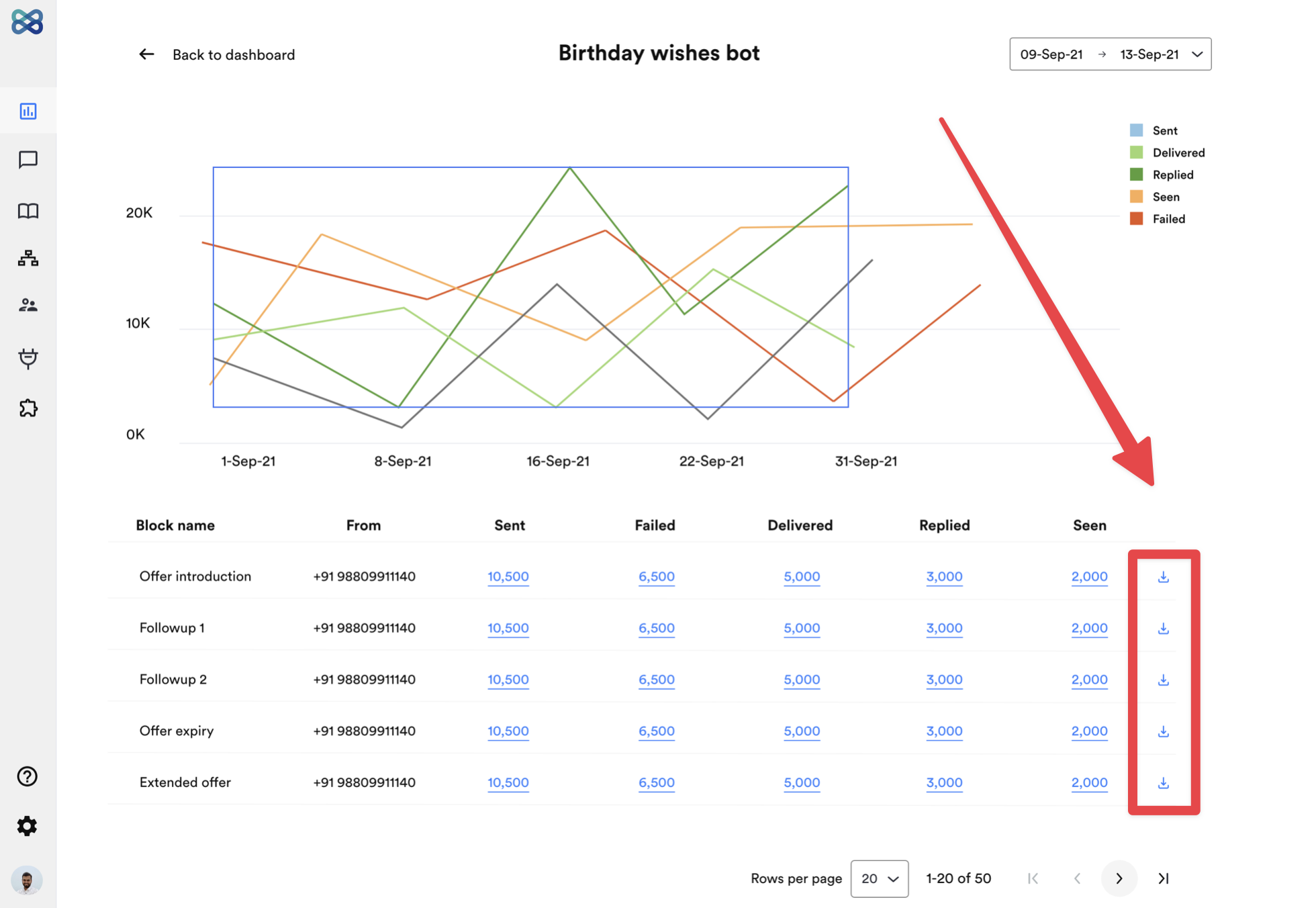
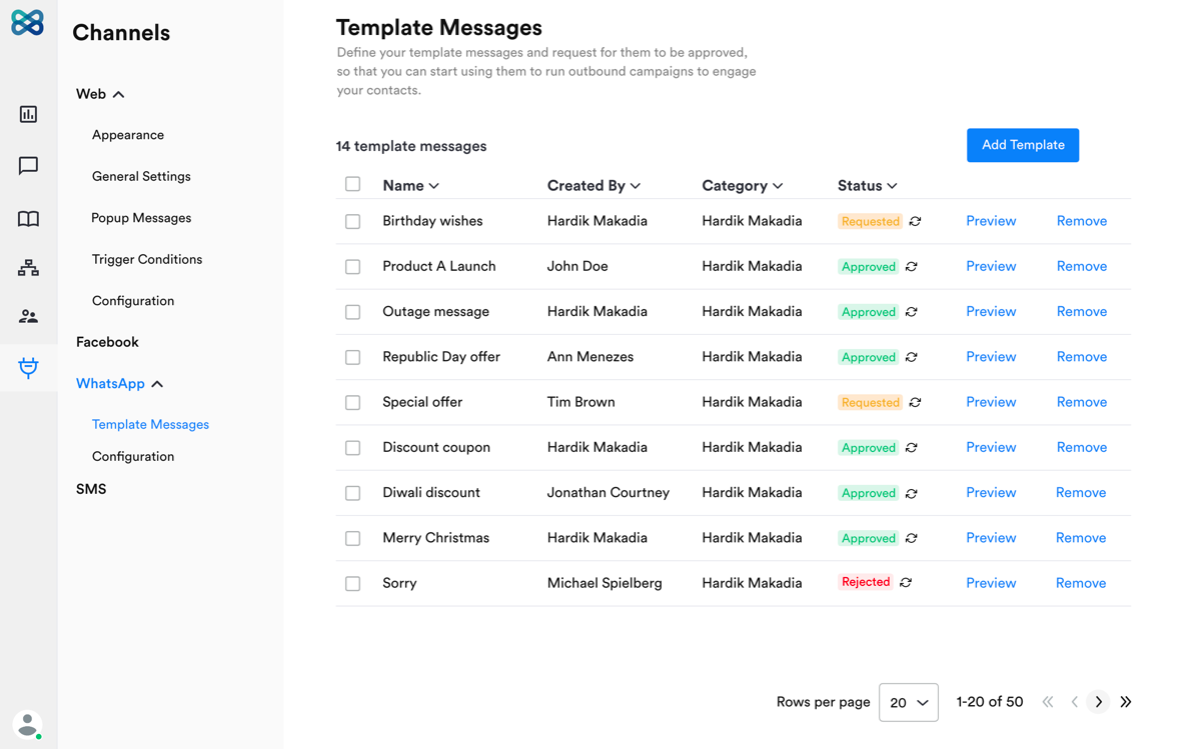
Revamped WhatsApp template message creation
We know you faced a few small issues while building your WhatsApp template. We have gone back to the drawing board and fixed all the issues suggested by you.Now, experience WhatsApp template creation in a whole-new different view with help articles, and videos to guide you across the process.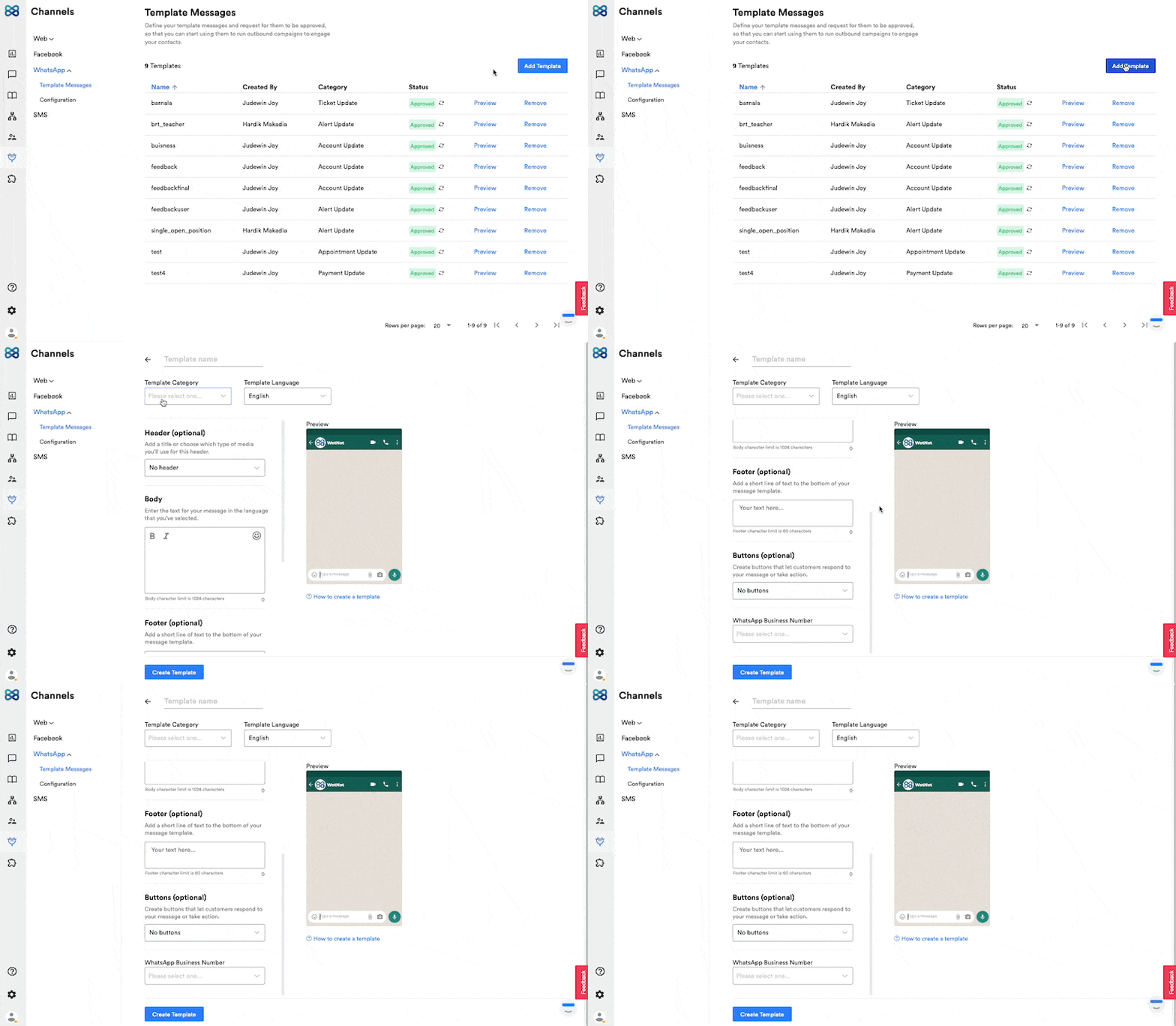
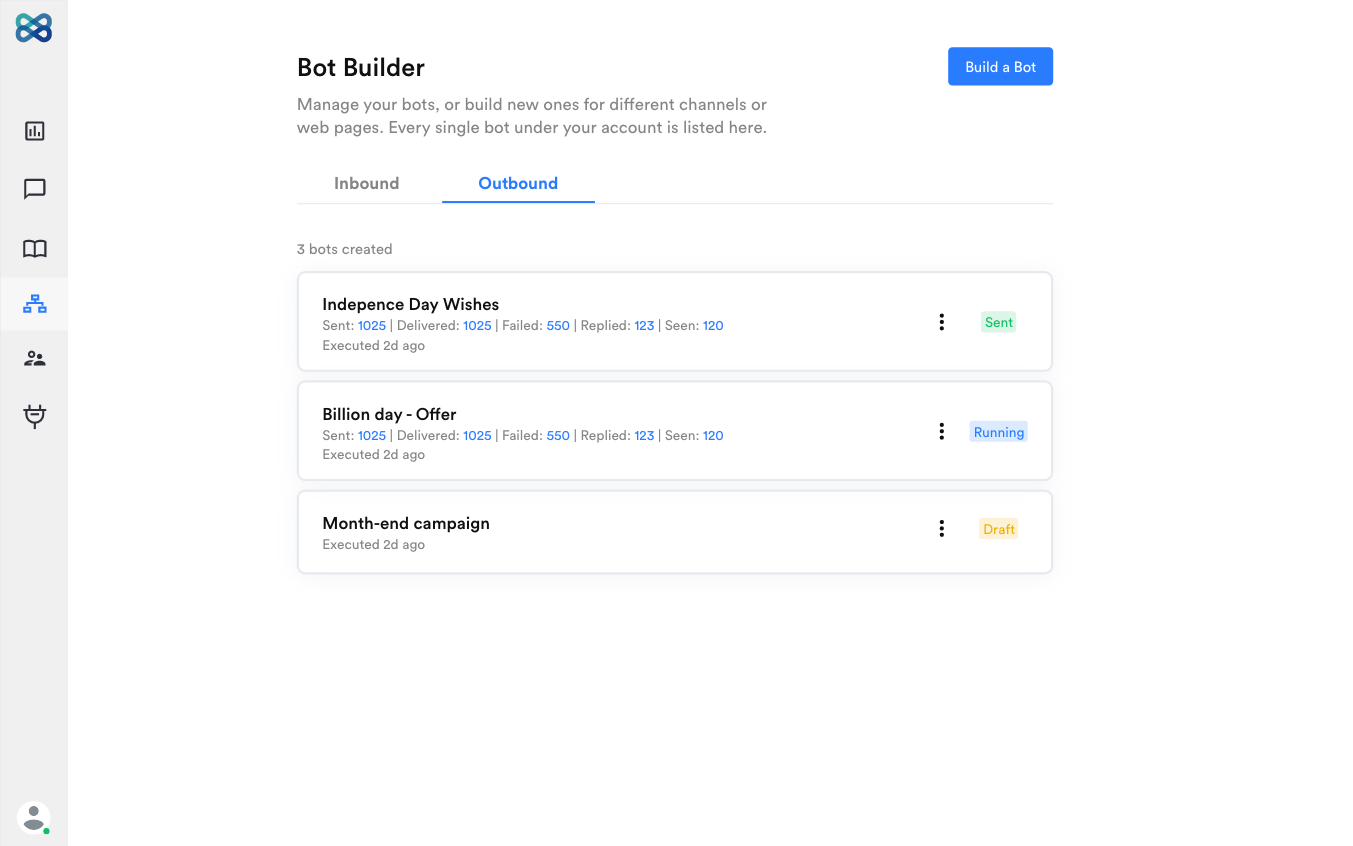
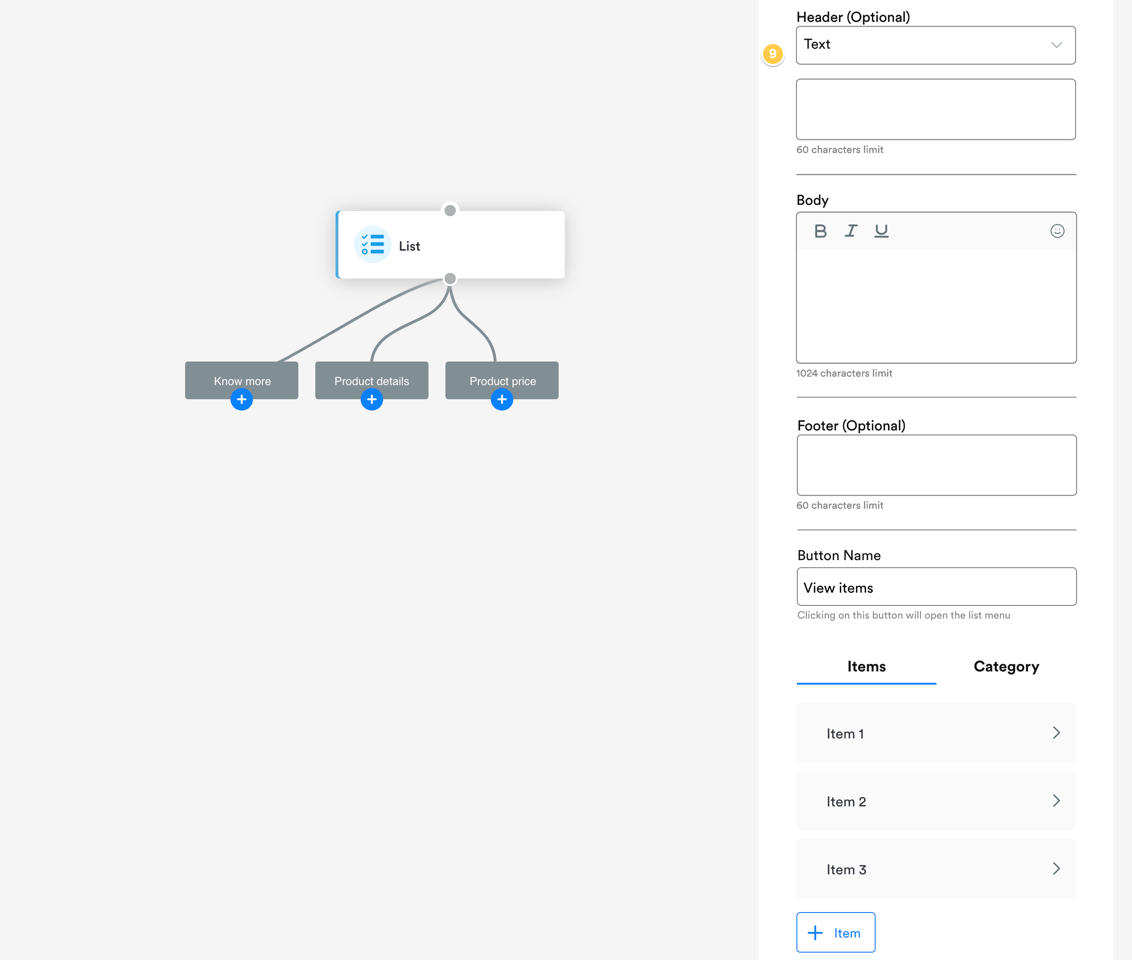
Dynamically rendering List, Reply Button, and Options
If you are building a WhatsApp bot and require to dynamically populate the values for the following action blocks,- Reply Button
- List
- Options
”Jump to” support across all flows
We know everyone starts building bots with short flows, though eventually as you learn your bots does get a little lengthy and messy.Our recent launch of “Flow” has definitely helped you organize your bot flow and make it less messy and complex.Now, we’re making the “Jump to” action block accessible across all flows of your bot. Meaning, you may be on the home flow of the bot or on a sub-flow, you can access the “Jump to” to jump the conversation to your desired action block.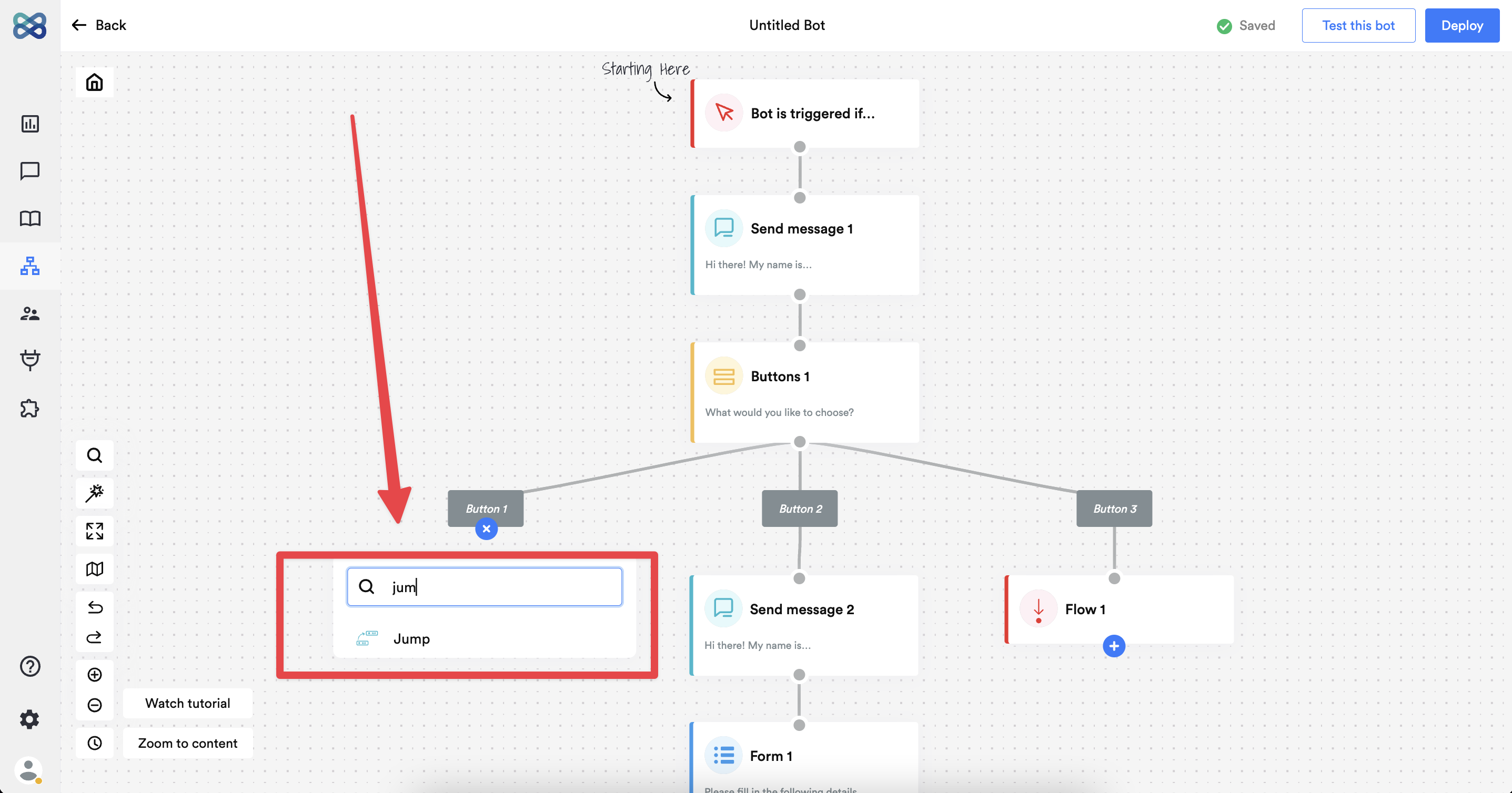
Auto-format contact number on outbound bots
While running a outbound bot, you would be uploading a list of contacts. As we need to ensure clean dataset of these contact numbers, our system will now automatically clean your contact data by,- Removing spaces
- Removing + - ( )
Email summary for outbound bots
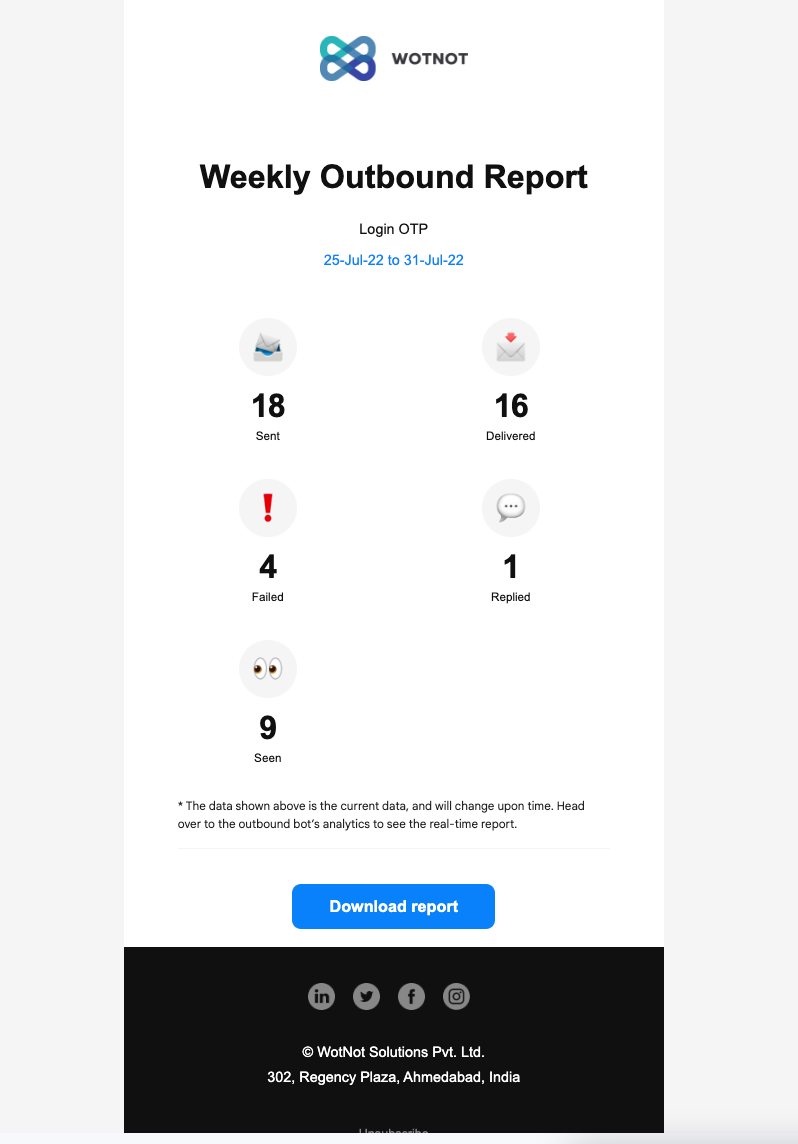
Now onwards, whenever you run a “Outbound bot” you will receive a email notification with the results immediately. Thus, helping you be notified of the campaign results.For one-off campaignYou will receive the email summary in 5 mins.Note: Sending the outbound message to your contacts happens over a period of few mins, hence, expect a delay of 5 - 15 mins to receive this email notification.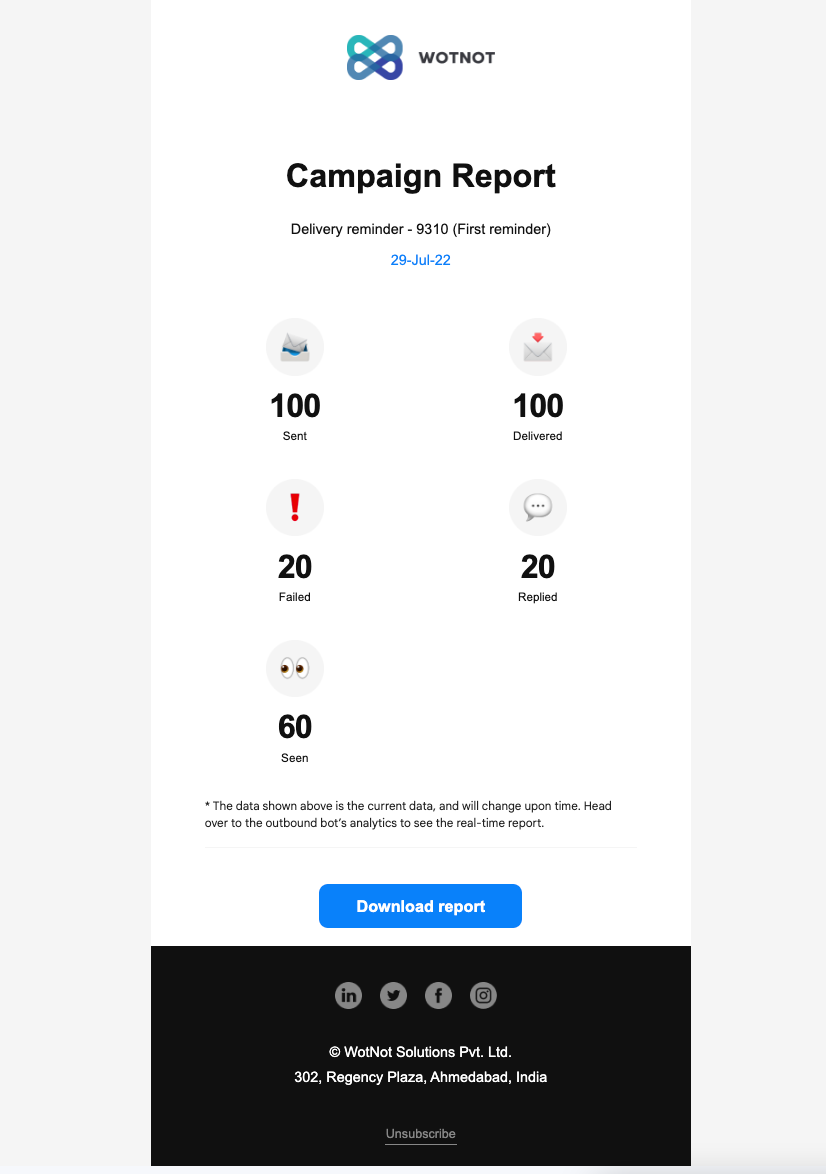
New “Running” status for outbound bots
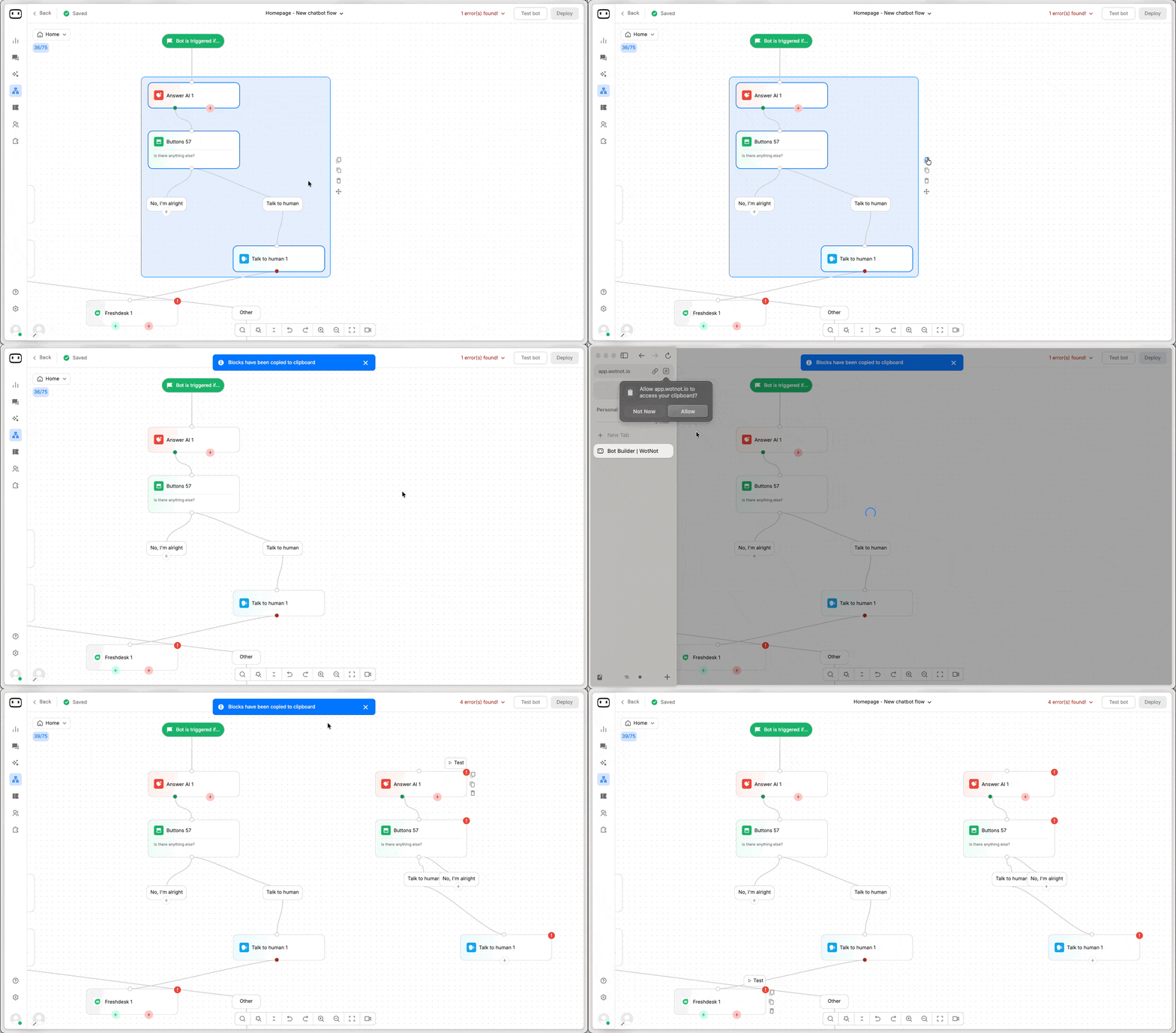
Previously, for a one-off campaign we only had two statuses i.e. “Draft” when the campaign was being built, and “Sent” when the campaign was executed.Now with the “Running” status field, if your campaign consists of multiple SMS/WhatsApp blocks spread across a larger timeframe, you would exactly if your campaign has been executed or still ongoing.Move selected action blocks from one flow to another
We have now brought support of moving a set of action blocks to a sub-flow.Just create a sub-flow first, and select the action blocks ( Hold shift + mouse drag) that you want to move to that sub-flow block.Use the “Flow” action block to keep your chatbot flow neat and organized.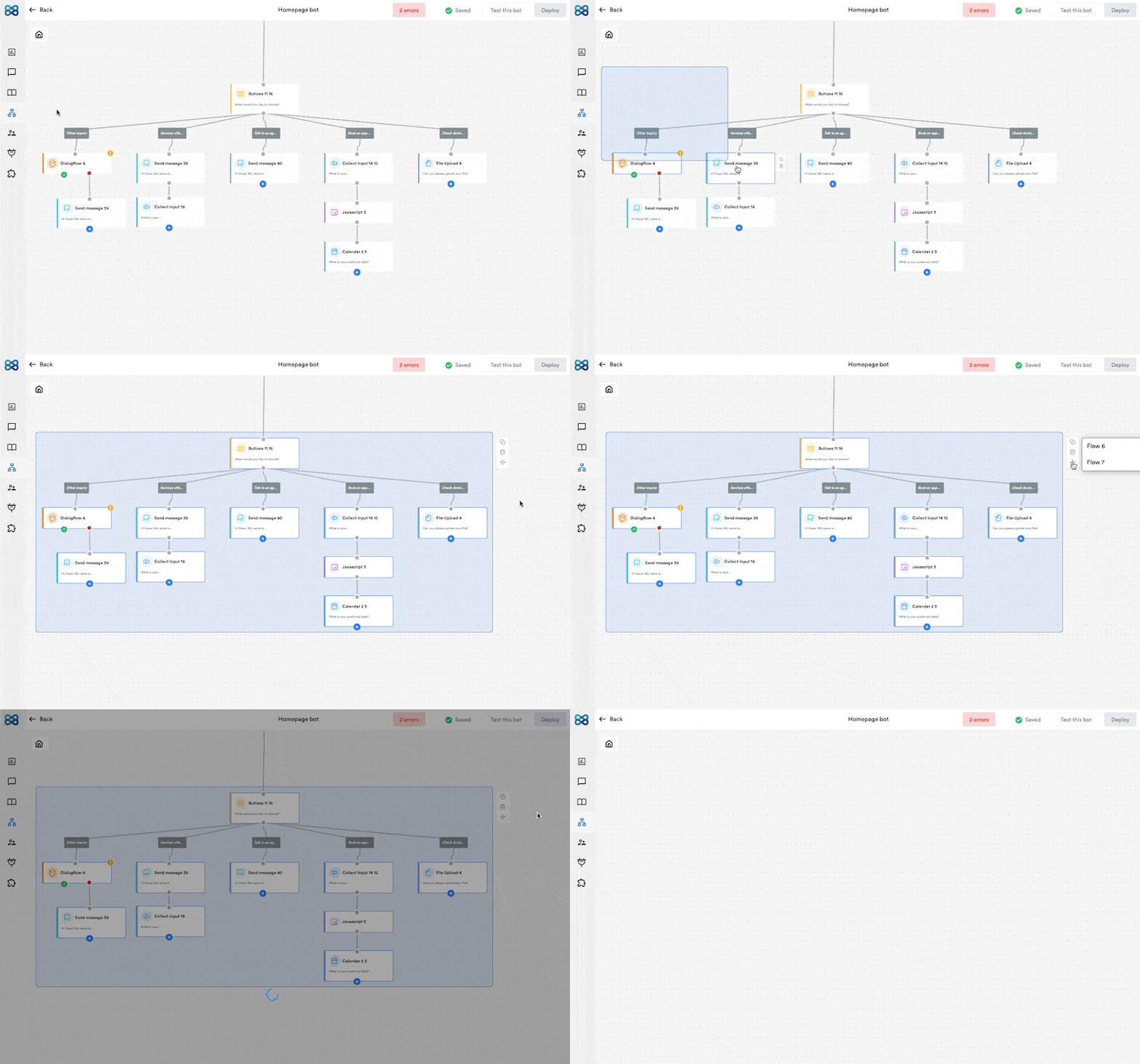
Dynamically rendering buttons, carousels etc.
If your business has the need to dynamically fetch the list of buttons/carousels, then we can do the same using our custom functions.With this update, you can save array of objects (received with an API call) on to a variable. And use it on our custom function that renders the list of objects received on that array.This feature is available in our “Enterprise” plan.Track link clicks for all messages
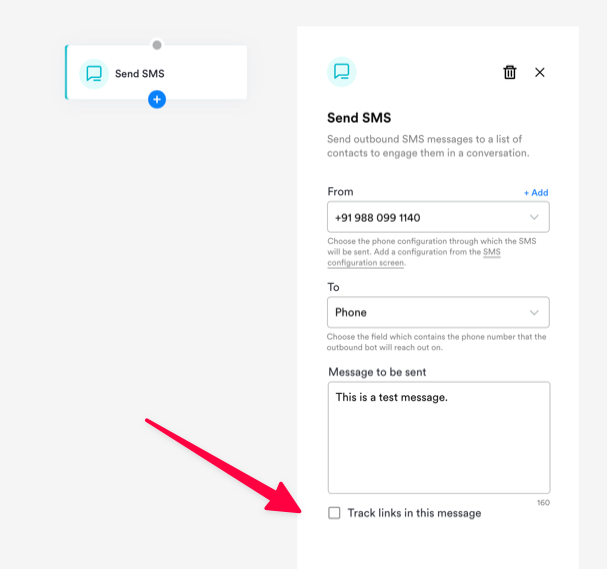
It is important to track link clicks when you are running campaigns or using buttons which redirect users to a different URL.With this update, you now have the functionality to enable tracking URLs for your account which will replace all your standard URLs with short URLs and show you the data captured in a report.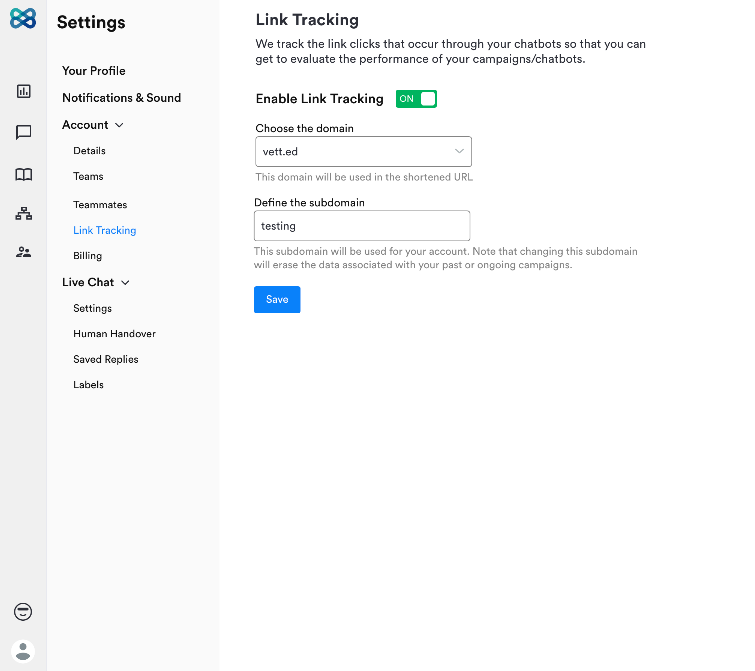
New channel - SMS
We have added support to yet another most popular channel where businesses interact a lot with their customers i.e. SMS (or texts as they call it).Now, you can build both inbound as well as outbound bots with “SMS” as the channel and automate all your conversations.To get started, you would need to get a number from Twilio and fill in its API details in the channel configuration screen and you should be all set.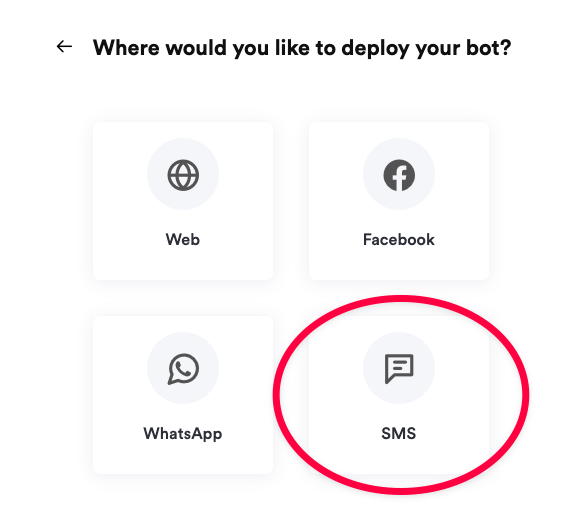
Updates to our Superadmin portal
We’ve improved our super admin portal (used by our whitelabel partners) to manage their customer accounts.With these updates, you can now,- View the usage of an account
- See the list of users in an account
- Enable/disable features for an account
- Delete an account
- Search for an account using email/account ID/name
Create sub flows to manage large chatbots
You may have faced this issue in the past when you had a very large flow on your chatbot, and the system lagged a bit.We’ve built this feature to alleviate this problem. Using the “Flow” action block, you can create sub-flows under your main flow. Consider this same as having folders within folders.Using flows helps you,- Avoid building a messy chatbot flow
- Make it easier to onboard new users
- Have separate sub-flows for each section of the chatbot flow
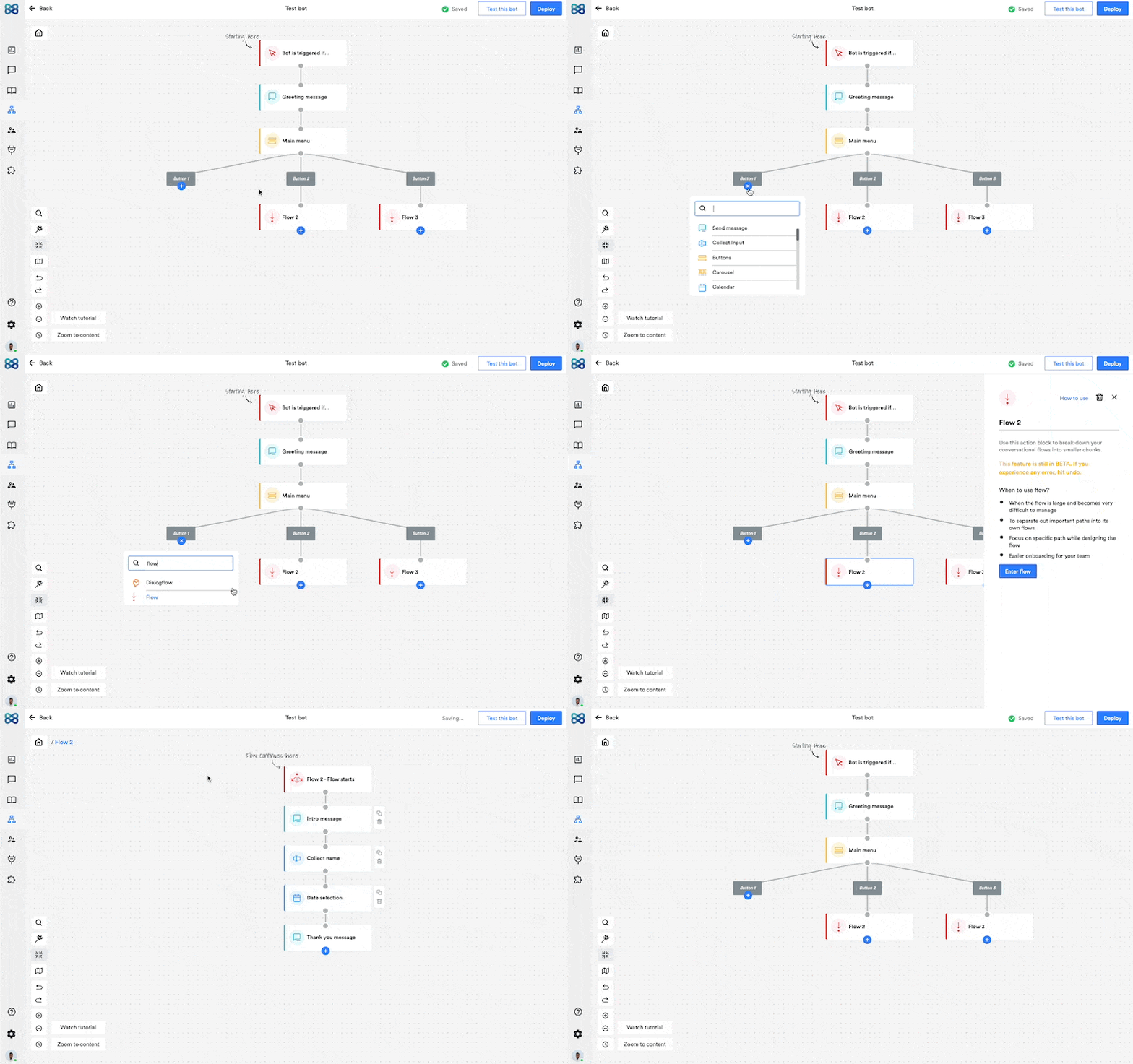
Outbound Bots
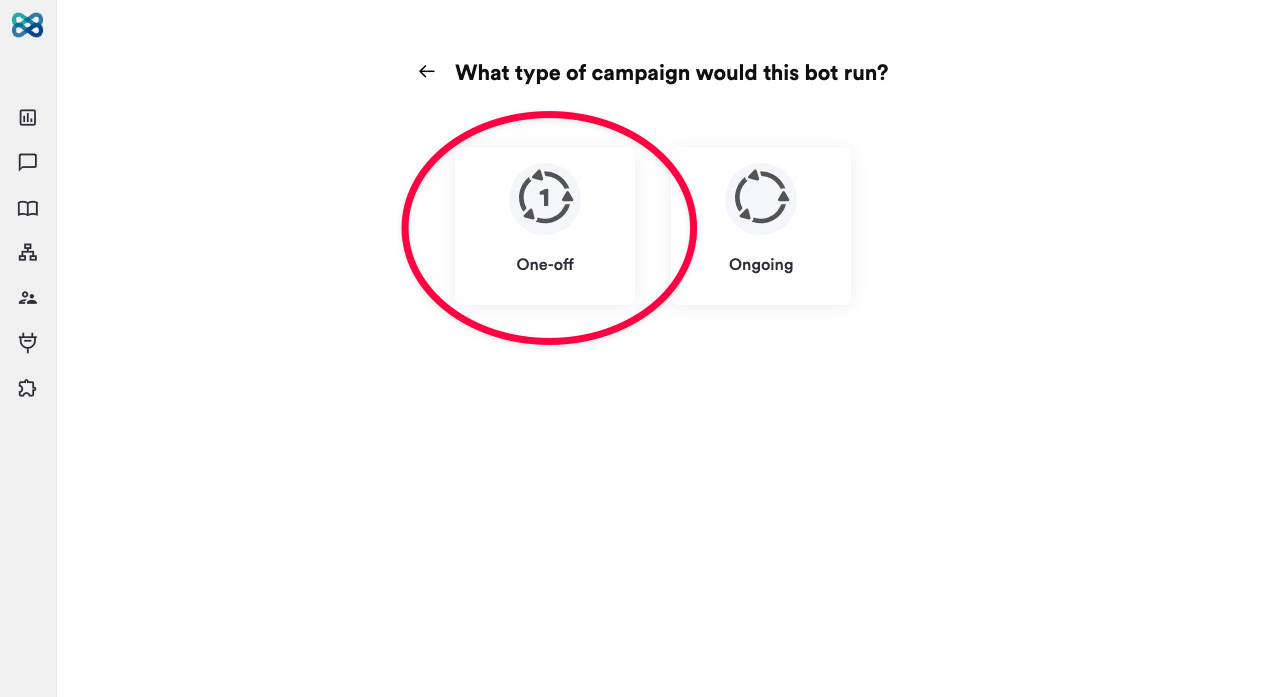
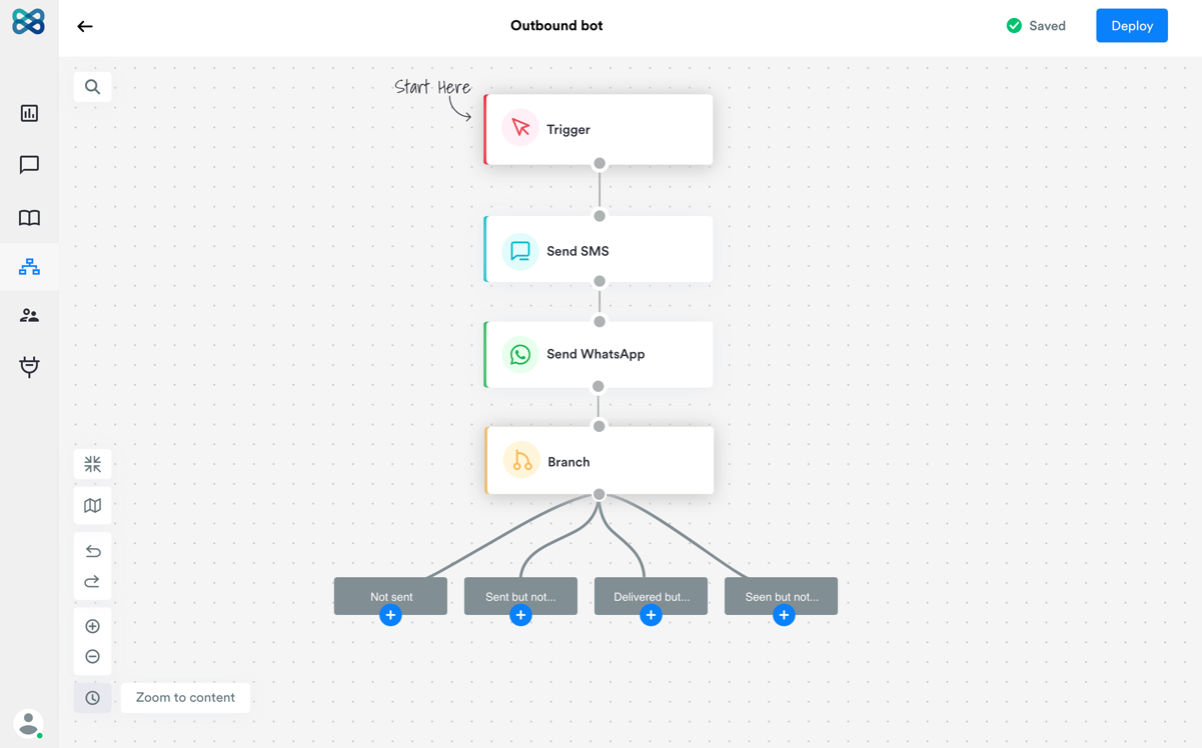
We are expanding the capabilities of our chatbots being able to take up inbound chats with the launch of Outbound bots.Hereafter, you will choose the type of chatbot you want to build - i.e. inbound or outbound.With outbound bots,- Run one-off campaigns to broadcast a message
- Run ongoing campaigns to send a sequence of messages
- Create a drip marketing sequence of messages on SMS and WhatsApp
- Review the analytics of the campaigns that you run using outbound bots
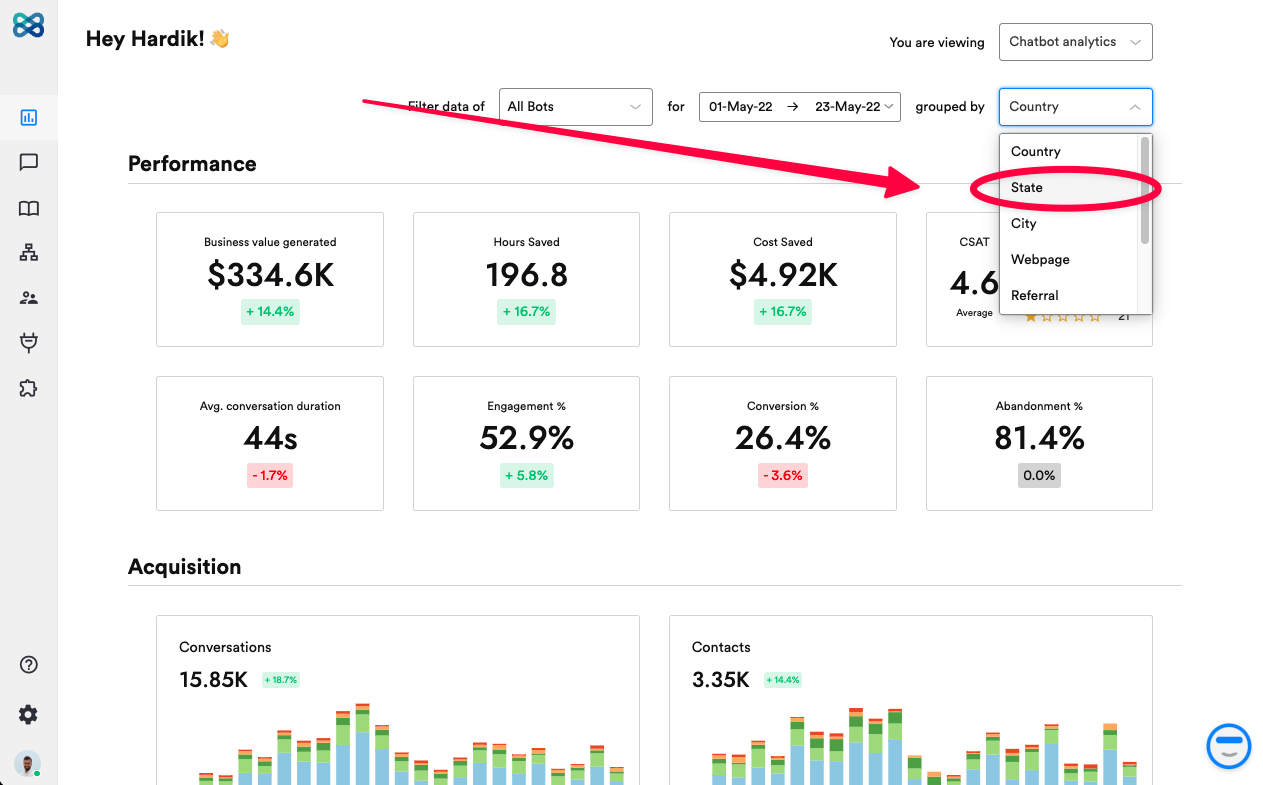
Analytics Dashboard v2
We’ve completed rethought our Analytics Dashboard function from the ground up.With our latest update, you will see business-centric KPIs like,- Business value generated
- Cost saved
- Hours saved
- CSAT score
- Average conversation duration
- Engagement %
- Conversion %
- Abandonment %
- Engagement by time of day and day of week
- Flow engagement
- Conversations handled
- Contacts generated
- City
- Country
- Webpage
- Referrer
- UTM