

Available in outbound campaigns. The status options available in the block depend on the channel(WhatsApp, Email, SMS) used to send the previous message.
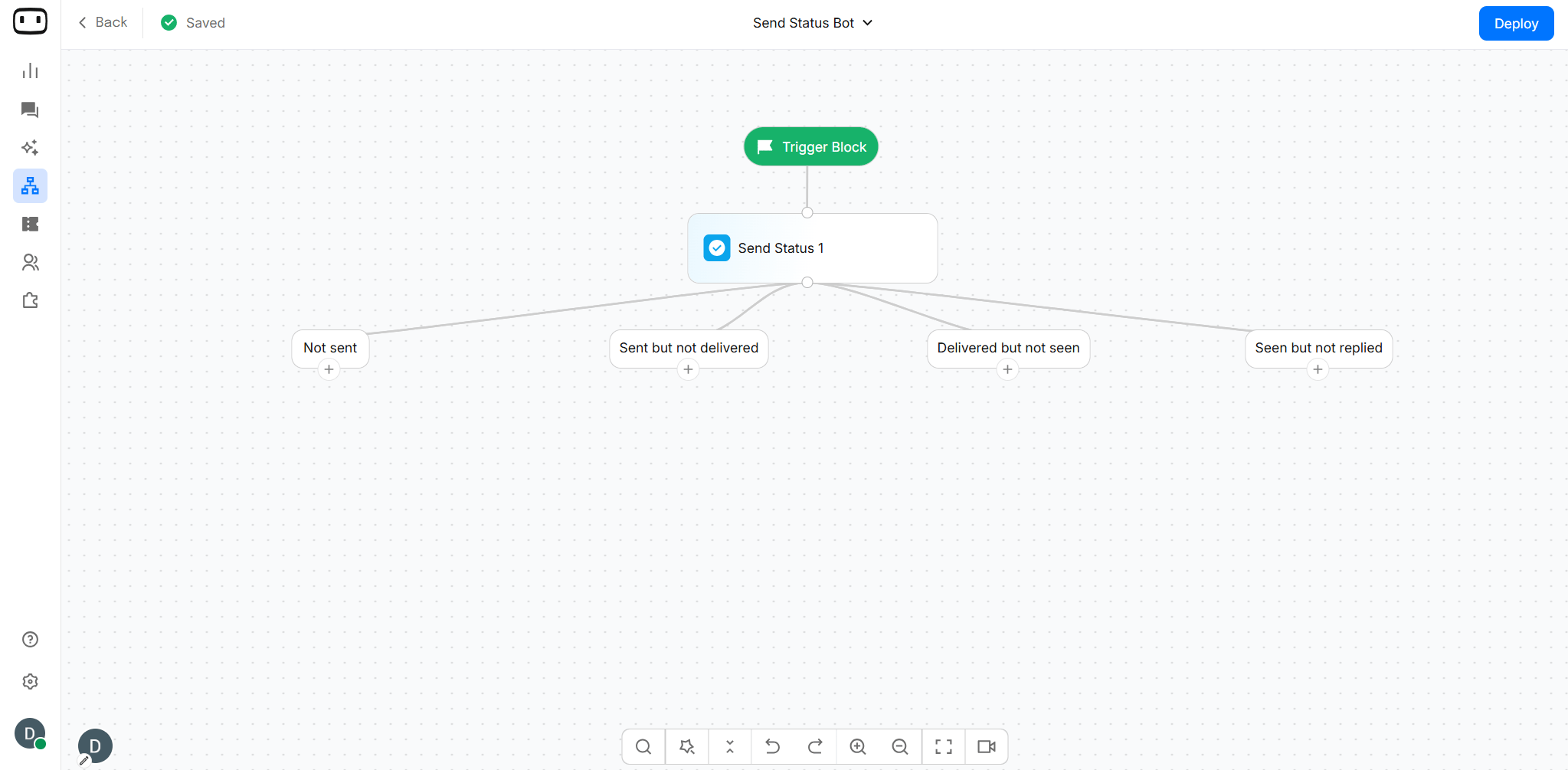
Using the Send Status Block
Design personalized campaigns based on conditions. Add the Send Status block after a message-sending block in your outbound campaign. The block evaluates the outcome of the previous message and routes each contact to the corresponding path. Say you sent a broadcast to a group of 1000 people, and 200 of them did not have the message delivered, because they do not have a WhatsApp account, you can use the Send Status block to send them an SMS/Email instead. For example, you can:- Continue the campaign when a message is delivered.
- Follow up with contacts who have not seen the message.
- Create a different journey for contacts who have replied.
- Handle messages that were not sent or could not be delivered.
Configurations
Configure the Send Status block by selecting the status conditions you want to use for branching.Status Condition
The available conditions depend on the channel and the result reported for the previous message. The conditions available in the Condition block depend on the channel used in your outbound campaign. WOTNOT provides three channels—WhatsApp, SMS, and Email—and each channel has its own set of delivery and engagement conditions. Select the channel below to see the conditions available for that channel: For WhatsApp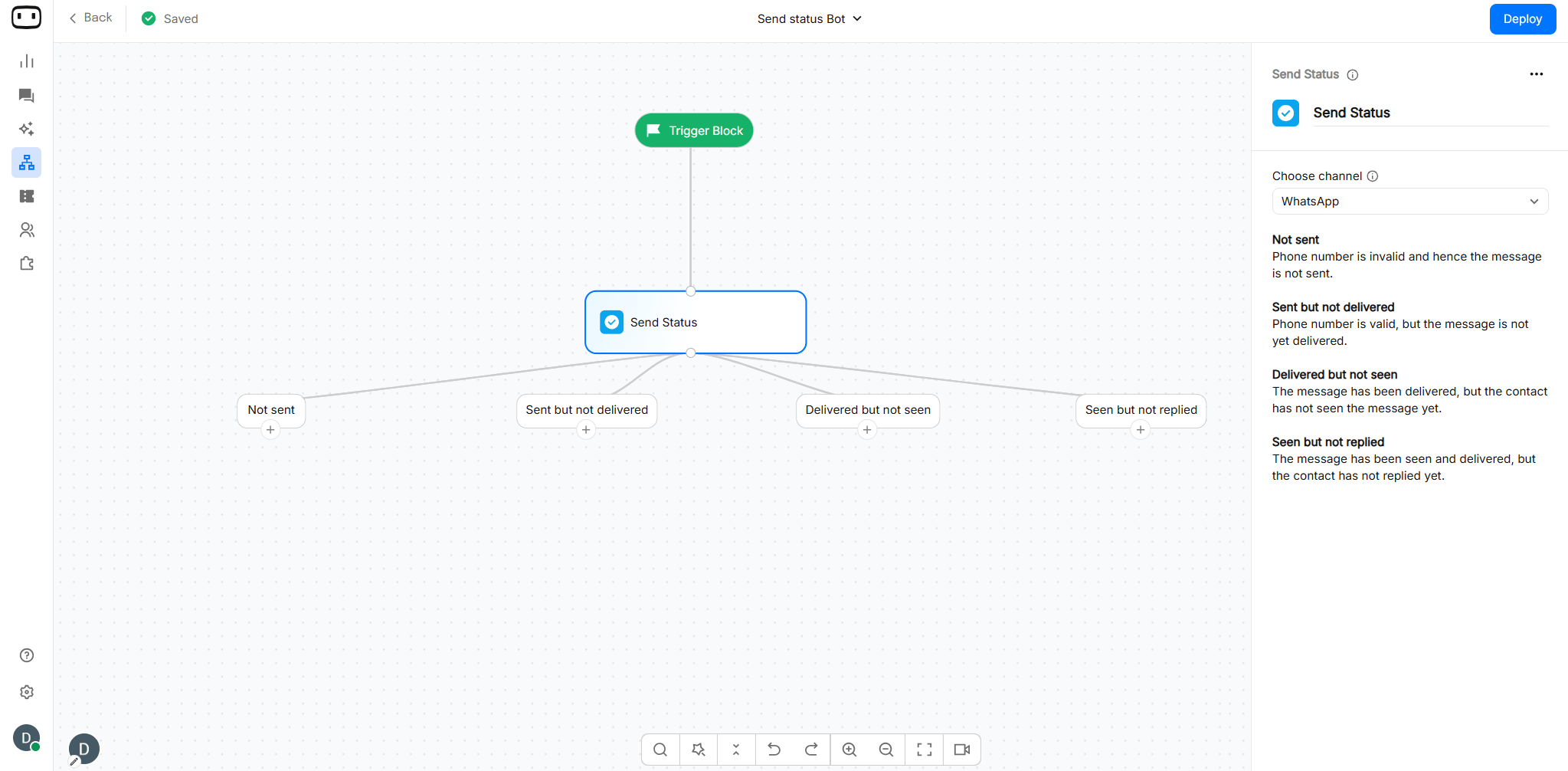
Conditions based on WhatsApp message delivery and engagement.
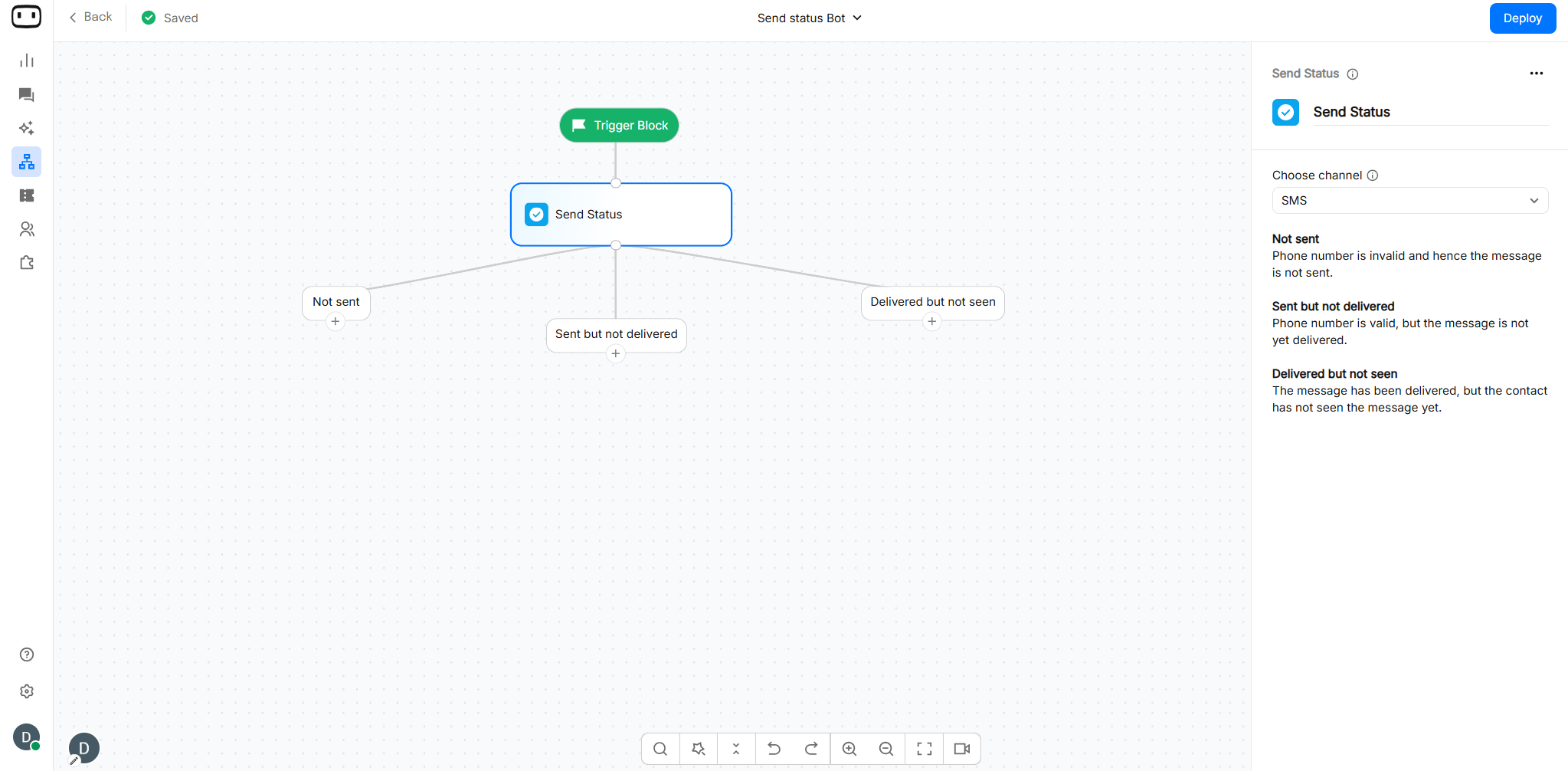
Conditions based on SMS delivery status.
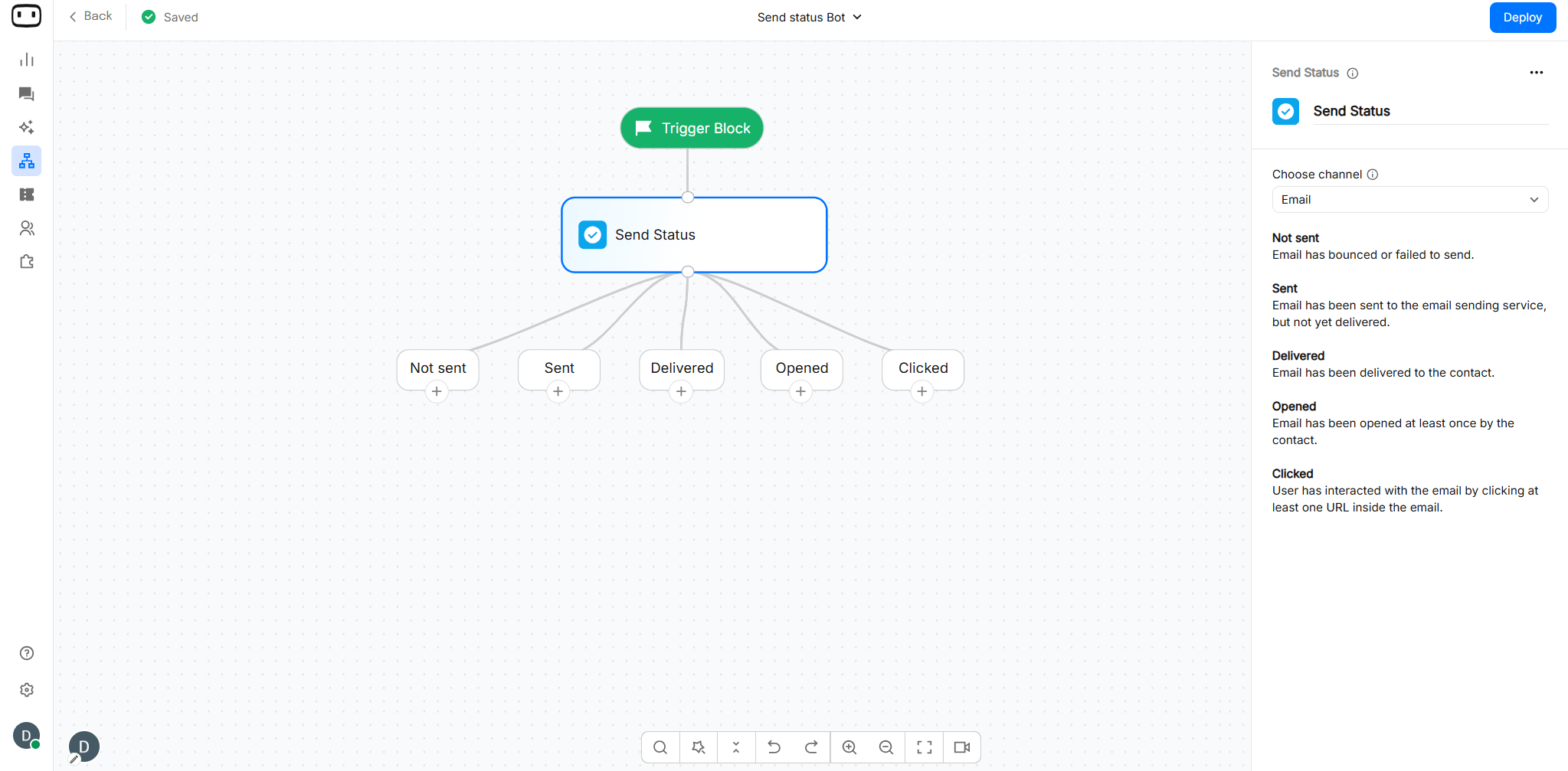
Conditions based on email delivery and recipient engagement, such as opens or clicks.
Wait window
The Wait window determines how long the campaign waits for the status of the previous message before evaluating the conditions. The block evaluates the message status after the configured wait period or as soon as the required status is received, depending on the condition. Example: After the WhatsApp block sends the message, add a Delay block to give the contact time to receive, read, or respond to the message. Once the delay period is complete, the Send Status block evaluates the message status and routes the contact to the appropriate condition path. Flow: WhatsApp → Delay → Send Status → Condition paths For example, you can wait for 24 hours after sending a WhatsApp message and then check whether the message was delivered, read, or replied to.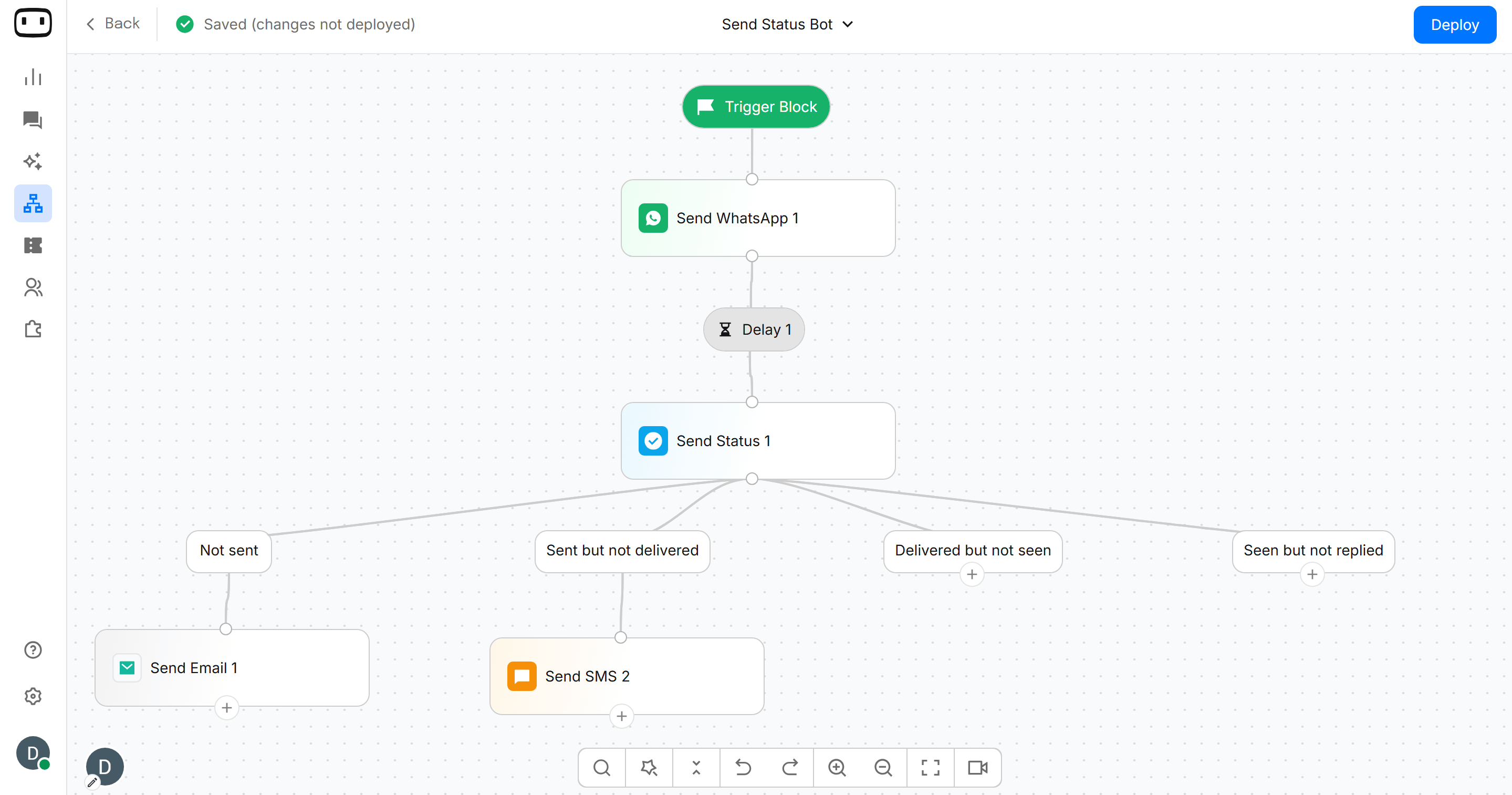
Multiple Conditions
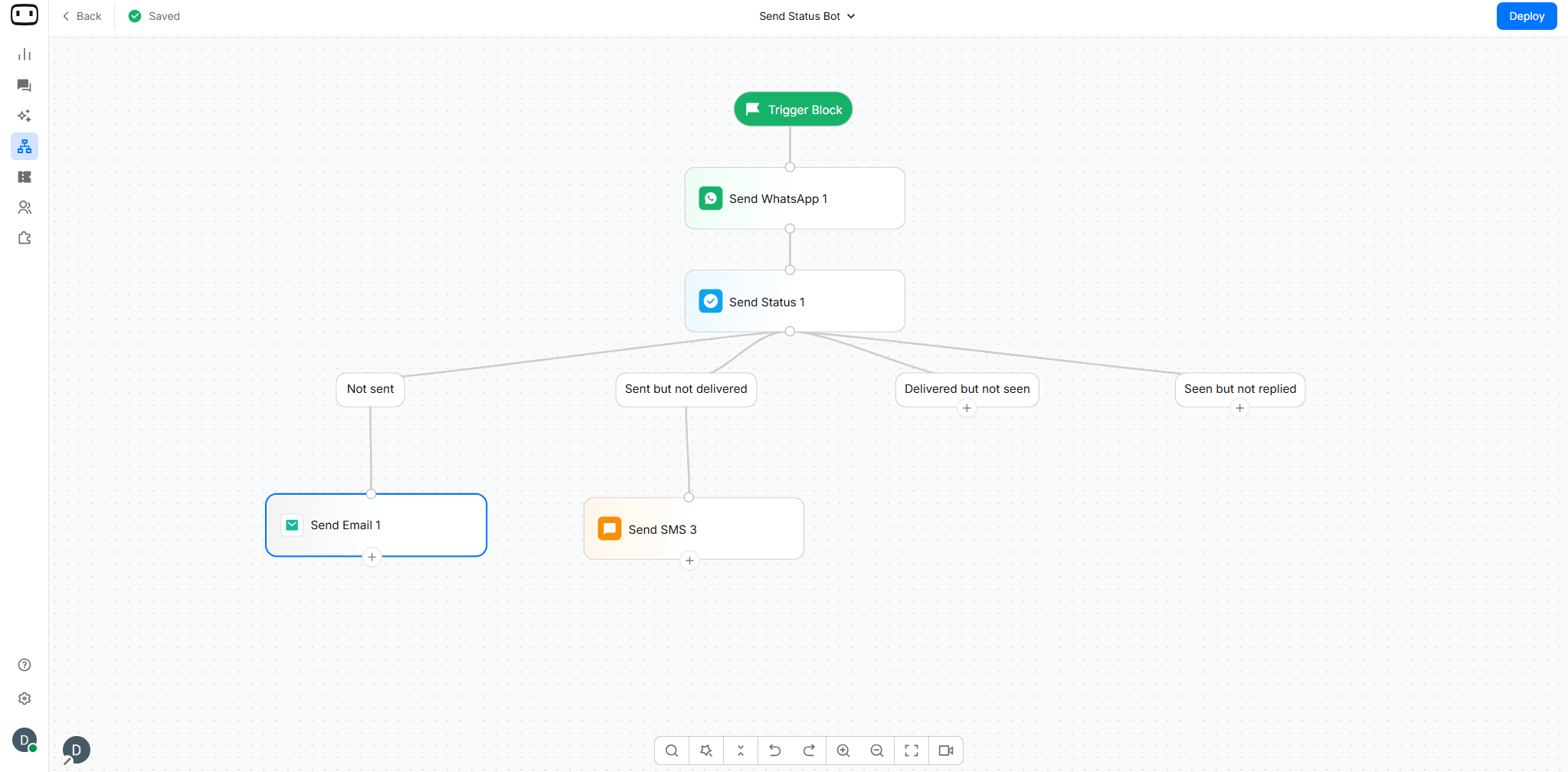
You can define multiple status conditions to create different branches in the campaign. For example:- Not sent → Route the contact to an alternate channel.
- Sent but not delivered →Route the contact to an alternate channel.
Output Paths
The Send Status block creates an output path for each configured status condition, along with an Else path. Each contact is routed to the first matching condition after the block evaluates the status of the previous message. The wait window determines when the evaluation takes place. If the expected status is received before the wait window expires, the corresponding path can be taken. If the wait window expires without a matching status, the contact is routed according to the applicable fallback logic.The status options and available paths depend on the channel used for the previous message. WhatsApp provides more engagement statuses than SMS because WhatsApp can report when a message has been seen and whether the contact has replied.