

Available in the PREMIUM plan and above
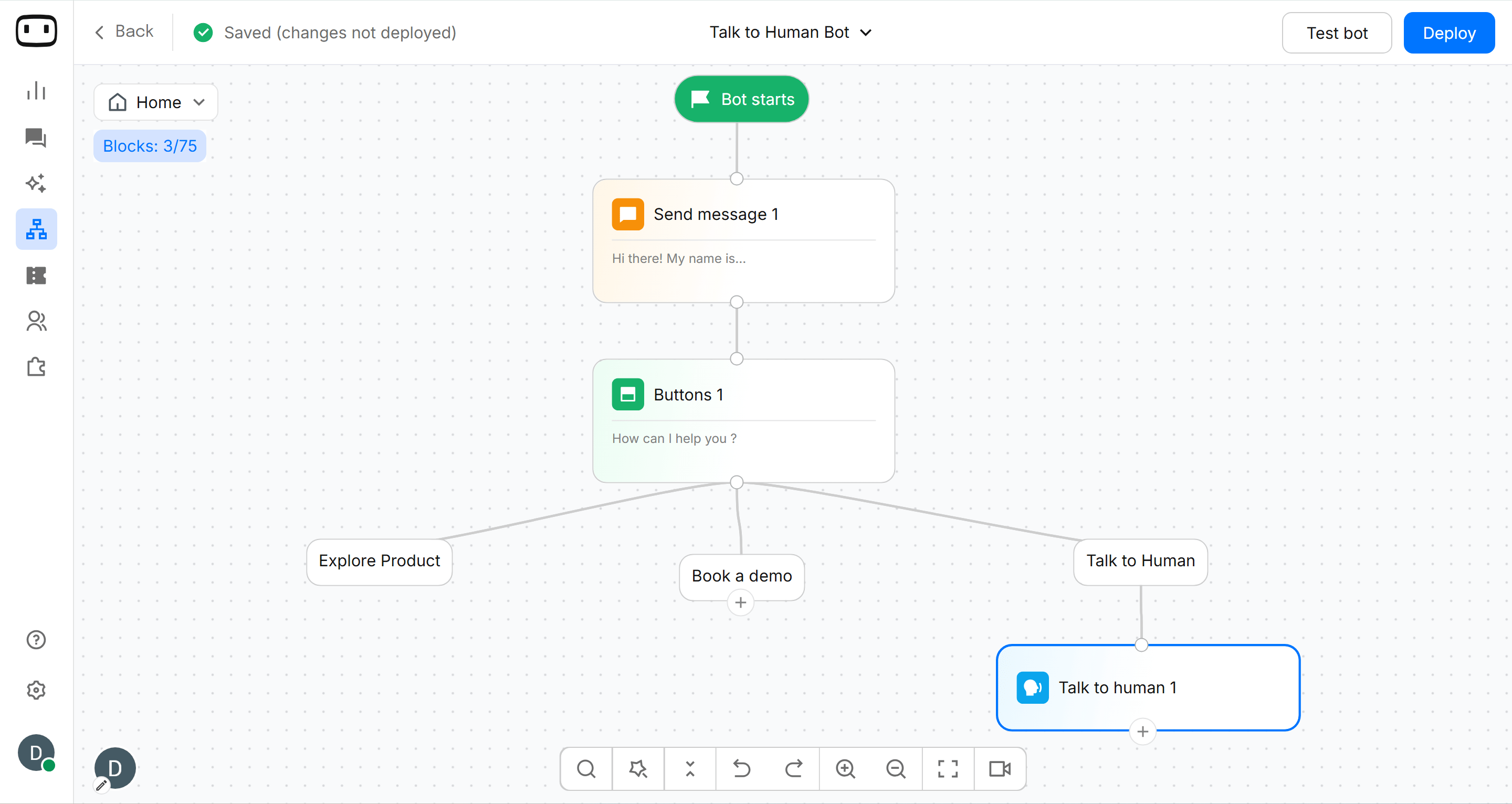
Human handover is available on the Premium plan and above. Live chat must also be enabled for agents to receive and manage handed-over conversations.
See Plans for plan availability.
See Plans for plan availability.
Using the Talk to human block
Add the Talk to human block to your bot flow wherever you want the conversation to be transferred to a human agent. When the block runs, the conversation is assigned according to the rules you configured. Once an agent takes over, the bot stops responding and the conversation is managed through Live chat.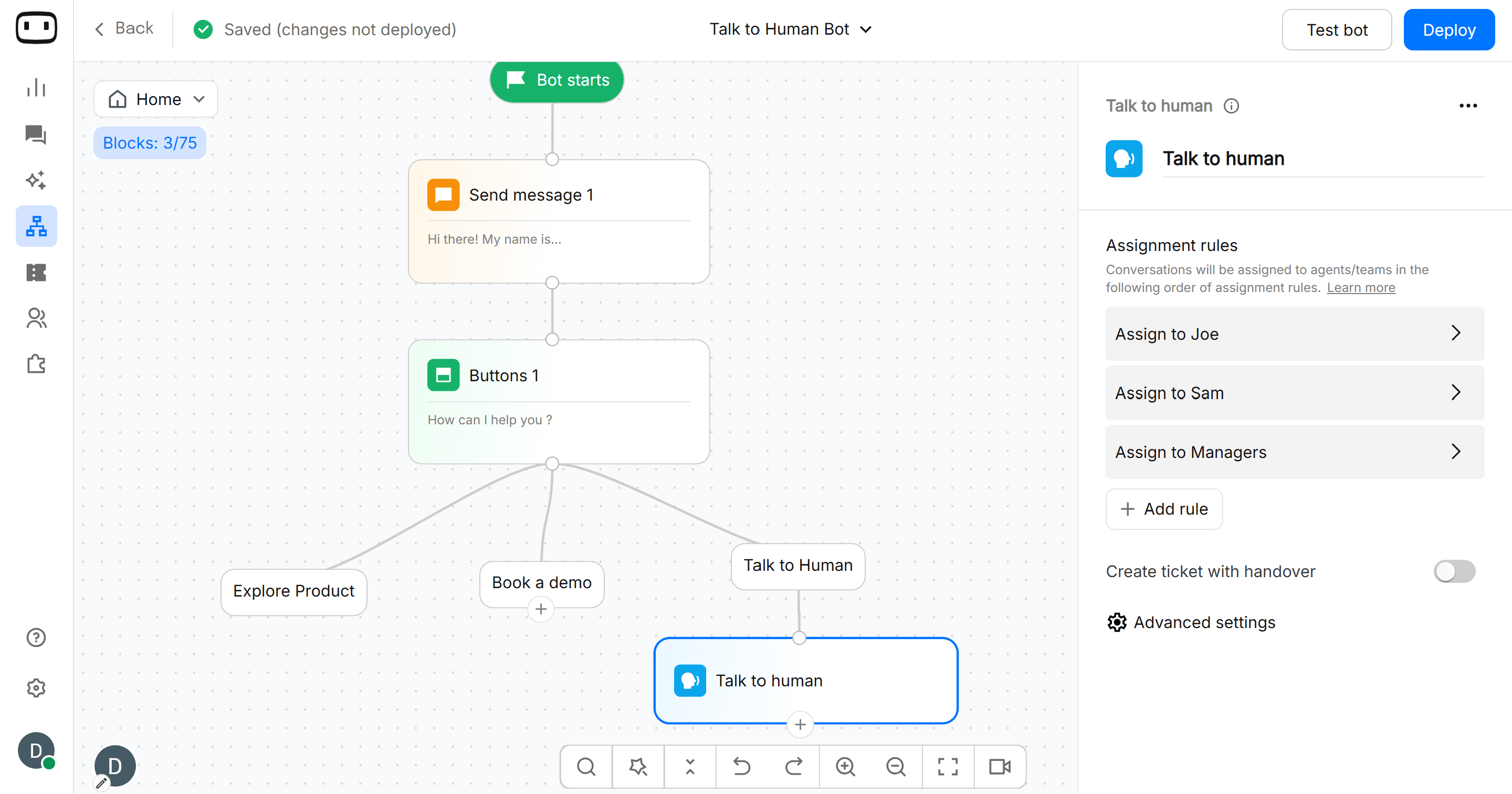
Configurations
Assignment rules
Conversations will be assigned to agents/teams in the following order of assignment rules. Assignment rules can be of two types: Static/Dynamic.Static Assignment
Choose who should receive the conversation.- A specific agent — Send the conversation directly to a selected agent.
- A team — Route the conversation to a team so an available team member can handle it.
- Wait time — If the assigned agent does not reply to a conversation within the wait time, the next assignment rule will be invoked.
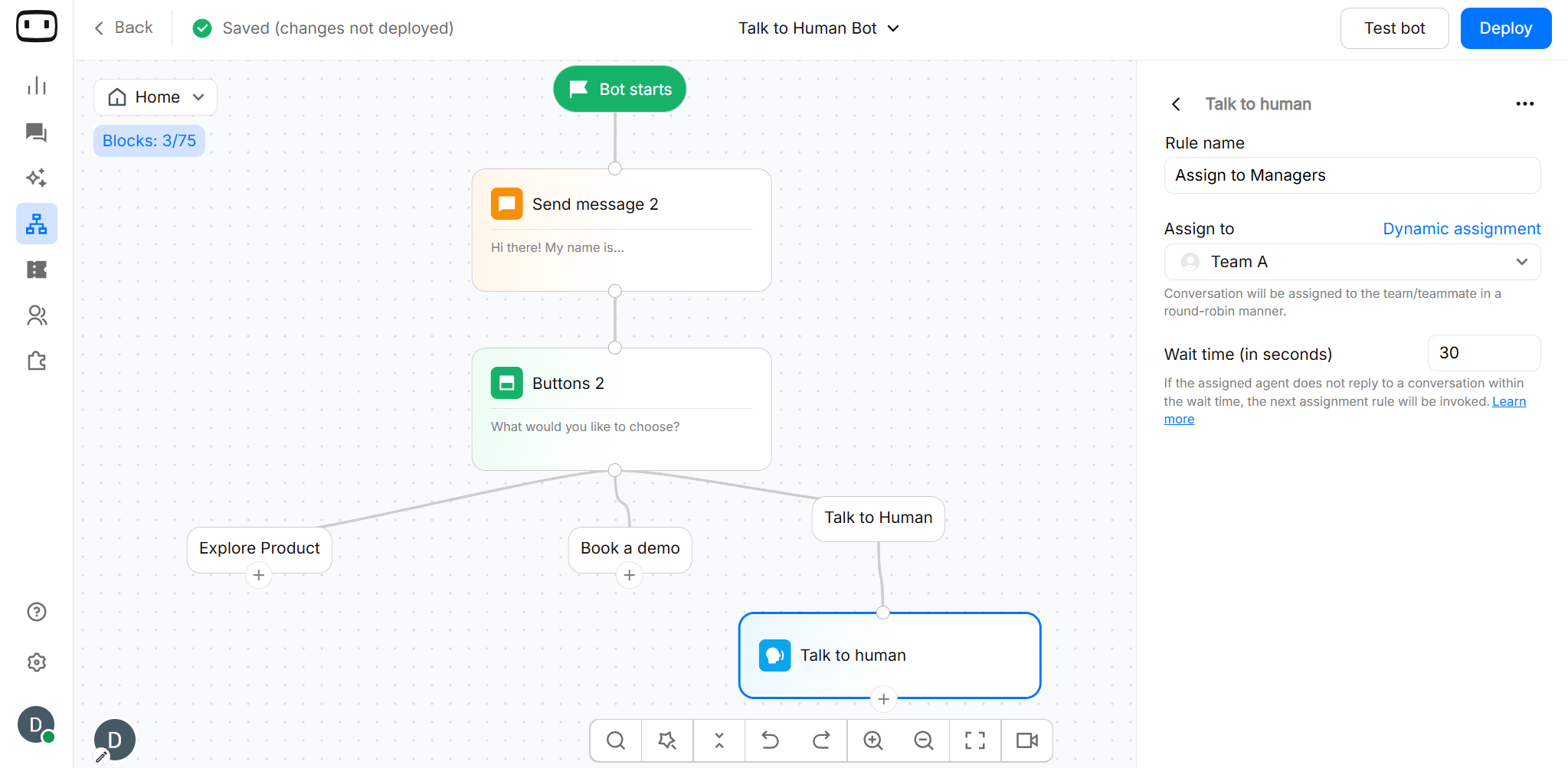
- Conversation will be assigned to the team/teammate in a round-robin manner.
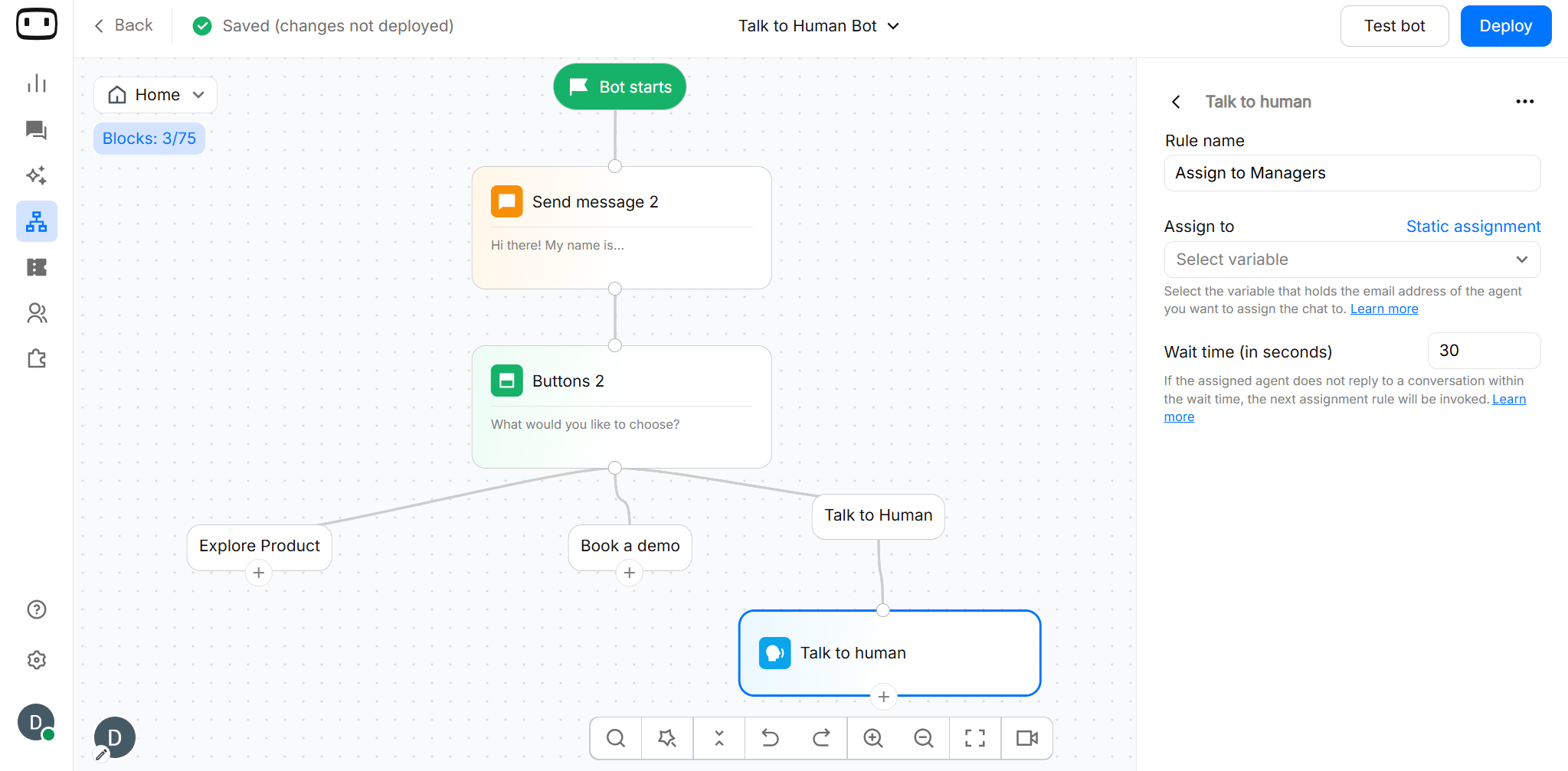
Dynamic Assignment
In the Talk to human block, Dynamic assignment means WotNot can decide which team or agent should receive the conversation at runtime, based on a value collected or generated during the conversation. For example, instead of always assigning a conversation to the same team, you can use a variable:{{department}} = "Sales"→ assign to the Sales team{{department}} = "Support"→ assign to the Support team
Generally, it is best practice to have multiple assignment rules like:
- Assign to support reps
- Assign to Support manager
Advanced Settings
Following messages are sent to the visitor when a success/failure scenario occurs during human handover. You can set the message by yourself. Define the default messages shown to the user for the following events:- Chat is assigned to agent — chat gets assigned to an available agent.
- Chat is unassigned — chat gets unassigned as the assigned agents did not reply within the defined wait time.
- No agent is available — no agents are available to take up the chat i.e. all agents have max chats assigned to them.
- Beyond operational hours — chat transfer request is received outside of business hours.
Output Path
The Talk to human block can route the conversation based on the outcome of the handover:- Agent connected — A human agent successfully receives the conversation and takes over from the bot.
- No agent available — No eligible agent is available to receive the conversation, so the configured fallback behaviour is triggered.
- Outside business hours — The handover request occurs outside the configured operational hours and follows the corresponding failure behaviour.