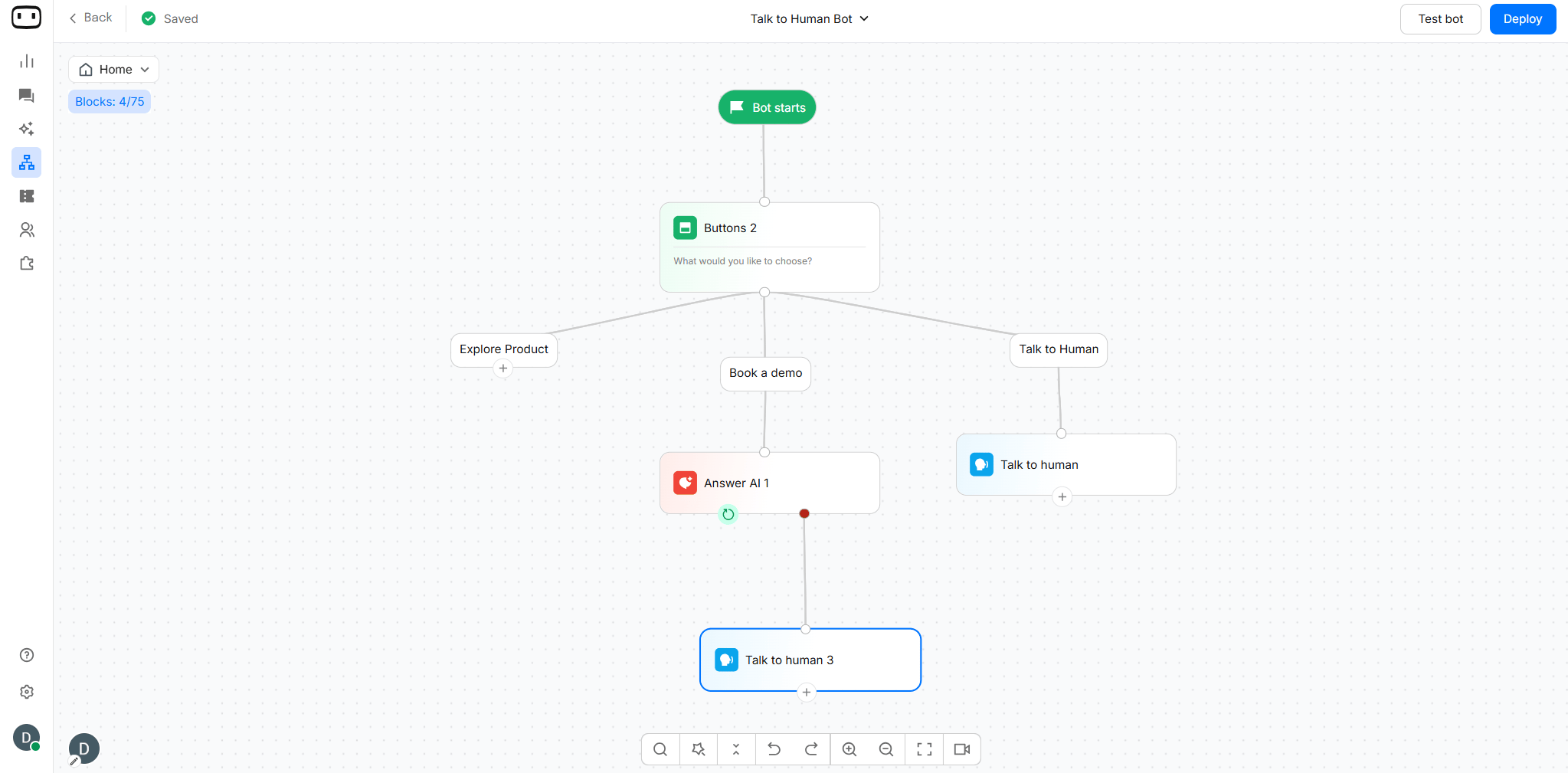
- User asks a question
- AI generates the answer from a knowledge base
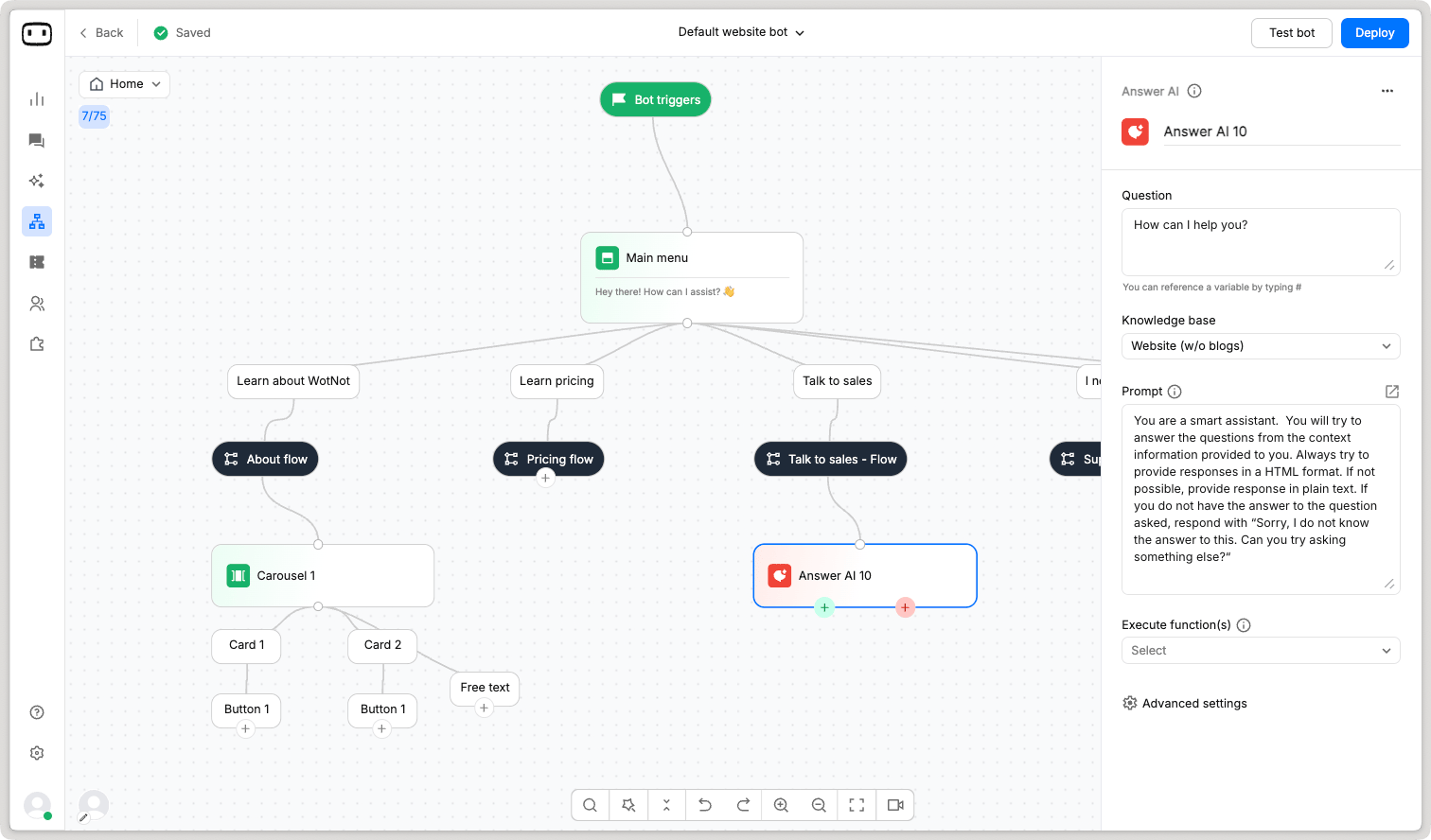
Answer AI is available on all channels.
Answer AI uses AI credits each time it generates an answer. AI credit usage depends on the AI model and the response generated. See AI credits for more information about AI usage and plan availability.
Using the Answer AI Block
Add the Answer AI block when you want your bot to answer a specific question from your knowledge base while keeping the rest of the conversation flow under your control.Configuration
Knowledge Base
Select the Knowledge base that Answer AI should use to generate its response. The selected knowledge base provides the information that Answer AI uses to answer the question. Make sure the knowledge base contains the information you expect the user to ask about. Learn morePrompts
A prompt is nothing but an instruction that helps the LLM know what to remember and follow while generating an answer. The more clear, concise and brief your instruction, the more accurate your answers will be from the AI. Things to write in your prompt:- Objective - What is its objective
- Output format - Typically would be HTML/markdown.
- Writing style - How should the answers be written.
- Don’ts - Clear instructions of what to avoid.
- Examples - Examples of question and answer.
Question Source
Choose where Answer AI should get the question it needs to answer. You can use:- Latest user message — Uses the user’s most recent message as the question.
- Variable — Uses the value stored in a selected variable as the question.
Fallback Behaviour
A fallback helps prevent the bot from providing an unsupported response when the required information is not available. Depending on your flow, you can use the fallback to:- Tell the user that the information is unavailable.
- Ask the user to rephrase the question.
- Route the conversation to another block.
- Transfer the conversation to a human agent.
Execute Functions
Execute Functions allows Answer AI to use configured functions while generating an answer. Functions can retrieve real-time information from an external system or perform an action, instead of relying only on the information available in the knowledge base.- Use Execute Functions when the answer requires dynamic data, an API call, or an action that cannot be provided by the knowledge base alone.
- You can select multiple functions from the dropdown.
“Your order #12345 is out for delivery and is expected to arrive today.”

Advance Settings
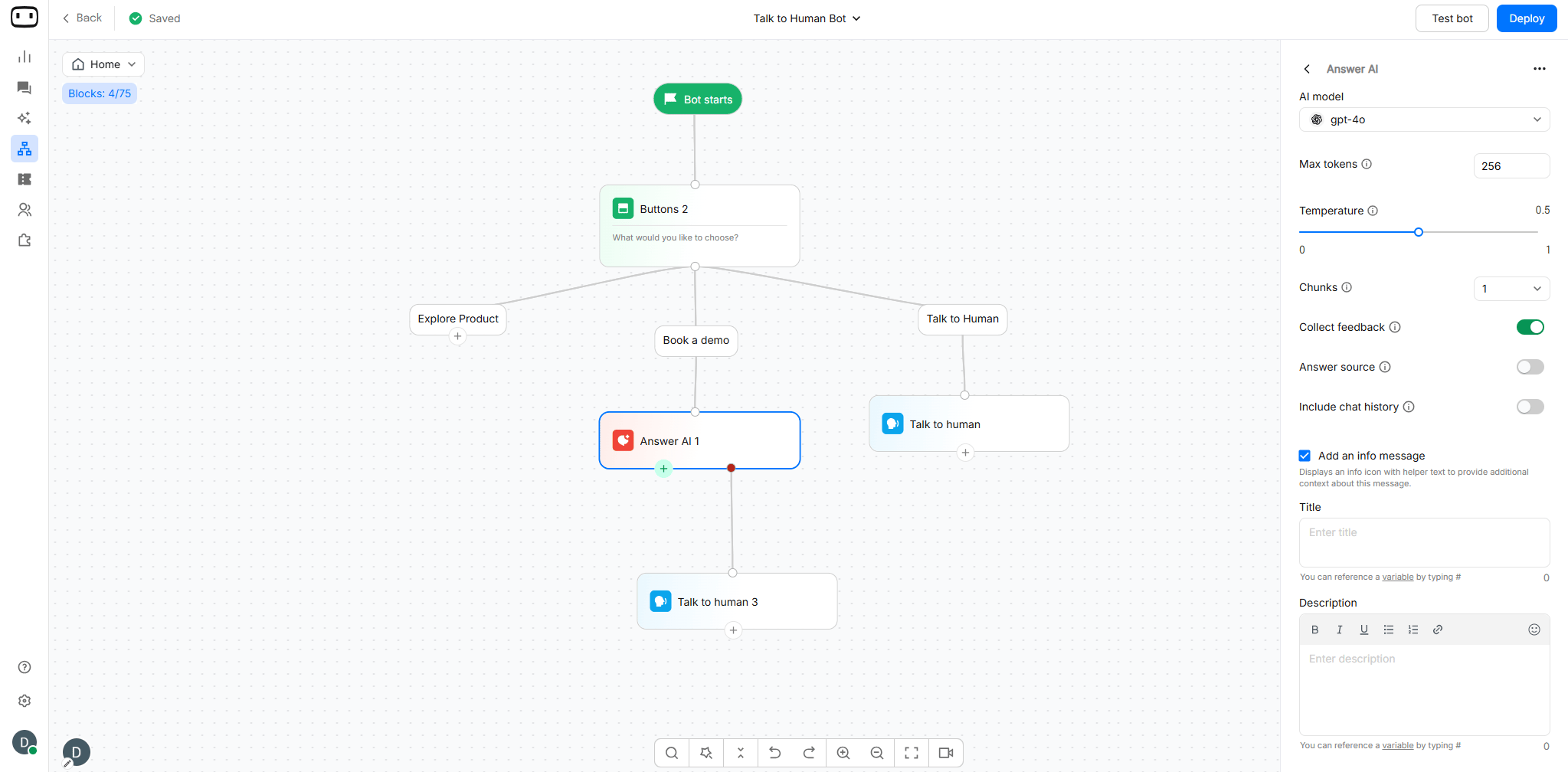
AI Model
Select which AI model (e.g., GPT-3, GPT-4) you want to use for generating responses. Models offered:- Open AI
- Anthropic
- Google Gemini
- Custom Models (Available on Enterprise plan)
Max Tokens
A token is a small unit of text that an AI model processes when reading your question, knowledge base content, or generating a response. Example: If a user asks:“What is your refund policy?”The AI breaks the text into smaller pieces called tokens before processing it.
- 1 token ≈ 4 characters but actual token usage may vary depending on the language, words, and AI model.
- Shorter responses use fewer credits, and longer or more complex responses use more. You only pay for what you actually use.
Temperature
You can control whether you would like to receive unique responses every time a question is asked or get the same response every time the question is asked. Define a number between 0 and 1. Nearer to 1 gives you distinct responses; nearer to 0 gives you fix responses. By default, we keep the number as 0.5.Chunks
When the AI is asked a question, it first fetches relevant content from the knowledge base, which is then sent to the LLM model to generate an answer. The more relevant content the AI can fetch, the more chances of accurate responses are. The number indicates the number of relevant responses which will be fetched from the knowledge base. Select the number of knowledge base chunks Answer AI should use when generating a response.Collect Feedback
For every AI generated response, we allow the user to submit feedback about the generated answer. This helps you know how helpful are AI’s answers.Answer Source
Displays the URL of the content source from where the answer was referenced from. This only works for knowledge bases built using a website URL.Include Chat History
Enabling this will include the entire chat history of the chat when answering any question. This helps when user asks follow-up questions as ‘its pricing’, and the LLM would be aware that your previous question was about WotNot, so you meant “WotNot’s pricing’.Add an info message
Displays an info icon with helper text to provide additional context about this message. You can add Text and Description here.Available only in WEB CHANNEL

Output Path
Self Loop After the AI answers the user’s question, the conversation remains active. The user can continue asking relevant questions without starting a new conversation.