

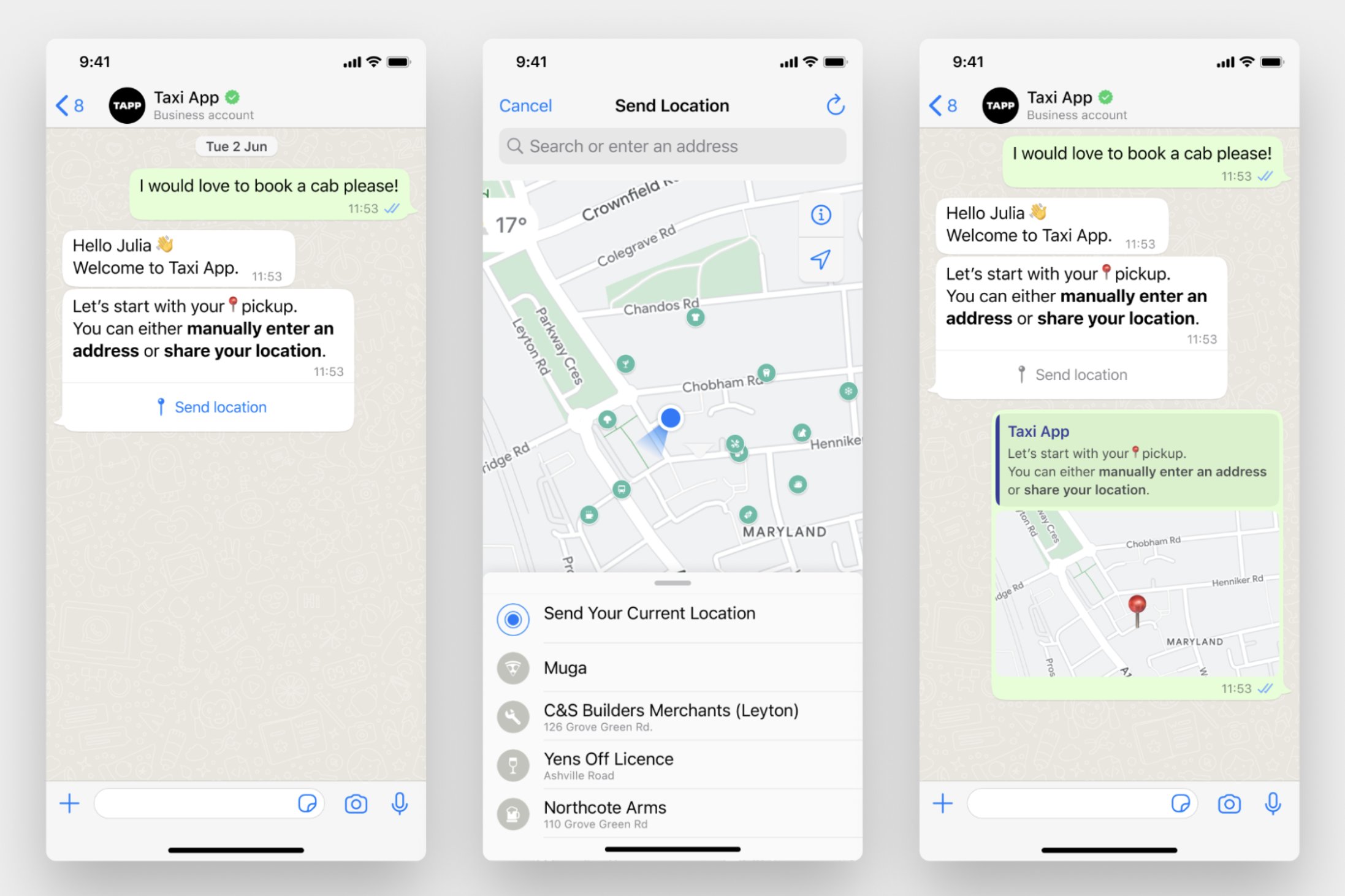
The Collect location block is available only on WhatsApp. For other channels, use a Collect input block to let users enter their address manually.
Using the Collect location block
- Add the Collect location block: Drag the Collect location block onto the canvas and connect it to the relevant block in your chatbot flow.
- Write the location prompt: Enter the message you want to show when asking the user to share their location.
- Configure the block: Set the error message and variable to store the user’s location response.
Configurations
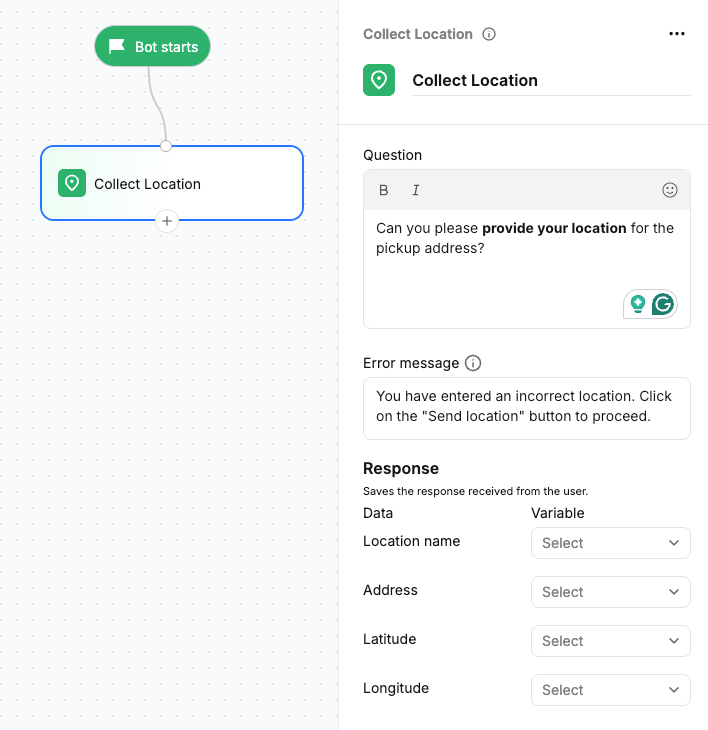
Question text
Enter the message you want to show when asking the user to share their location.Error message
Define the message what happens when the user sends text or another unsupported response instead of sharing their location.Save to variable
Select the variable where you want to store the location received from the user. You can use the stored location details in conditions, API calls, or other blocks in the flow. You can save the location details separate variables.- Location name — The name of the location shared by the user.
- Address — The address associated with the shared location.
- Latitude — The latitude coordinate of the shared location.
- Longitude — The longitude coordinate of the shared location.