

You provide the interface and conversation handling on your side; WotNot provides the chatbot logic and processes visitor responses.
When to use the API
Use the API channel when you want to keep WotNot’s conversation logic but build your own customer-facing experience. With the API, your application is responsible for rendering the conversation. This includes handling interactive responses such as buttons, multi-button options, sliders, file uploads, and other block types returned by the agent.- You have a better chat widget UI
- You want to manage chatbots on multiple domains
Build your API channel
1
Build your chatbot flow
- Go to Bot builder > Choose “API” as channel
- Build your conversation flow
- Hit “Deploy” to publish your version
2
Configure WotNot's APIs
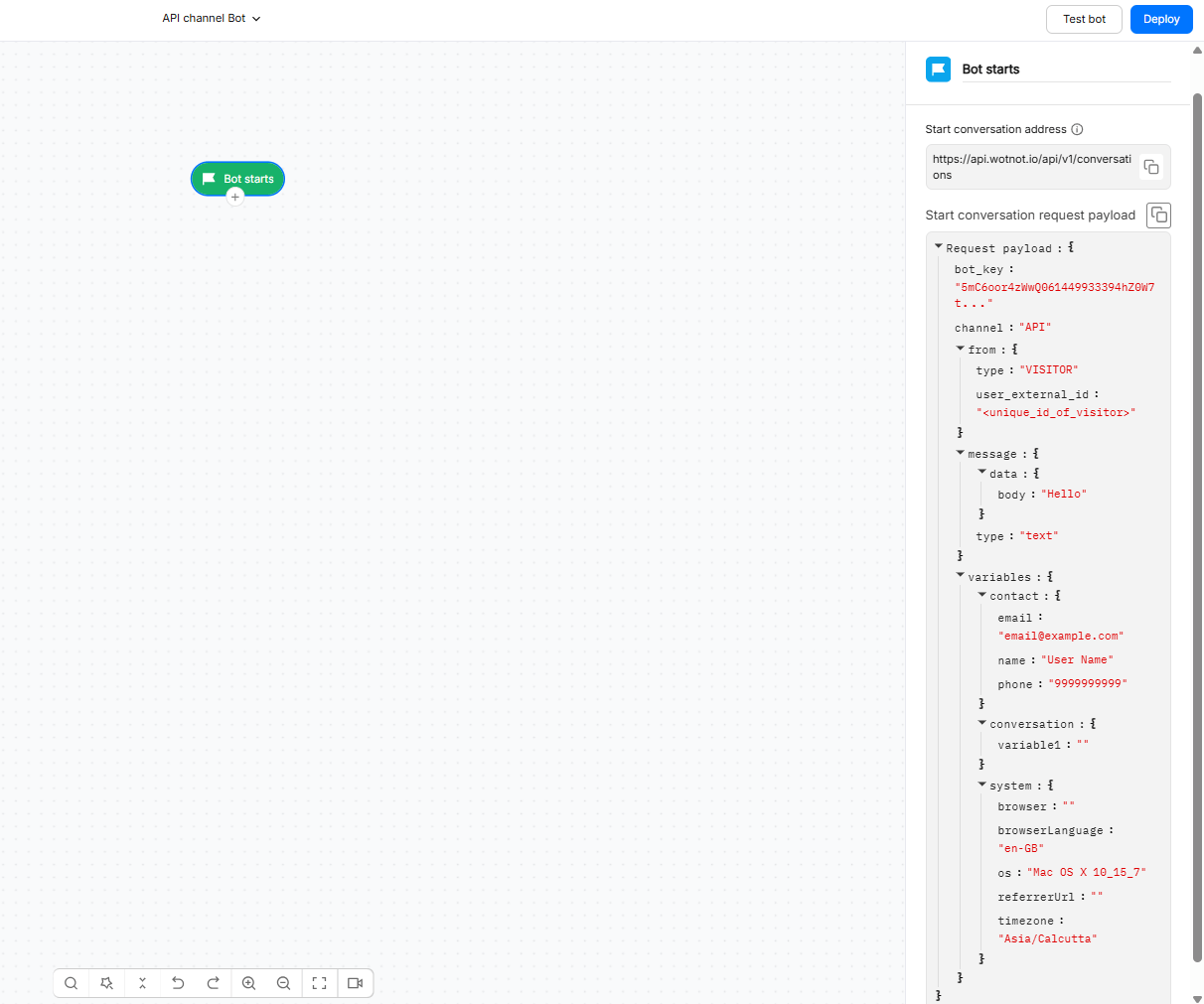
You would need to invoke 2 APIs to facilitate the chat between the chatbot built on WotNot and your system.
- Start conversation - To initiate the conversation and create a thread.
- Send visitor message - To send the visitor’s reply to a message for WotNot to process and go to the next step in the chat flow.
Authentication
WotNot APIs use Bearer token authentication.Getting credentials
- Open your WotNot account.
- Go to Settings > Account Settings > Developer.
- Copy the API token provided for your account.
Authenticating a request
Add the token to the Authorization header using the Bearer scheme.Start conversation
Endpoint
POST https://api.wotnot.io/api/v1/conversations Initiates a chat session with a visitor. Make sure you use this API for unique visitors.Headers
Body
Response
- 200
- 400
- 401
Passing initial context
If your application already knows information about the visitor, pass that information when creating the conversation instead of asking the visitor for it again. For example, your application may already know the visitor’s:- Name
- Email address
- Phone number
- Other supported visitor attributes
Continuing a conversation
Send all visitor responses received at your systems to WotNot using this API. After receiving it, WotNot will process the visitor message as per the chatbot flow and provide the chatbot response.Endpoint
POST https://api.wotnot.io/api/v1/conversation/<conversation_id>/messagesHeader
Session Lifetime
The conversation identifier returned by WotNot is used to associate subsequent visitor responses with the existing conversation. Store this identifier in your application’s session or conversation state and reuse it for subsequent messages.Handling interactive elements
- Text
- Slider
- File Upload
- JavaScript
Handover to a human
If your conversation flow transfers the visitor to a human, your application should update the UI to indicate that the automated conversation has ended or that a human agent is taking over. The exact handover response and human-agent workflow should be validated against the current API response schema before implementing a production client.Rate limits and errors
Every request should handle both successful and unsuccessful responses. Common response statuses include:
Response:
- 200
- 400
- 401
- Do not retry a request automatically unless you know the operation is safe to retry.
- Use exponential backoff for retriable infrastructure failures.
- Avoid sending the same visitor message multiple times because of a client-side timeout.
- Log the conversation identifier and request outcome for troubleshooting.
Troubleshooting
Authentication is failing
Authentication is failing
Check the following:
- Confirm that the token is copied correctly.
- Confirm that the request uses the
Authorization: Bearer <token>format. - Make sure the token has not been exposed or altered.
- Confirm that the request is being sent from your server-side application.
- Check that the
Content-Typeheader is set toapplication/jsonwhere required.
The conversation identifier is rejected on the second turn
The conversation identifier is rejected on the second turn
Check the following:
- Confirm that you stored the
conversation.idreturned by the Start conversation request. - Make sure the same conversation identifier is used in the message endpoint.
- Check that the identifier has not been truncated or modified.
- Confirm that the conversation still exists and is available.
The response contains a block type my client does not handle
The response contains a block type my client does not handle
Your client must support every response type used by the deployed flow.Check the flow for interactive blocks such as:
- Buttons
- Multi-button options
- Sliders
- File uploads
- JavaScript responses
The conversation stops unexpectedly
The conversation stops unexpectedly
Check the conversation state and the response returned by WotNot.Also verify that your application:
- Preserves the correct
conversation_idbetween turns. - Does not create a new conversation for every visitor message.
The API is being called repeatedly under load
The API is being called repeatedly under load
Check your application’s retry logic and request concurrency.Make sure a timeout does not cause the same visitor message to be submitted multiple times.Add request logging so you can identify duplicate requests and the associated conversation identifiers.
The API behaves differently from the Web widget
The API behaves differently from the Web widget
The Web widget provides its own rendering and interaction handling. The API does not provide the same customer-facing UI.Compare the following:
- The deployed flow and channel configuration.
- The exact request payload sent by your application.
- The response type returned by WotNot.
- How your application renders buttons, options, files, and other interactive content.