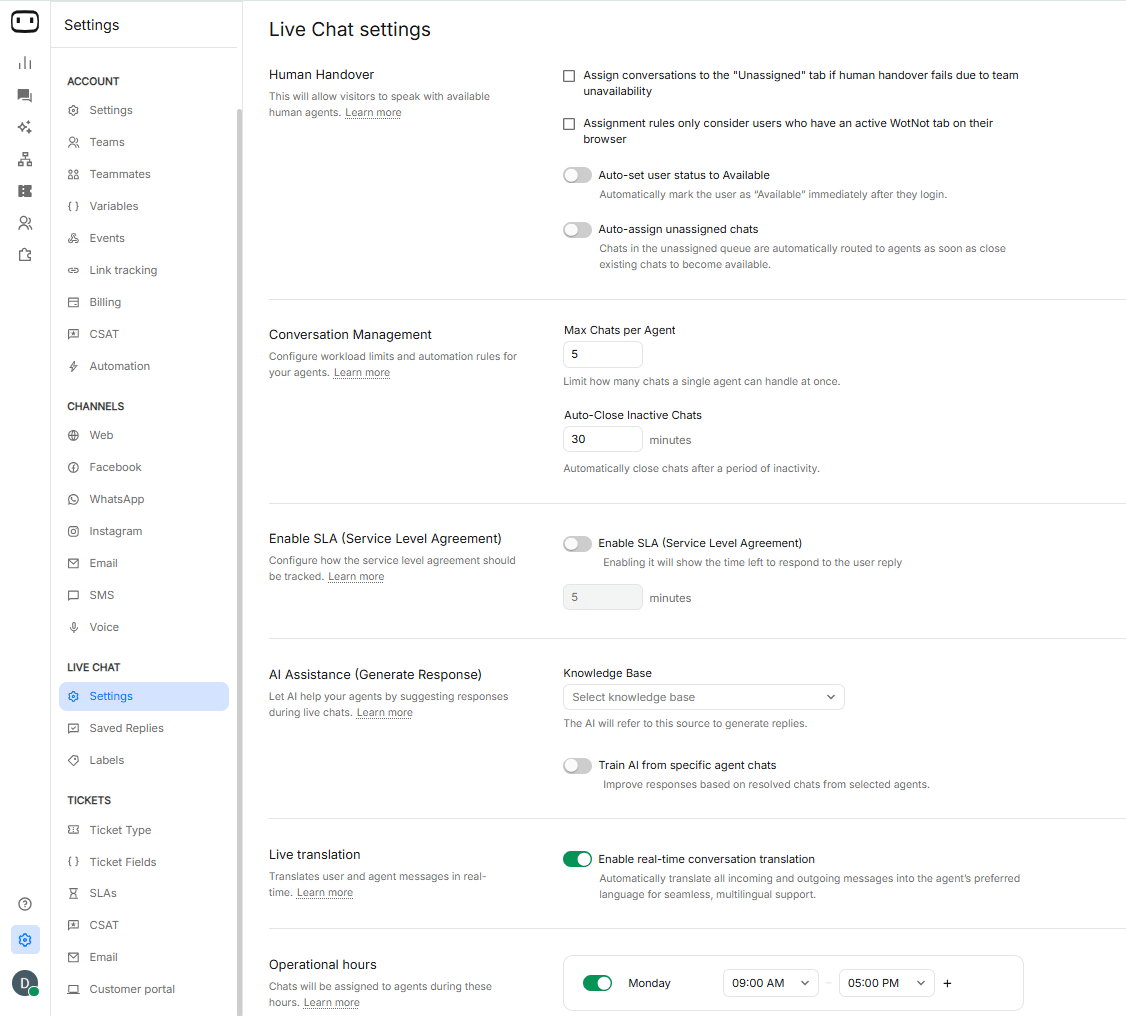
Human handover
Configurations offered for human handover are: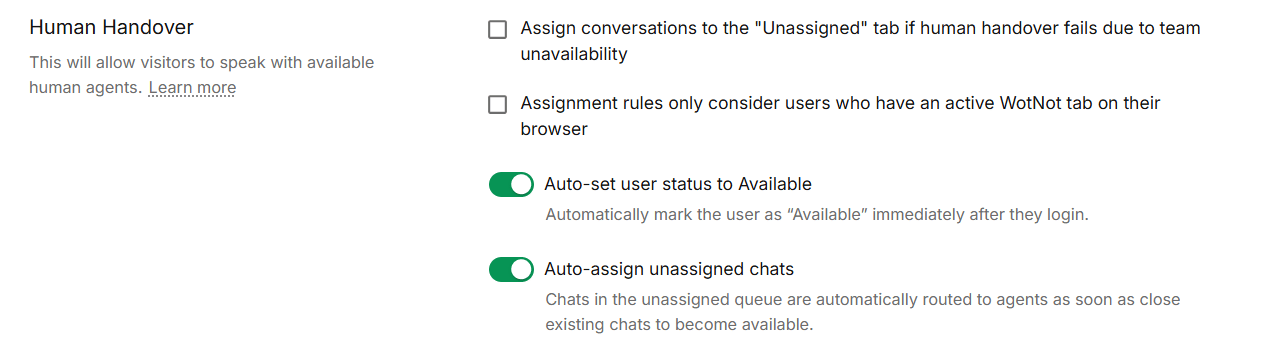
Conversational management
Max chats per agent — Limits how many chats can be assigned to an agent. Session duration — The duration for which a chat can remain active. Chats will automatically close after this duration of inactivity.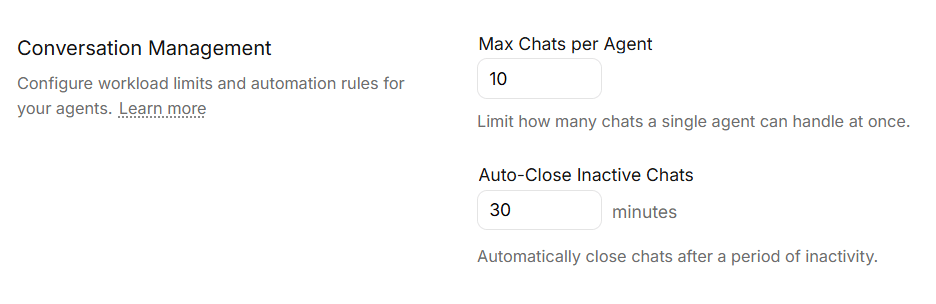
SLA (Service level agreement)
To ensure timely responses offered to visitors for their messages, you can enable an SLA timer. Enabling this will immediately show the time left for the agent to respond back to the visitor’s query. Also, if the agent does not send a reply within the specified SLA time, it will be recorded in the Agent analytics page.
AI Assistance (Generate Response)
Enables your agents to generate responses using AI referring to a “Knowledge base” of data sources like your help docs, SOPs etc. Learn creating a knowledge baseTrain AI from specific agent chats
When enabled, let’s you choose the agents whose manual interactions will also be added to the selected knowledge base on an ongoing basis. This helps the co-pilot in generating better responses.Live translation
When enabled, and if the user is chatting in a foreign language other than the user’s selected language on the WotNot platform, it will display a prompt to translate all incoming and outgoing messages to that user.This functionality is powered by Microsoft Azure Translator service and supports 100 languages. Learn more
Ongoing language translation on live chat
Once “Start translation” is chosen, all incoming user messages will be displayed in the user selected language.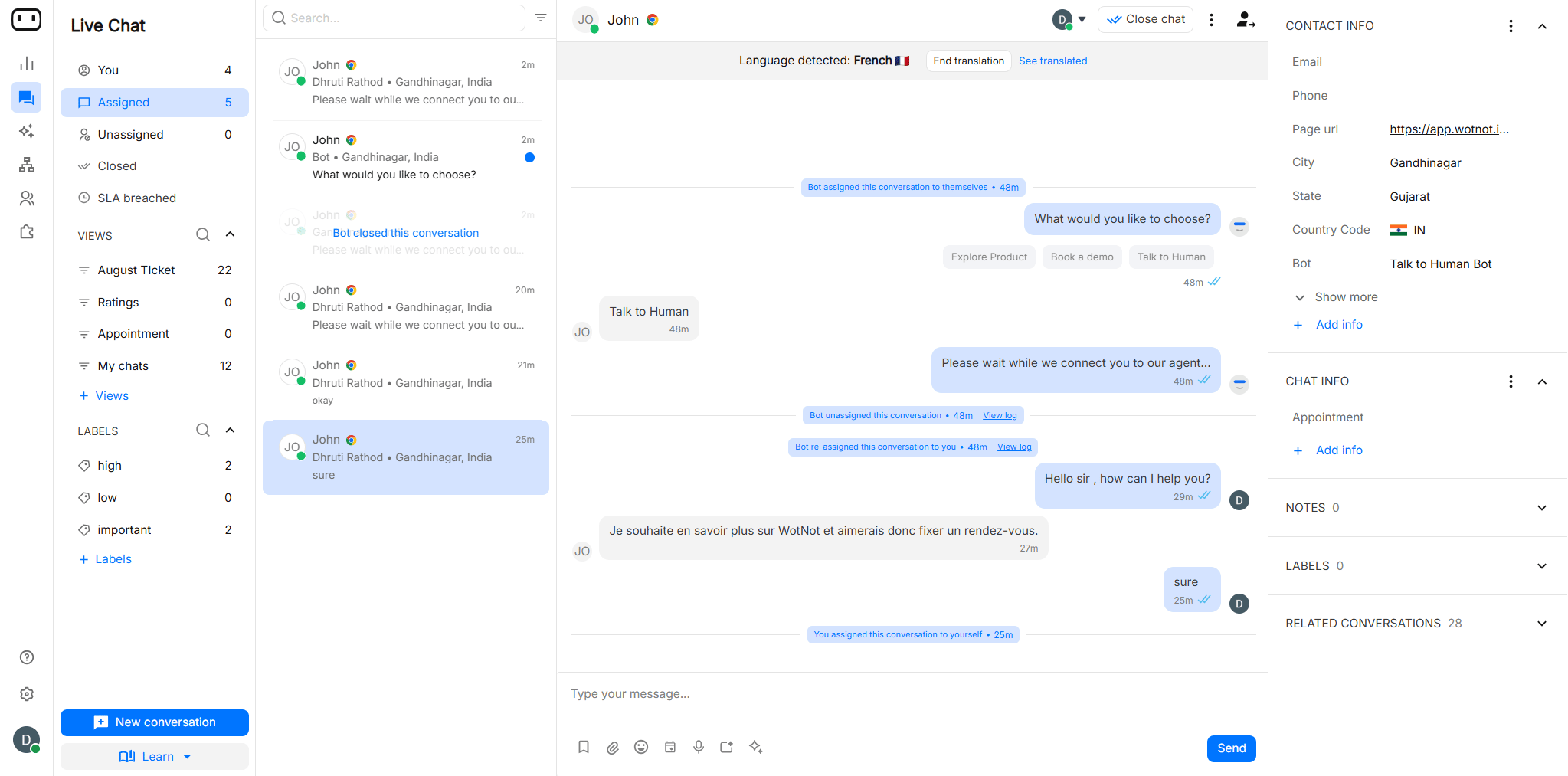
Translation at chat widget
All messages sent by the agent to the user are also translated in the language the user is interacting in. The user also sees a “Shows original” to display the actual text the agent sent.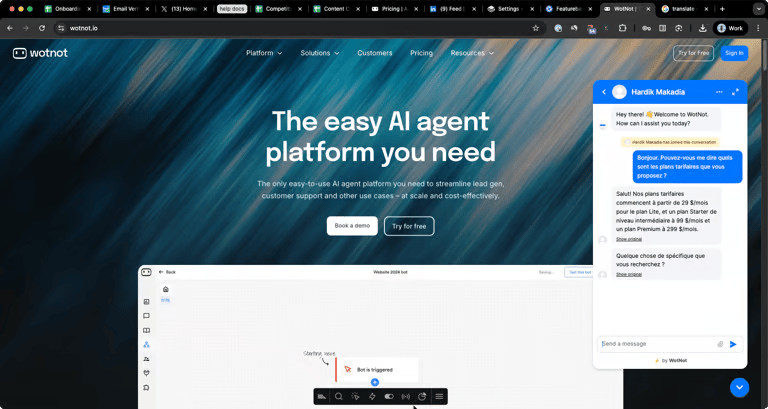
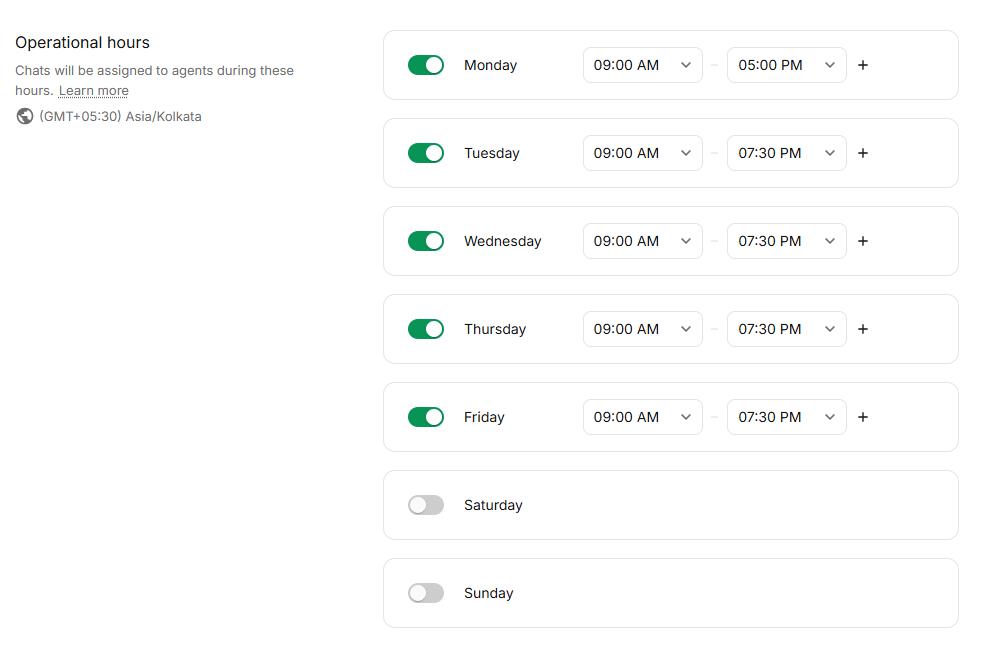
Operational hours
The “Talk to human” blocks will only transfer chats to humans during the mentioned time slots here. If a chat transfer occurs beyond the operational hours, the chats will move in the failure flow.Make sure to double check your account timezone.
Holidays
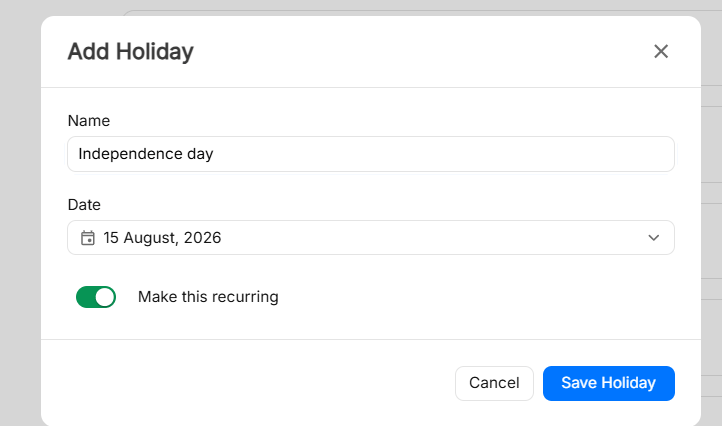
SLAs will not be applied on these days.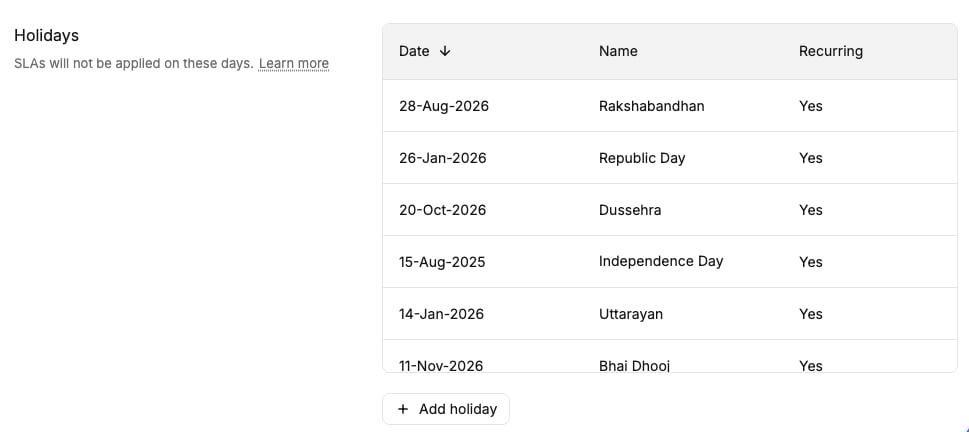
You can also mark holidays as recurring that occur every year.