- Speed up the response time
- Tackling repetitive queries
- Provide consistent answers to the common questions
- Manage multiple conversations in parallel
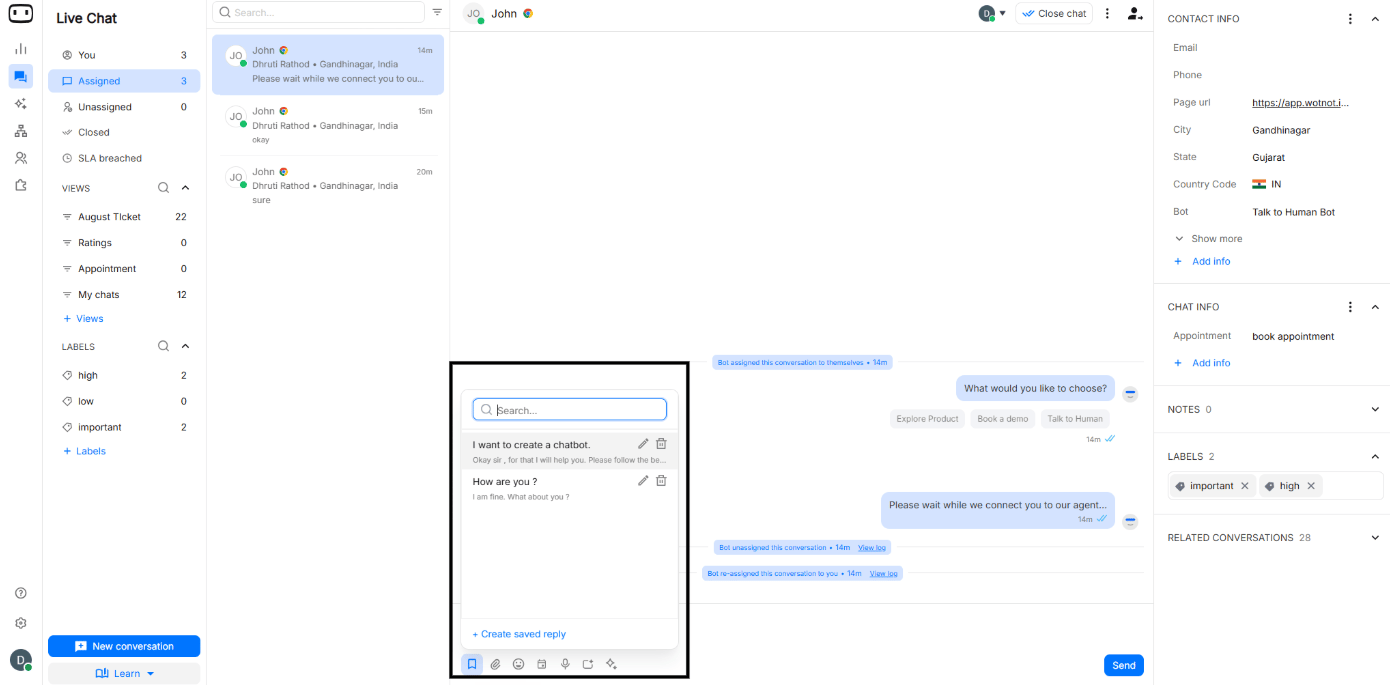
Creating saved replies from Live Chat
- Click on ‘Join the Conversation’
- Click on ‘Bookmark’ or type ’/’ to access the Saved Replies
- Click on ’+ Create Saved Reply’
- Give ‘Title’ & define the ‘Message or Reply’
- Click on ‘Create’ to create the Saved Reply
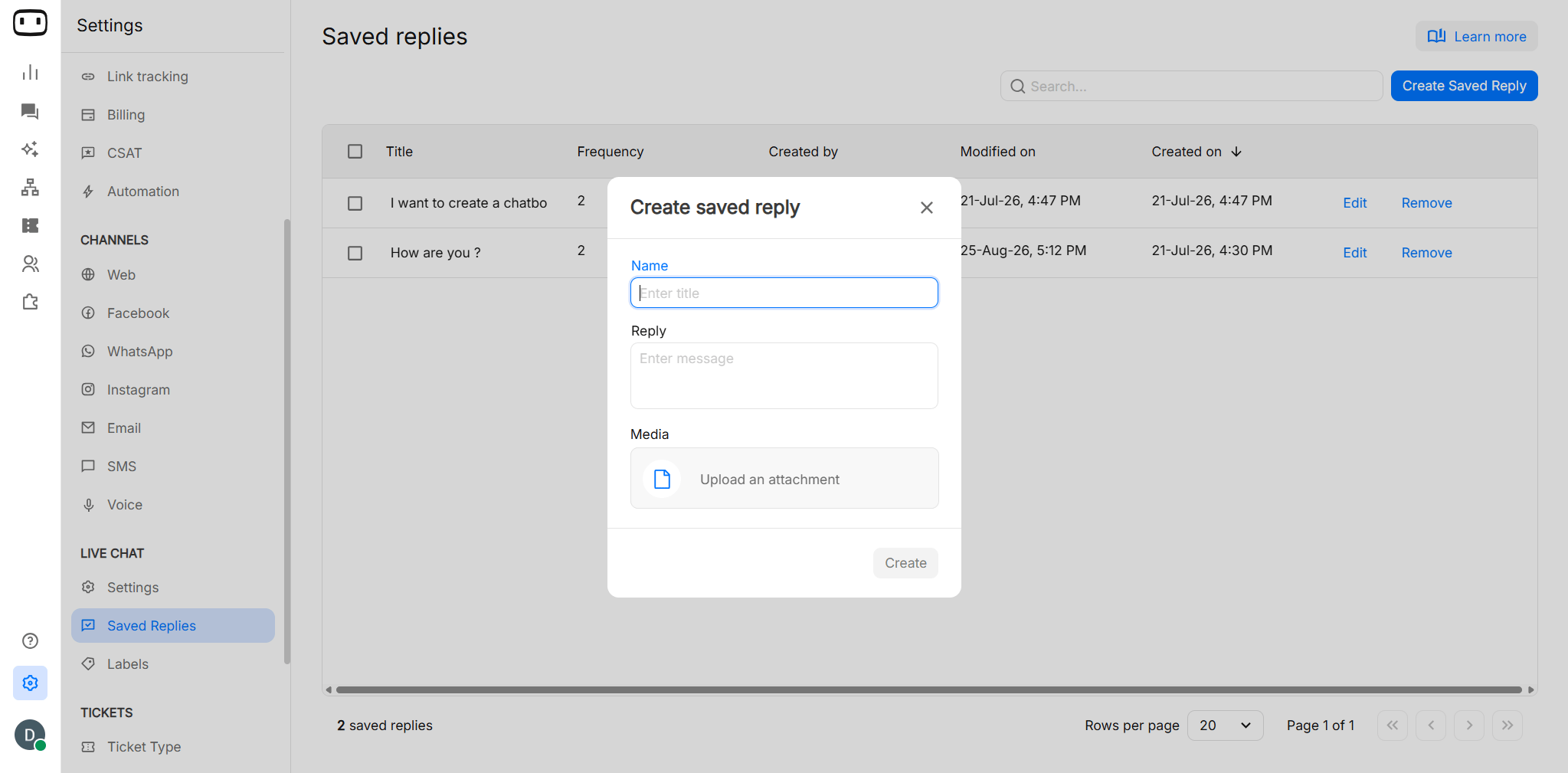
Creating saved replies from settings
- Go to ‘Settings’ > Live Chat > Saved Replies
- Click on ‘Create Saved Reply’ on the top right corner
- Give ‘Title’ & define the ‘Message or Reply’
- Click on ‘Create’
You can create saved replies using text + PDF + media.