

Before you start
To authenticate with the WotNot API, you need:- A WotNot account
- Access to the account’s Developer settings
- Your WotNot account token
- The WotNot API endpoint URL
Get your account token
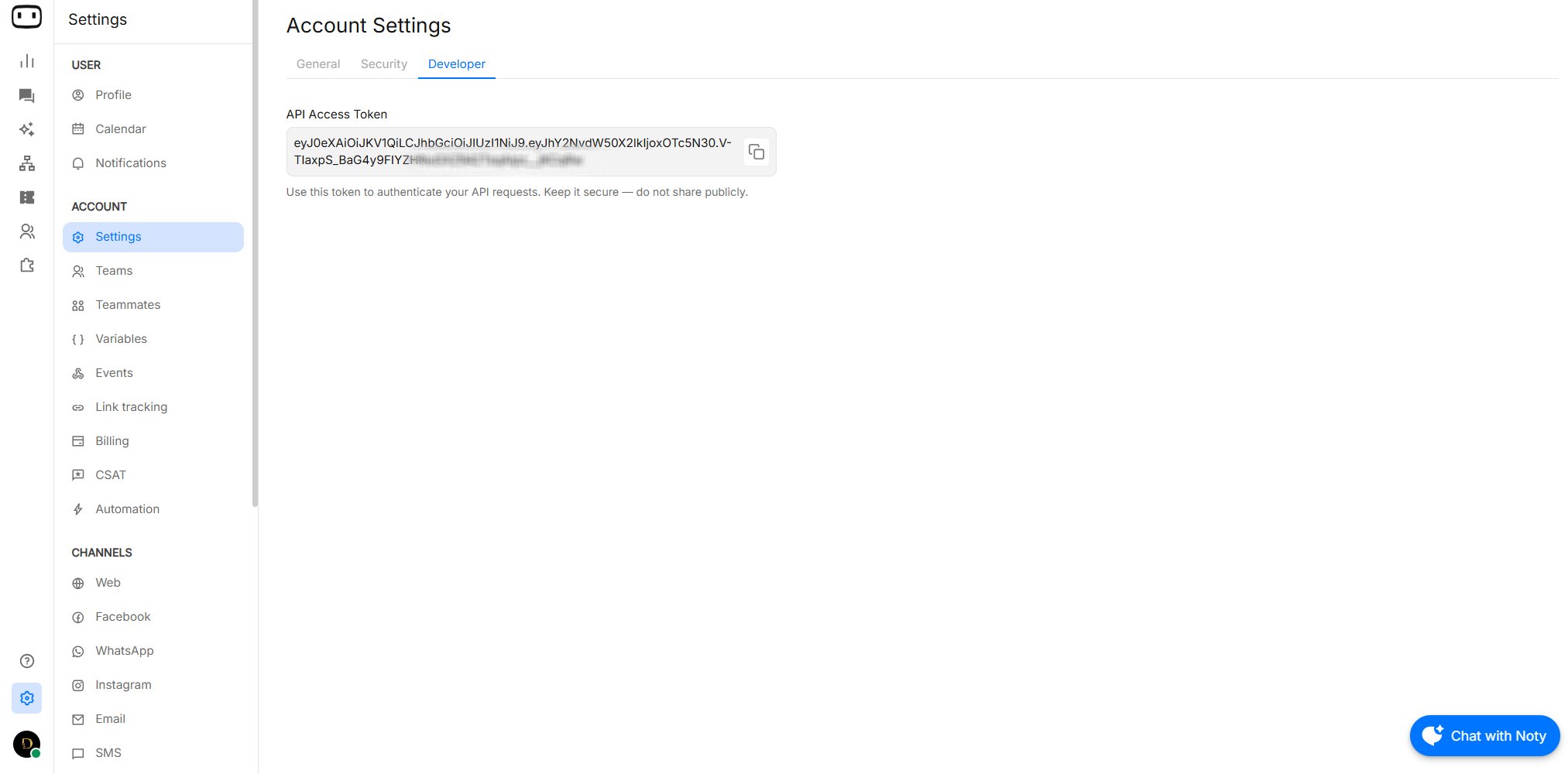
Your account token is available from the WotNot dashboard.- Log in to your WotNot account.
- Go to Settings.
- Select Account Settings.
- Open the Developer section.
- Copy your Account Token.
API endpoint
All WotNot API requests are sent to:Authenticate your requests
Pass your account token as a Bearer token in theAuthorization header.
Authentication header
Some endpoints use a different content type. For example, APIs that upload files or text sources may require
multipart/form-data. Always use the content type specified by the individual endpoint.Common authentication errors
Invalid or missing token
If the request does not contain a valid account token, the API may return an authentication error. Example:- The
Authorizationheader is included. - The value starts with
Bearer. - There is a space between
Bearerand the token. - The token is copied correctly.
- The token belongs to the WotNot account containing the resource you are trying to access.
Avoid
Do not:- Add the token directly to frontend or browser-side code.
- Commit the token to a public Git repository.
- Share the token in screenshots or documentation.
- Include the token in URLs or query parameters.
- Store the token in publicly accessible files.
Authentication checklist
Before troubleshooting an API request, verify:- You copied the correct account token.
- The
Authorizationheader is present. - The header uses the
Bearer <token>format. - You are using
https://api.wotnot.ioas the API host. - The endpoint path is correct.
- Required headers are included.
- The resource belongs to the WotNot account associated with your token.