> For the complete documentation index, see [llms.txt](https://help.wotnot.io/llms.txt). Markdown versions of documentation pages are available by appending `.md` to page URLs; this page is available as [Markdown](https://help.wotnot.io/getting-started/building-a-bot-with-live-chat.md).
# Building a bot with live chat
Chatbots are meant to automate the first level of conversations with users.
But sometimes, you need to offer users human assistance depending on the situation.
Here are the steps to add live chat to your chatbot:
## Step 1: Creating your chatbot
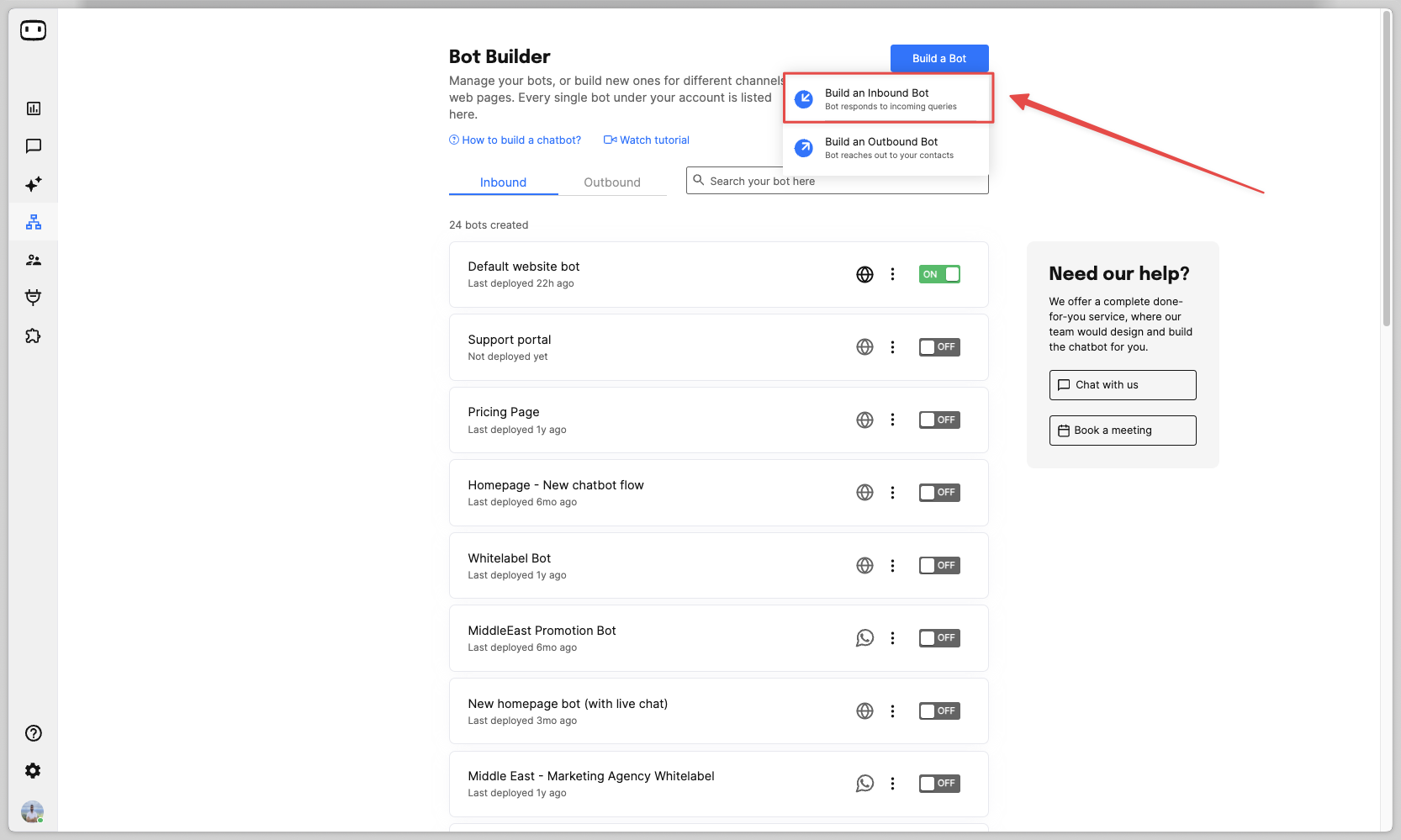
Goto Bot Builder -> Build a bot -> Inbound -> Web and build your chatbot flow.
## Step 2: Add a talk to human action block
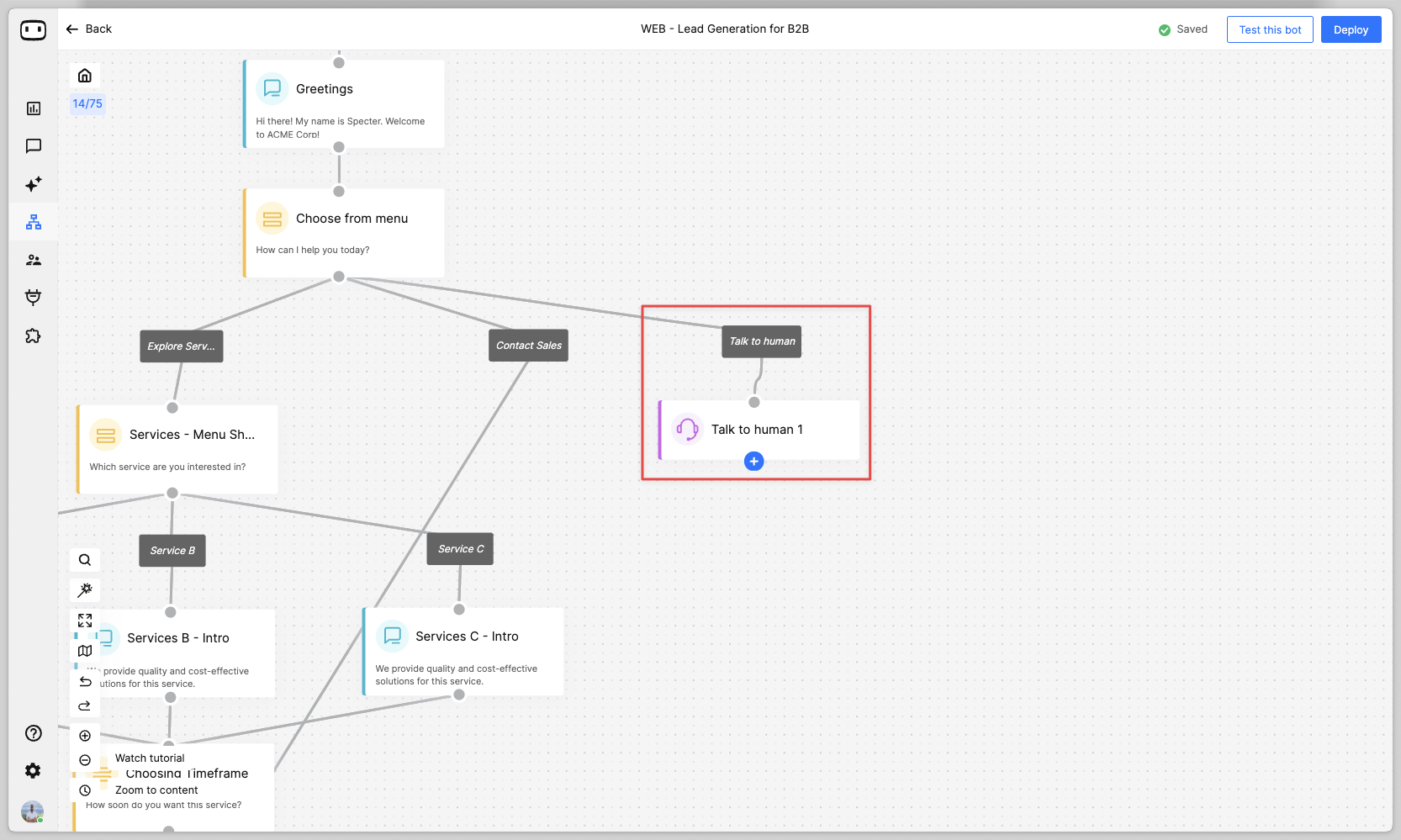
Now, add the 'Talk to human' action block at the point in the chatbot flow where you want to transfer the chat to a human agent.
{% hint style="info" %}
Available on the **PREMIUM** plan and above.
{% endhint %}
## Step 3: Configure your assignment rules
On the 'Talk to human' action block, add the assignment rules for the chat to be assigned to your agents.
Learn more about assignment rules here :point\_down:
{% embed url="" %}